
 Rotating Residential Proxies
 Rotating Datacenter Proxies
 Static Residential Proxies
 Static Datacenter Proxies
 Unlimited Rotating Residential Proxies
 Proxy Solutions
 United States Proxies
 Canada Proxies
 United Kingdom Proxies
 France Proxies
 Germany Proxies
 Singapore Proxies
 Japan Proxies
 Australia Proxies
 Vietnam Proxies
 Philippines Proxies
 India Proxies
 Mexico Proxies
 View All Regions
 Social Media
 E-commerce
 Data Aggregation
 Ad Verification
 Artificial Intelligence
 Market Research
 Integration Tools
 Contact Us
 FAQ
FAQ
 Documentation
 Tutorials
 SDK
SDK
 Affiliate Program
 Become an Agent
 Partners
 Blog
Blog


Proxy IP Not Changing? Check Rotation and Connection Reuse
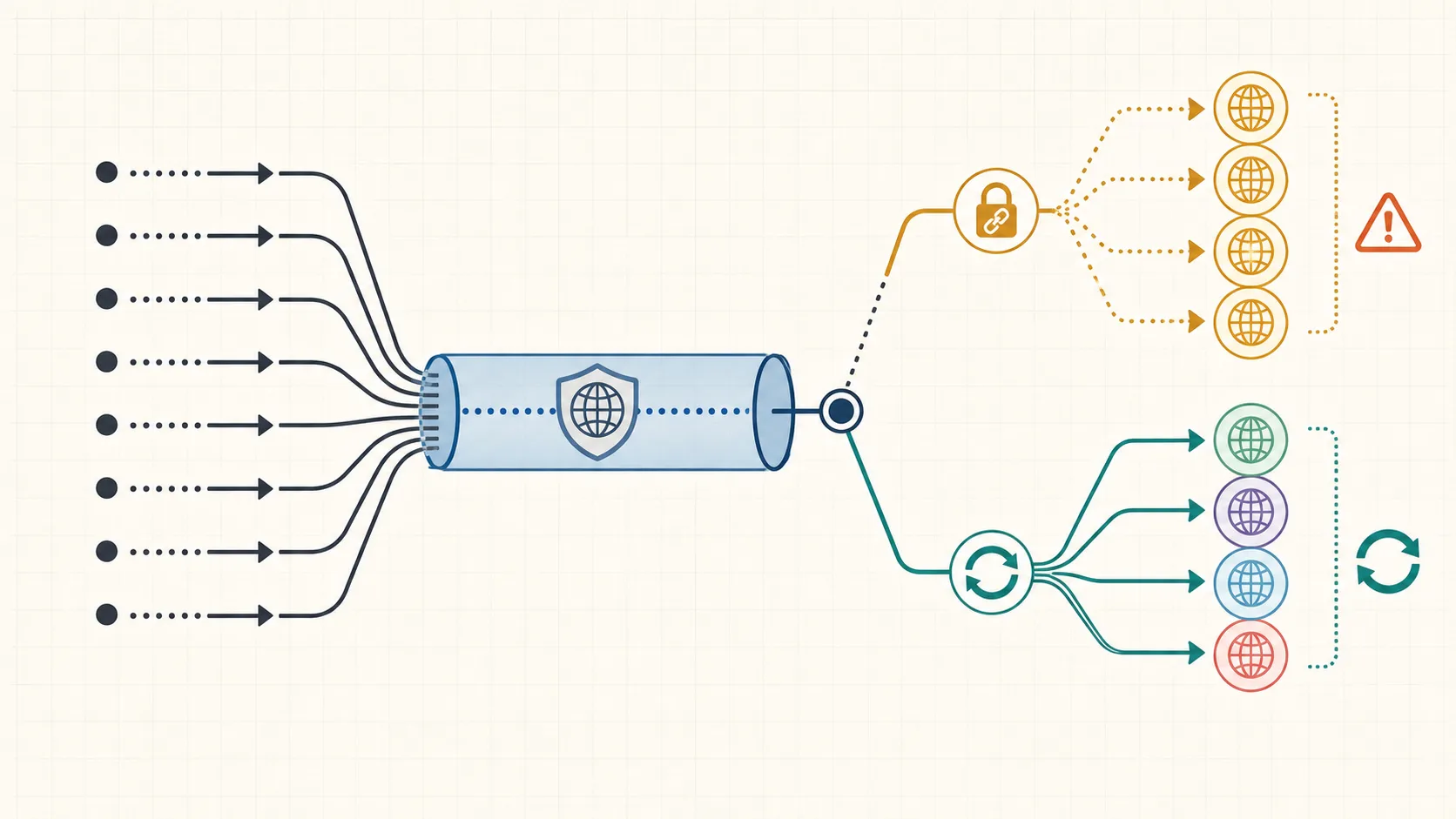
If a proxy IP does not change when you expect rotation, the first question is not whether the provider lied. The first question is what event actually triggers a new exit IP in your setup: a new request, a new session identifier, a new TCP connection, or a manual rotation action.
That distinction matters because many teams test a rotating proxy in a browser or HTTP client that quietly reuses the same connection. When that happens, the proxy can behave like a sticky session even though the provider still supports rotation. Before you change vendors, verify the provider’s session model and your client’s connection reuse behavior in the same test.
Start with the answer: rotation rules are often per connection or per session, not per click
Rotating proxy products do not all rotate on the same trigger. The Oxylabs residential proxy session control docs explain that a session identifier can keep the same IP across multiple requests, while a new IP is assigned after the session window expires. That means a repeated request is not enough evidence by itself. You need to know whether your provider rotates per request, per connection, per timed session, or only after an explicit session change.
Use that as the starting assumption: if the exit IP stayed the same, either your provider kept the same session on purpose or your client never created the kind of new connection that would trigger rotation.
Separate provider session mode from client connection reuse
Client behavior can hide a healthy rotating proxy. The Requests advanced usage docs say that sessions use urllib3 connection pooling, so the underlying TCP connection can be reused across requests. That optimization is useful for speed, but it changes how a backconnect proxy looks in production.
The production write-up .NET pooled-connections case study describes the failure mode directly: one TCP connection was opened, then reused for later requests, so the workload kept one exit IP even though the provider advertised rotation. Treat that as a real troubleshooting branch, not an edge case.
A practical rule is simple:
| What stays constant | What to verify next | What it usually means |
|---|---|---|
| Same exit IP, same session ID, same connection | Confirm the provider’s documented session behavior | Rotation may not be supposed to happen yet |
| Same exit IP, no explicit sticky setting | Check whether the client reuses one proxy tunnel | Connection pooling may be masking rotation |
| New exit IP only after closing the client or browser | Compare provider docs with connection lifecycle | Rotation may be triggered by a new connection, not each request |
| Exit IP changes but the target still behaves the same | Inspect cookies, account state, and request identity | The target may be grouping requests by something other than IP |
Run a controlled four-step check before changing providers
Keep the target, account state, and request shape constant. Only change one layer at a time.
- Log the observed exit IP on every request, not only the configured proxy endpoint.
- Repeat the same request with a fresh client process or a closed connection pool.
- Repeat again with a new provider session identifier or manual rotation action if your proxy supports it.
- Compare the result in your real runtime, such as the browser automation framework or deployed HTTP worker, against a simple control client.
The goal is to learn which event actually changes the IP. If a fresh process or closed pool changes the exit while same-process requests do not, the main issue is connection reuse. If only a new session ID changes the exit, the provider is behaving like a sticky-session product until you rotate that session. If nothing changes across those checks, then it is reasonable to test provider-side rotation settings, port choice, or support guidance.
Compare sticky sessions, rotating sessions, and connection-pooled traffic directly
The easiest mistake is to compare a rotating product against the wrong expectation. A checkout test, logged-in browser flow, or cart workflow may need a stable IP for continuity. A stateless collection task may need deliberate IP churn. If the workload needs stability, seeing one IP during the whole session can be correct behavior.
Use this interpretation order:
- If the provider documents sticky sessions, do not expect mid-session IP churn unless you rotate the session deliberately.
- If the provider documents per-connection rotation, force a genuinely new connection before you decide rotation failed.
- If the provider documents per-request rotation but your deployed client still shows one IP, instrument the client pool and retry logic before blaming the provider.
- If the exit IP changes as expected but blocks or rate limits remain, move the diagnosis to cookies, account state, pacing, or fingerprint consistency.
For workloads that truly need variable exits across repeated requests, compare rotating residential proxy options for variable-exit workflows only after these checks show that your session model and connection lifecycle are the real bottleneck.
Decide when the problem is the client, the provider setting, or the product fit
The failure usually belongs to one of three buckets.
The client is the problem when IP changes appear only after restarting the process, closing the browser, or disabling connection reuse. The provider setting is the problem when a new session ID or documented rotation trigger changes the exit, but your current configuration never invokes that trigger. The product fit is the problem when the provider behaves exactly as designed, but the workload needs a different session model than the current proxy type offers.
That last bucket is where commercial relevance becomes natural instead of forced. If the task needs stable long-lived sessions, a static or sticky option may fit better. If the task needs broad exit diversity with less manual session handling, a rotating residential pool may fit better. Use the site’s proxy type comparison entry for session behavior and routing choices only after the evidence shows which session model your workload actually needs.
Keep the fix small and retest in the real runtime
Once you know the trigger, change only that layer first.
- Close or recycle pooled connections on the boundary where rotation should happen.
- Generate a new session token only when you really want a new exit IP.
- Preserve sticky behavior for login continuity instead of forcing rotation into every workflow.
- Re-test in the hosted runtime, not only on a laptop, because connection reuse and concurrency often differ after deployment.
The useful decision point is straightforward: if a new connection changes the IP, you do not have a generic bad-proxy problem. You have a session-lifecycle problem. If a new session identifier changes the IP, you are dealing with provider session semantics. If neither changes the result, then provider-side routing, plan limits, or support intervention becomes the next justified step.