Stable Social Media Proxy Routing: Everything You Need to Know

Running a modern social media operation—whether you’re managing creators, brand pages, ad accounts, or multi-profile clusters—requires far more than just “changing IPs.“
Platforms today evaluate identity through a mix of:
- IP ranges
- device fingerprints
- time-zone and region consistency
- session behavior
- app vs. browser login signals
- long-term identity history
If your proxy routing is unstructured, risks accumulate quietly until your team faces verification waves, declining reach, or sudden account restrictions.
This guide walks through everything you need to know about building a stable, long-term social media proxy architecture—the kind that can safely support dozens or hundreds of accounts across TikTok, Instagram, Facebook, X, LinkedIn, YouTube, and more.
For an overview of where proxy IPs matter across all workflows, see our main guide:
Where Proxy IPs Actually Matter in Modern Workflows
Why Social Media Operators Hit Identity Walls
Most teams discover proxy routing problems only after they scale.
The early phase looks fine:
- A few test accounts warm up normally.
- Engagement metrics look stable.
- Operators manage accounts without friction.

But once the team grows—more accounts, more tools, more devices—the environment silently becomes “clustered.” Platforms start noticing patterns such as:
1. Shared IP ancestry
Different accounts or brands log in from identical or highly similar IP ranges.
2. Mixed fingerprints
Operators switch devices or proxy pools unpredictably.
3. Region mismatches
Accounts claiming “Brazil creators” suddenly act from “European IP + US time zone + random fingerprint.”
4. Automation leakage
Login IPs and scraping IPs come from the same noisy pools.
Eventually platforms label your environment as:
- “Shared environment”
- “Suspicious operational cluster”
- “Automation-heavy identity”
This produces downstream problems:
- sudden verification prompts
- batch restrictions across multiple accounts
- inconsistent reach
- ads stuck in review
- entire matrices flagged at once
All of these symptoms originate from the same root issue:
Unstructured proxy routing.
The Wrong Way to Use Proxies for Social Media
Before constructing a correct setup, it helps to identify common mistakes.

1. Using one proxy pool for everything
Teams buy a big rotating plan, share it across:
- logins
- profile changes
- data pulls
- automation tools
Platforms interpret this as:
“These accounts are tied to an automation-heavy network.”
2. Mixing sensitive and non-sensitive actions
You should never perform:
- logins
- security checks
- password changes
- payment or ad access
…using the same endpoints that are used for:
- scraping
- monitoring hashtags
- bulk checking comments
- scanning competitor pages
It blends your “safe identity routes” with your “noisy data routes.”
3. Rapid IP switching when something goes wrong
When a login fails or a prompt appears, many teams “hop IPs” immediately.
To a platform, this looks like evasive behavior.
4. Device–IP inconsistency
Platforms correlate:
- device model
- browser fingerprint
- system locale
- app version
- login times
- cookie continuity
If an account logs in from 5 countries in a week, risk levels spike.
The Core Principles of Stable Social Media Routing
A robust social media infrastructure follows a simple but strict logic:
1. Identity belongs on stable, long-term IPs
Primary identities—creator pages, business managers, core profiles—must sit on IPs that behave like real homes.
The correct choice here is Static Residential Proxies, which you can map one-to-one or one-to-small-group depending on volume.
Use:
Static Residential Proxies
for:
- main account logins
- verification flows
- ad dashboard access
- profile edits
- payment and billing actions
These IPs provide:
- consistent reputation
- predictable locality
- long-term “identity trust”
- a stable environment for operators
2. Data tasks must live on rotating pools
Social media operations require continuous lightweight data extraction:
- comment counts
- follower trends
- hashtag visibility
- public profile checks
- engagement metrics
These tasks cannot run on your login routes.
They must use Rotating Residential Proxies, which spread requests across many clean, real-user IPs.
Use:
Rotating Residential Proxies
for:
- public data checks
- monitoring campaigns
- checking competitor profiles
- scanning creators or audiences
- hashtag insight collection
This separation prevents your login IPs from being associated with automated behavior.
3. Devices and fingerprints must be glued to one IP path
Operators using:
- fingerprint browsers
- multi-login tools
- Android emulators
- headless environments
…require a proxy that maintains strong session continuity.
That is the job of SOCKS5.
Use:
MaskProxy SOCKS5 Proxies
for:
- stable fingerprinting
- private multi-login profiles
- emulated device identities
- maintaining cookies + device + IP as one unit
SOCKS5 endpoints give you:
- full session preservation
- better “identity glue” than HTTP-only routes
- stable operational patterns platforms expect
- compatibility with all major fingerprint browsers
A Clean Three-Layer Social Media Routing Architecture
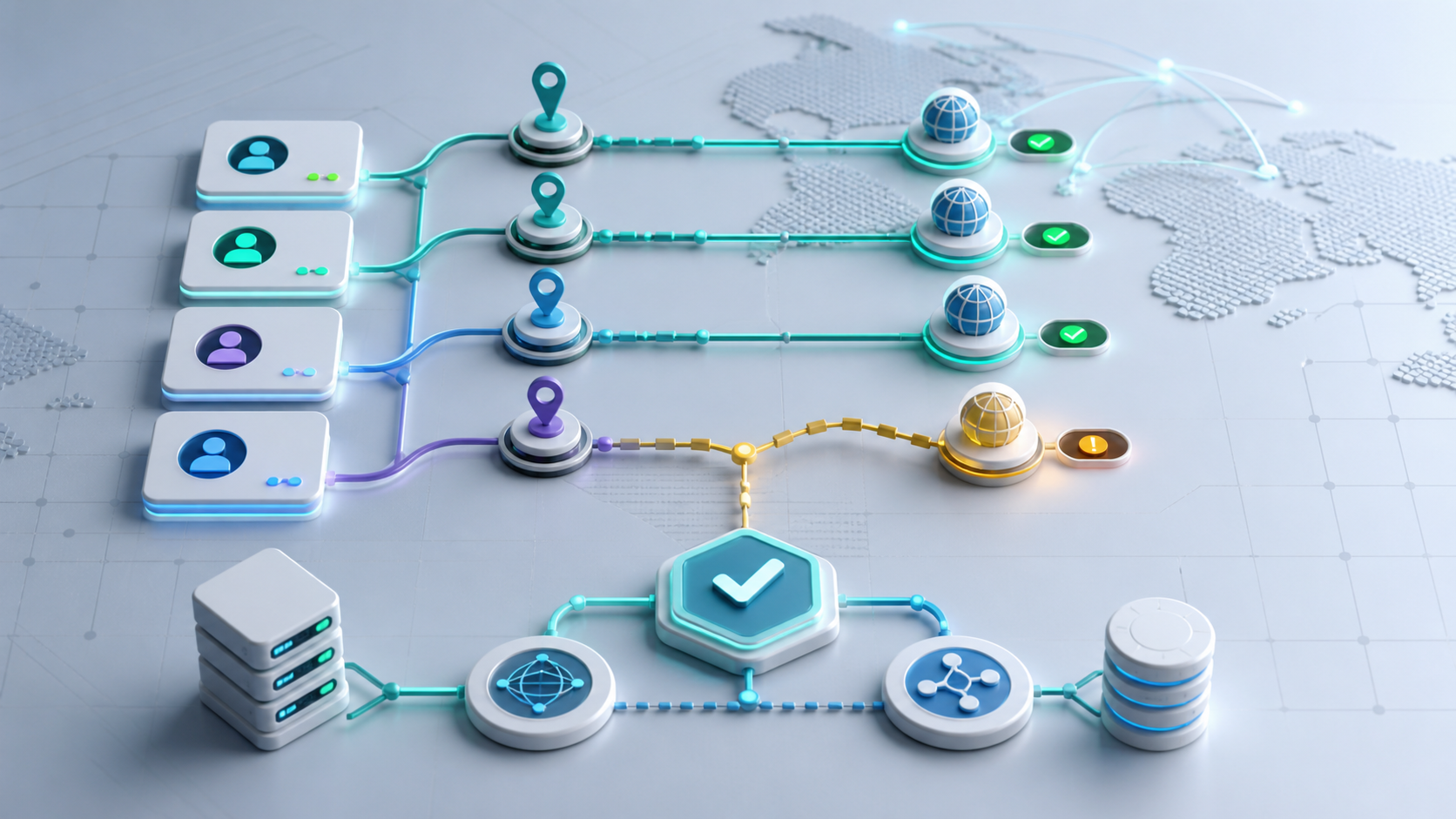
To prevent “identity bleeding,” your routing should be divided into three strict layers:

Layer 1: Identity (High-trust, long-term, stable)
Uses:
Static Residential Proxies
Handles:
- logins
- security checks
- billing / ad payments
- business manager access
- profile changes
Goal:
Make each account look like one real person living at one real location.
Layer 2: Daily Operations (Moderate volume, human behavior)
Can use:
- static residential
- or ISP proxies if multiple operators share access
Handles:
- posting
- normal messaging
- standard community activity
- moderation
- comment replies
Goal:
Keep daily activities predictable, consistent, and region-accurate.
Layer 3: Data & Exploration (High volume, noisy tasks)
Uses:
Rotating Residential Proxies
Handles:
- scanning hashtags
- measuring content reach
- competitor tracking
- collecting public data
- bulk testing
- exploration tasks
Goal:
Keep all automated / high-volume actions away from identity IPs.
Account lifecycle on a three-layer route
A social media account rarely fails overnight. Problems accumulate across its entire lifecycle. A clean routing plan should map every phase to the right layer:
- Creation and warm-up New accounts start on Layer 1 identity routes with Static Residential Proxies.
- One IP segment per account or small cluster
- Simple, human patterns: profile completion, a few posts, natural browsing
- Minimal tools, no automation, no scraping on these IPs
- Early growth and consistent publishing As content volume increases, daily posting and engagement move into Layer 2.
- Operators access the account from stable devices and time windows
- Fingerprint browsers or multi-login tools run behind SOCKS5 endpoints
- Identity IPs stay fixed while operators handle comments, DMs, and moderation
- Scaling data tasks and experimentation When you begin testing more content, hashtags, and audiences, Layer 3 takes over data work.
- Hashtag checks, competitor scans, and reach sampling move to Rotating Residential Proxies
- No logins or sensitive actions are allowed on these rotating pools
- Experiments stay isolated from the IPs used for identity and daily operations
- Incident handling and recovery If a platform slows reach, adds checks, or blocks specific actions, routing remains stable.
- You keep identity IPs unchanged and validate from the same devices
- You audit tools and automation on Layer 3 instead of “hopping IPs” on Layer 1
- Only if the platform explicitly flags an IP segment do you plan a controlled migration
- Long-term maintenance Mature matrices live for months or years on the same core layout.
- Identity IPs change rarely and only with a clear plan
- Operations IPs follow operator shifts and time zones, not emergencies
- Data pools can scale independently without dragging identity into risk
Thinking in lifecycles prevents “panic fixes.” Instead of reacting to each warning, your team knows exactly which layer to inspect and adjust.
Operational Habits That Keep Matrices Safe
Even perfect routing breaks down without good operator discipline.
Teams should adopt:
1. Device/IP mapping logs
A simple spreadsheet mapping:
- account → device → operator → IP segment
- project clusters
- login time windows
Prevents accidental cross-access.
2. No emergency IP switching
Instead of “trying new IPs until it works”:
- hold the current IP
- re-validate from a stable device
- check whether an automation tool polluted the pool
- avoid panic actions that trigger anti-abuse systems
3. Separation of experiment environments
New bots, tools, or scraping scripts must be isolated from core identity routes.
Never test automation on the same IP block used for high-trust accounts.
Case Study: Restructuring a 20-account creator matrix
To see how this looks in practice, consider an anonymized creator team:
- 5 operators
- 20 mixed accounts across TikTok and Instagram
- One office network, a few laptops, and several phones
- A rotating proxy plan previously used for everything
The old setup
For the first few months, everything looked fine:
- Operators logged in from different laptops and phones as needed
- One rotating proxy pool handled logins, publishing, and lightweight scraping
- Tools ran from the same IP ranges as human operators
As the matrix grew, warning signs appeared:
- More frequent verification prompts during normal working hours
- Ads stuck in review or rejected with generic policy reasons
- Some accounts losing reach while others remained stable
- Occasional simultaneous checks on multiple “unrelated” profiles
Nothing felt obviously broken, but the environment behaved like one noisy cluster.
The new routing design
The team rebuilt their stack around three layers:
- Layer 1 – Identity
- Each core account mapped to one Static Residential Proxy segment
- Logins, profile edits, and billing actions limited to a small set of devices
- Operators used fingerprint browsers with fixed SOCKS5 endpoints per profile
- Layer 2 – Daily operations
- Comment replies, DMs, and basic moderation moved to a dedicated operations range
- Operators followed scheduled login windows tied to their time zones
- No experimental tools were allowed on these IPs
- Layer 3 – Data and exploration
- Hashtag research, competitor scans, and audience sampling moved to Rotating Residential Proxies
- Scripts authenticated only through API keys or app tokens, never through core logins
- New automation was tested on completely separate projects before touching live matrices
The 30-day outcome
Over the next month, the team tracked a few simple indicators:
- Verification prompts dropped and became predictable (mostly at new device events)
- No cluster-wide checks hit more than one or two accounts at a time
- Ad delivery stabilized, with fewer unexplained review delays
- Operators reported less friction and fewer “emergency fixes” during campaigns
The key lesson was not that proxies alone “fixed” everything, but that mapping identity, operations, and data to different routes removed invisible cluster risks that had been growing in the background.
Risk, compliance, and platform rules
Proxies and careful routing do not override platform rules. They simply give your team a cleaner, more predictable network footprint to work with.
When designing a social media matrix, keep three realities in mind:
- Platforms evaluate behavior, not just IPs Device fingerprints, content patterns, interaction graphs, and timing all contribute to risk scores.
Even on high-quality residential or ISP IPs, aggressive automation or deceptive behavior can still trigger checks or bans. - Terms of service and local laws still apply Most social platforms restrict abusive automation, spam, and misleading activity.
Your legal and compliance teams should review:
- each platform’s terms of service
- advertising policies
- data collection and privacy rules in your target markets
- Routing should support legitimate operations A structured proxy setup is most valuable when you are:
- separating sensitive identity work from noisy data tasks
- protecting creator and brand accounts from collateral damage
- testing tools safely without risking your entire matrix It is not a shield for unsafe practices.
When in doubt, design your routing so that a compliance review would show:
- clear separation of human and automated activity
- transparent ownership of accounts and assets
- a reasonable volume of actions for each profile and day
That kind of discipline makes both platforms and regulators more comfortable with your long-term presence.
Putting It All Together: A Social Media Stack That Doesn’t Break
A stable social media routing system looks like this:
- Static Residential Proxies for trusted identity access
- SOCKS5 Proxies for fingerprint browsers and session-based devices
- Rotating Residential Proxies for scalable data collection
- strict device/IP mapping
- clean separation of identity vs. automation
- predictable region + time-zone behavior

The result:
- fewer verification prompts
- fewer blocks
- fewer cluster-wide restrictions
- consistent ad performance
- safer scaling from 20 accounts → 200 accounts → 1000 accounts
This is how modern social media teams avoid clustering traps and build long-term operational stability.
FAQ: Practical routing questions for social teams
Can multiple accounts share one static residential IP?
Yes, but with constraints. Small, related clusters can safely share one Static Residential Proxy segment when:
– they target the same region
– they follow similar posting habits
– they are operated by the same small group of people
Completely unrelated brands or creators are safer on separate segments so that one incident does not drag the others into review.
How many IPs does a small team actually need?
For a 5–10 person team running 10–30 accounts, a common starting point is:
– 1–2 Static Residential segments for internal admin and testing
– one Static Residential segment per high-value account or small cluster
– a modest Rotating Residential pool for data and exploration tasks
From there, you add more segments only when identity or geography becomes crowded, not just because you can.
Do warm-up accounts need different routes from mature accounts?
The principles stay the same, but the tolerance for mistakes is lower during warm-up:
– Early accounts should see only simple, human actions on Layer 1 and Layer 2
– No scraping or heavy tooling should ever touch those identity IPs
– Once an account survives its first few weeks and gains history, you can introduce more structured operations around it
If a warm-up account is already facing frequent checks, the safest move is to pause activity and review routing, not to “push through” more actions.
What should we do if one account on a segment is flagged?
Treat a flagged account as a signal, not a verdict on the entire block:
1. Stop experiments and automation affecting that project.
2. Validate the account from the usual device and IP instead of rotating aggressively.
3. Review recent behavior: volume, content, tools, and cross-account interactions.
4. Only if multiple accounts on the same segment show issues should you plan a slow, controlled migration to a new identity range.
Panic migrations across many IPs at once often look worse than calmly resolving the original case.
How do we prevent tools from polluting identity routes?
Use simple rules:
– No bots, scrapers, or experimental scripts on identity IPs
– Separate credentials, environments, and logs for automation projects
– A clear change-management process: new tools are tested on isolated projects and IPs before touching production matrices
If a tool cannot be cleanly isolated, it probably does not belong near high-value accounts in the first place.
Where to Start
If you’re ready to structure a stable identity, operations, and data stack, these resources will help you get started:
- https://maskproxy.io/
- https://maskproxy.io/static-residential-proxies.html
- https://maskproxy.io/rotating-residential-proxies.html
- https://maskproxy.io/socks5-proxy.html
These provide clean separation for Identity / Operations / Data layers and help maintain stable, region-accurate workflows.