1337x Access That Actually Holds Up: A Step-by-Step Reality Check

If you came looking for a proxy list or “working mirrors,” you won’t find one here—the goal is to validate access safely and repeatedly, not to collect links.
Most “1337x proxy” problems aren’t about speed. They’re about reliability: it loads once, then a deeper page fails, clicks get hijacked, or the download flow never completes.
“Holds up” means the full path works under repeat conditions—domain, access, clicks, magnet handoff, and download start—without needing a different trick every time.
Use the steps below in order. Each step changes one variable, so you can pinpoint what actually broke. You won’t find a proxy list or mirror directory here—only a repeatable verification flow you can run on any URL you already have.
- If you suspect a bad domain/mirror: do Step 1 first, even if the homepage loads.
- If pages fail on one network only: do Step 2 before changing anything else.
- If clicks open random tabs: do Step 3 before touching routing.
- If you’re choosing a route: do Step 4 after the click path is clean.
- If you use indexers/automation: do Step 5 (otherwise you can skip it).
Step 1 — Confirm you’re on the right domain (and not a clone)
Before changing networks, confirm you’re not fighting the wrong target. A typo or clone can look “normal” while injecting aggressive ads and redirects that make every later test meaningless.
Stop-sign signals:
- Clicking results opens unrelated tabs, shopping pages, or notification prompts.
- The page is “ad heavy” in a way that blocks real navigation.
- You see unexpected suffixes or paths that don’t match what you intended to open.
Quick fixes that often remove misleading behavior:
- Type the domain manually once instead of trusting a bookmark.
- If your URL includes an extra path segment that looks optional, remove it and reload.
- Open a result page in a brand-new tab; if the behavior changes radically, suspect script overlays or a clone.
A faster verification loop (30–60 seconds)
- Open the same result page three times in a row (new tab each time).
- If any open triggers a surprise domain, overlay, or forced prompt, stop and treat it as untrusted.
- If a “/home”-style suffix is present, remove it and repeat the same three-open test.
Pass/Fail for Step 1
- Pass: the site stays on the same domain, navigation behaves normally, and result pages open without surprise redirects.
- Fail: any repeated cross-domain bounce, forced overlays, or “too many ads to click” behavior.
Treat every “1337x mirror” as untrusted until it passes the click-path checks in Step 3. A mirror that loads is not automatically a mirror that’s safe to use.
Step 2 — Decide whether it’s “1337x blocked” or actually down
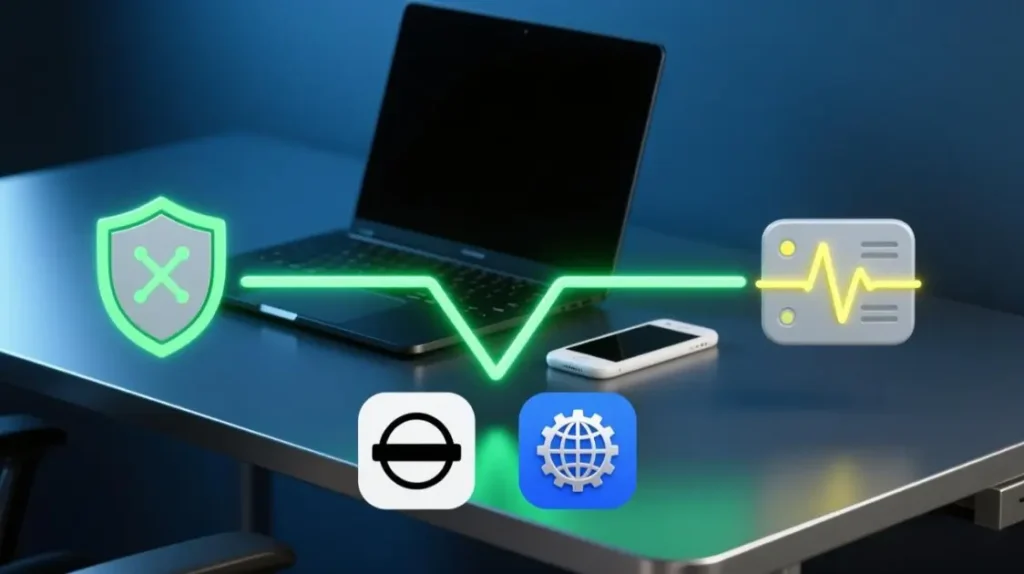
The next decision is classification: are you dealing with filtering, or a real outage?
Common patterns:
- Filtering: a generic ISP error page, a country restriction notice, or consistent failure only on one network.
- Outage: consistent failure across different networks and devices.
- Partial filtering: the homepage loads, but deeper pages (pagination, categories, or specific paths) fail.
If you suspect filtering, use the lowest-cost bypass order:
- open it in a new private window and test the exact same URL.
- Switch DNS and retry.
- Only then test VPN/Tor if needed.
If the failure looks like “ISP blocking 1337”, avoid bouncing between random endpoints. Confirm one workaround through the full flow first, then stick to it for repeatability.
To make the decision faster, use this quick symptom table. It keeps you from changing five variables at once.
| What you see | Most likely | Fastest next test | Pass signal |
|---|---|---|---|
| Generic ISP error / country restriction | Filtering / ISP block | open it in a new private window | Same URL works consistently |
| Homepage loads, deeper pages fail | Partial filtering / path-based block | Try DNS change, then retest the same deep page | Deep pages load repeatedly |
| Fails on multiple networks/devices | Outage or upstream issue | Retest later; avoid changing many variables | Recovers without local changes |
| Works on VPN but not on home network | ISP filtering | Keep one stable route (don’t hop mirrors) | Same route works across attempts |
Use a single controlled route for testing so you’re not debugging both the browser and the network at the same time.
When you need a clean, predictable request path for quick checks, an HTTP request route is often the simplest baseline to test reachability without mixing in extra browser complexity.
Pass/Fail for Step 2
- Pass: the same URL works consistently after a single low-cost change (private window or DNS), and keeps working on repeat tests.
- Fail: behavior changes randomly across refreshes, only some pages work, or failures persist across different networks (suggesting outage or deeper filtering).
Step 3 — Validate the click path (popups, overlays, hijacks)
Many users call it a “proxy issue” when it’s actually click hijacking. Reports often start with “pop-up non stop” and then turn into “Can’t download, can’t even click”.
One red-line rule: if any click opens a new domain or forced tab, don’t continue toward magnets until that behavior is gone.
If any of these happen, don’t proceed to magnets yet:
- A click opens a different domain or new tab you didn’t ask for.
- Buttons become unclickable behind overlays.
- Your browser is forced through repeated interstitial screens.
Minimal hardening checklist:
- Use a dedicated browser profile for this task (separate cookies and extensions).
- Disable unnecessary extensions; keep only a strict content blocker.
- Reload and retest the same page before changing any network setting.
Now validate the click path in sequence:
- Open one listing page.
- Scroll before clicking anything (overlays often arm on first interaction).
- Click the magnet once; if anything redirects, stop and fix the browser layer first.
Pass/Fail for Step 3
- Pass: you can open a listing page, click the magnet once, and your torrent client receives it without any cross-domain redirects.
- Fail: any forced new tabs, surprise domains, or overlays that block the magnet handoff.
Your goal is a clean “page → magnet handoff” path that behaves the same on repeat. Without that, no network route will feel stable.
Step 4 — Pick a route that stays stable (HTTP vs SOCKS5, static vs rotating)
Once the domain is correct and the click path is clean, stability becomes a routing choice. The goal isn’t “more IPs”. It’s fewer surprises and fewer moving parts.
HTTP vs SOCKS5:
- Choose HTTP for straightforward browsing and simple access validation.
- Choose SOCKS5 when you need broader protocol flexibility, app-level tunneling, or tougher filtering environments.
Static vs rotating:
- Choose static when you want repeatability and fewer sudden behavior changes.
- Choose rotating only when you truly need churn to get past hard blocks, and keep rotation controlled.
If you want a simple “pick-and-go” decision, use this route table and stick to one row until you’ve validated the full flow.
| Your goal | Recommended route | Why it holds up | What not to do |
|---|---|---|---|
| Basic access + clean click path | HTTP + static | Fewest moving parts | Don’t switch routes mid-session |
| Strict filtering / app-level tunneling | SOCKS5 + static | More flexible tunneling | Don’t mix browsing + indexer routes |
| Hard block needs churn | Rotating (controlled) | Helps bypass hard blocks | Don’t rotate too fast (breaks repeatability) |
A simple routing rule-set that stays debuggable:
- Keep one stable route for browsing/click validation.
- Keep a separate route for automation/indexers (if you use them).
- Don’t swap routes mid-session; validate, then stay consistent.
The options below are mentioned only to anchor the routing choice to repeatability; keep the rest of the page focused on validation, not shopping for routes.
If you want a repeatable baseline that doesn’t drift day to day, static residential routing is a practical “same conditions” option. Some teams use MaskProxy purely as an infrastructure layer for consistency, not as a shortcut, and consistency is what makes troubleshooting faster.
If you need controlled churn without manual endpoint swaps, rotating residential pools can be workable, but only if you keep the system observable and avoid changing multiple variables at once.
Pass/Fail for Step 4
- Pass: the same route produces the same outcome across multiple attempts and on different pages (not just the homepage).
- Fail: results change unpredictably after refreshes or between pages, suggesting your route is too volatile (or Step 3 is not actually clean).
Step 5 — Automation/indexers: prove it beyond “green check”
If you don’t use Prowlarr/Radarr/Sonarr-style tooling, you can skip this step. For automation, a “green check” can be misleading because real runs can trigger challenge pages that a quick test never hits.

In practice, “1337x Cloudflare” is the common break point: the tool can connect, but it can’t consistently fetch content under protection challenges.
Two workable patterns are common:
Pattern A — challenge-handling route:
- Run the indexer through a challenge solver flow.
- When it’s working, your logs may explicitly show: “Cloudflare Detected, Applying FlareSolverr Proxy”.
Pattern B — local tunnel route:
- Use a local SOCKS5 tunnel and configure only the indexer to use it.
- The core instruction is literal: add a SOCKS5 proxy pointing to 127.0.0.1:9050.
What to look for when it fails:
- If you see “blocked by CloudFlare Protection”, treat it as a routing/challenge mismatch, not a “try again later” error.
- Record the timestamp, the exact error string, and which route the indexer used so you can reproduce the fix quickly.
If you want to standardize the “indexer proxy” piece cleanly, keep the indexer traffic on a SOCKS5 tunnel route and avoid mixing it with your browsing route.
Pass/Fail for Step 5
- Pass: repeated fetches succeed at runtime (not just tests), and logs stay free of protection blocks across multiple attempts.
- Fail: tests pass but runtime pulls fail, or logs repeatedly show challenge/protection strings.
If you validate the flow end-to-end, the “holds up” setup usually ends up boring—and that’s the point. Most failures become obvious once you isolate whether the break is domain trust, filtering, click hijack, route instability, or automation challenges. Keep the steps in order, change one thing at a time, and you’ll stop chasing random fixes. Save your working combination (route + browser profile + a short note of what passed) so the next failure starts from known-good conditions.
FAQ
What’s the fastest way to tell if I’m dealing with filtering vs outage?
Try the same URL in a private window, then with a DNS change. If it only fails on one network, it’s likely filtering.
Why do I get “Can’t download, can’t even click” even when pages load?
That’s usually click hijacking from overlays or aggressive scripts. Fix the browser layer before changing routes.
When should I use SOCKS5 instead of HTTP?
Use SOCKS5 when you need app-level tunneling or stricter filtering environments; HTTP is often enough for basic access checks.
Is rotating always better for access stability?
No. Rotating can help bypass hard blocks, but it can also reduce repeatability. Static is often easier to validate and maintain.
Why does an indexer show success but later fails with protection errors?
Quick tests don’t always trigger challenge pages. If logs show protection blocks, you need a route that can handle the challenge layer reliably.