LinkedIn Proxy Strategy: Cost, Risk, and 10–200 Accounts

One short compliance note: LinkedIn has usage rules and enforcement; proxy strategy reduces operational risk, not policy risk.
Automation on LinkedIn fails in predictable ways. Most of them are not “tool problems.” They are identity-consistency problems that show up as verification loops, temporary restrictions, and fragile day-to-day performance.
Procurement and operations teams usually want the same thing: stable output per account, predictable monthly cost, and a setup that doesn’t become a weekly fire drill.
LinkedIn risk-signal map for verification and limits
Search problem solved: Why LinkedIn automation triggers checkpoints, captchas, and temporary limits even when the tool “works.”
LinkedIn looks for patterns that don’t match a normal human identity. Proxies matter because IP is one of the loudest identity signals, and it amplifies every other inconsistency.

IP and network signals
Data center fingerprints and shared ranges. Many automation fleets reuse the same IP neighborhoods, which makes behavior correlation easier.
Reputation and reuse. A “clean” IP is usually one that isn’t being used by many unrelated actors for the same actions.
Network stability. High latency, packet loss, and intermittent drops often cause repeated logins, which increases verification probability.
Session consistency signals
Sudden location changes. Country or city swings within a short window look like abnormal travel.
Frequent re-authentication. Session breaks force re-logins; re-logins increase friction checks.
Time-of-day mismatch. Activity windows that jump around a “local day” pattern can look synthetic, especially when combined with fingerprinting signals across browser and device traits.
Request rhythm signals
Different action buckets carry different risk. A safe plan treats them differently instead of applying one generic “slow down” rule.
Lower-risk buckets: profile viewing, light browsing, saved list review.
Higher-risk buckets: connection requests, message sequences, repeated search pagination, scraping/export-like patterns.
Practical pacing bands (per account, per day)
These are conservative ranges for operations planning. They are not guarantees.
- Connection requests/day
- Conservative: 10–20
- Normal: 20–35
- Aggressive: 35–60
- New outbound messages/day (excluding replies)
- Conservative: 15–30
- Normal: 30–60
- Aggressive: 60–120
- Profile views/day (targeted, not endless browsing)
- Conservative: 50–120
- Normal: 120–250
- Aggressive: 250–500
If verification prompts rise, treat it as a leading indicator. A short pause and a stability reset usually costs less than pushing through.
Account association signals
Multiple accounts showing similar behavior from the same IP neighborhood.
Multiple accounts acting in the same time window with the same motion pattern.
Shared session environments (browser profiles reused or copied incorrectly).
Association is the “fleet multiplier.” One weak segment can raise friction across many accounts.
Proxy type selection matrix by task
Search problem solved: Which proxy types stay stable for LinkedIn automation and which ones minimize cost and maintenance.

Two dimensions matter most: proxy type and session model.
Static / sticky: stable identity; lower operational noise; usually lower verification rates.
Rotating: useful for data collection patterns; risky for long-lived identity tasks.
Proxy type by task matrix
| Proxy type | Session model | Cold start / warm-up | Daily outreach | Multi-account team ops | Bulk research / collection | Cost tendency | Maintenance tendency |
|---|---|---|---|---|---|---|---|
| Residential | Sticky (hours) | Good | Good | OK (needs discipline) | OK | Medium | Medium |
| Residential | Rotating | Poor | Risky | Poor | Good (if compliant and paced) | Medium | High |
| ISP | Static / long sticky | Strong | Strong | Strong | OK | Medium–High | Low |
| Mobile | Sticky / limited rotation | Strong | Strong | Strong (expensive) | OK | High | Low–Medium |
| Datacenter | Static | Weak (frequent friction) | Weak–OK (small scale only) | Weak | OK (non-identity tasks) | Low | High |
| Datacenter | Rotating | Poor | Poor | Poor | OK | Low | Very high |
Identity work (warm-up, outreach, long sessions) tends to stay stable when the session model is predictable; procurement teams often standardize on static / long sticky endpoints to reduce week-to-week variance across buckets.
Cheap can become expensive when it creates more verification events and operator hours.
One account, one identity implementation steps
Search problem solved: How to prevent association and reduce verification loops with a maintainable account–browser–proxy mapping.
The goal is repeatable identity. Procurement should evaluate whether a vendor makes this easy or makes it fragile.

Operational setup checklist
- Bucket accounts before buying IPs
- By region, by team, by purpose (outreach vs research), and by risk tolerance
- Avoid mixing buckets on the same IP pool
- Bind the identity triad
- Account ↔ browser profile ↔ proxy endpoint
- One mapping owner per bucket (someone accountable for changes)
- Choose an IP retention rule (simple and enforceable)
- Outreach accounts: retain the same IP 2–6 weeks when stable
- Warm-up accounts: retain the same IP for the entire warm-up cycle (2–4 weeks)
- Research-only accounts: allow shorter sticky windows (hours–days), but do not share with outreach
- Set a spare capacity policy
- Maintain a spare pool of 15–30% endpoints for replacements and growth
- Treat “no spares” as an operational risk, not a cost saving
- Define change control
- IP changes happen on a schedule or during a controlled incident
- Avoid emergency swapping as a daily habit; it increases identity drift
Teams often standardize on one provider (for example, MaskProxy) to reduce identity drift and keep replacements predictable across account buckets.
Minimal account ledger
Track this per account in a simple sheet: bucket name, primary proxy endpoint ID, backup endpoint ID, start date, last verification date, last restriction date, daily action band, and owner.
A ledger reduces “tribal knowledge” and protects scale.
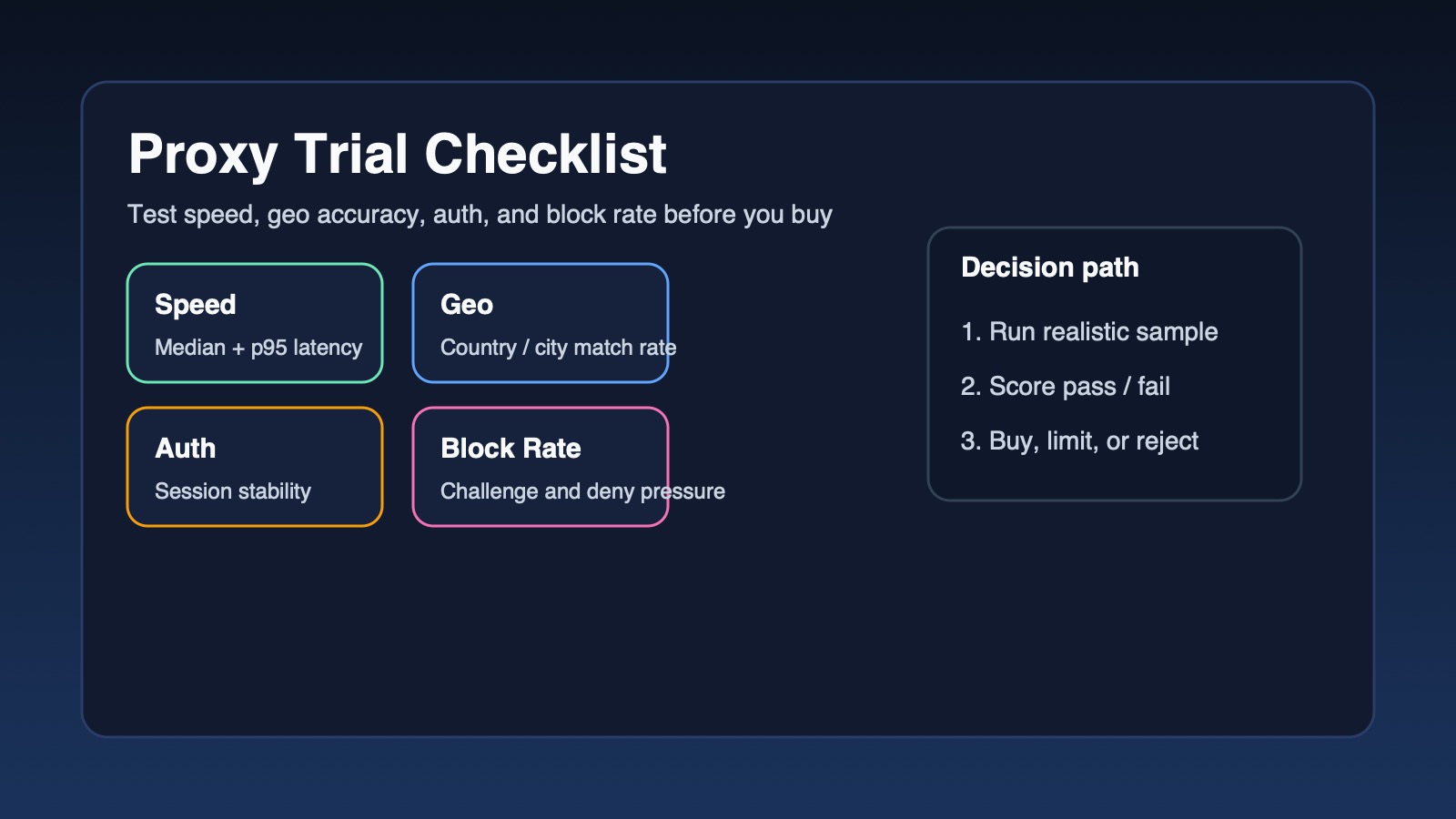
Procurement evaluation checklist
Search problem solved: How to evaluate proxy providers for LinkedIn automation using stable criteria tied to cost, risk, and maintainability.
Copy/paste this into a vendor scorecard.
IP quality (7)
- ASN/ISP transparency is provided (not just “country available”)
- Shared-use policy is stated (how many customers per IP segment)
- City/region precision is described clearly (no “random location” ambiguity)
- Reputation handling exists (what happens when verification spikes)
- Connectivity baseline is shared (uptime target, typical latency range)
- Sampling allowed (trial or small pack sufficient for testing)
- Fraud/abuse filtering exists (reduces contaminated segments)
Where proxy IPs “actually matter” is usually visible during acceptance testing: onboarding stability, re-auth frequency, and whether replacements stay inside a similar trust neighborhood. Use IP reputation as a test lens rather than a marketing claim.
Session and stickiness (4)
- Sticky duration options are clear (minutes / hours / long retention)
- Static IP retention terms are clear (renewal, reassignment rules)
- Behavior on disconnect is predictable (IP doesn’t silently drift)
- Concurrency limits are explicit (no surprise throttles at scale)
Geo and consistency (4)
- Region stability is supported (avoid city-level jumping)
- Multi-region support exists for distributed teams (separate buckets)
- Guidance exists for time-window alignment (operational not technical)
- Controlled region switches are supported (cooldown guidance)
Support and maintainability (4)
- Support response windows are clear (weekday/weekend)
- Replacement process is fast and documented (not ad-hoc)
- Usage analytics exist (per endpoint usage, error visibility)
- Team controls exist (sub-accounts, access roles, audit trail)
Replacement and incident handling (3)
- Replacement SLA is stated (time, limits, cost)
- Quality fluctuation policy exists (credit/extension/refund)
- Segment-level isolation exists (avoid one bad range contaminating all)
Compliance and boundaries (2)
- Acceptable use boundaries are explicit (risk to buyer reduced)
- Logging/data retention policy is transparent
Pricing model (3)
- Billing basis is clear (per IP / per GB / per port / per concurrency)
- Scale curve is predictable from 10 → 200 accounts
- Trial/refund threshold supports real acceptance testing
Budget and scaling plan for 10, 50, and 200 accounts
Search problem solved: How many proxy endpoints are needed, what it costs, and how to design a setup that scales without maintenance blowups.
The numbers below are meant for budgeting and operating model discussions. Exact costs vary by vendor and region.
Budget and configuration table
| Scale | Primary use | Recommended baseline | Endpoint strategy | Spare pool | Expected maintenance | Notes that affect cost |
|---|---|---|---|---|---|---|
| 10 accounts | Outreach + light research | ISP static or sticky residential | 1 endpoint per account | 15–20% | Low | Pay for stability; avoid rotating for identity |
| 50 accounts | Team outreach + segmented research | ISP static for outreach; sticky residential for research | 1:1 for outreach, separate pool for research | 20–25% | Medium | Add change control + ledger discipline |
| 200 accounts | Multi-team operations | ISP static core + optional mobile for high-risk buckets | Strict bucket isolation; dedicated pools per region | 25–30% | Medium–High (process-driven) | Analytics + replacement SLA become mandatory |
Operational allocation rule of thumb: outreach accounts default to 1 endpoint per account; research pool is sized by concurrency and risk tolerance, and kept isolated from outreach identity.
If a vendor publishes clear retention and replacement terms—MaskProxy’s LinkedIn endpoints are documented in a dedicated spec page—acceptance testing becomes simpler to operationalize.
Failure modes and incident runbook
Search problem solved: Why LinkedIn proxies “stop working” and what to do first without turning it into guesswork.
Use this list during incidents. Treat it like a triage script.
- Captcha appears repeatedly after normal logins
Likely causes: IP reputation, shared segment, frequent re-logins.
First actions: pause outreach 24–48h; keep identity stable; request segment replacement if pattern persists. - Checkpoint / phone verification spike across multiple accounts
Likely causes: bucket mixing, synchronized behavior, shared IP neighborhoods.
First actions: separate pools immediately; stagger schedules; stop mass IP swapping. - Connection requests limited sooner than usual
Likely causes: aggressive daily band, repetitive targeting pattern.
First actions: drop to conservative band for 7 days; reduce new targets; keep identity stable. - Message sequences start failing or under-delivering
Likely causes: session breaks, repeated logins, unstable network.
First actions: stabilize session; reduce retries; check for proxy drops; avoid rotating for outreach. - Search results degrade or browsing becomes restricted
Likely causes: geo inconsistency, abnormal pagination behavior.
First actions: lock to one city/region per bucket; reduce pagination; separate research from outreach. - Only one region’s accounts show friction
Likely causes: that region’s segment contaminated or mislabeled.
First actions: replace that region’s segment; don’t touch other buckets. - Everything looks slow but not blocked
Likely causes: latency/packet loss; overloaded endpoint.
First actions: reduce concurrency; switch endpoints; keep identity stable. - Frequent disconnects lead to frequent re-auth
Likely causes: proxy instability; session stickiness too short.
First actions: move identity accounts to longer sticky/static; avoid stop-start behavior. - New accounts fail during warm-up week
Likely causes: warm-up too aggressive; identity drift early.
First actions: extend warm-up to 2–4 weeks; conservative action bands; no rotation. - Adding 20 more accounts breaks previously stable operation
Likely causes: concurrency limits; shared pool saturation.
First actions: verify provider concurrency; add endpoints; increase spare pool. - One vendor “works” for browsing but fails for outreach
Likely causes: IP quality good enough for light tasks, not for identity tasks.
First actions: split use cases; reserve higher-quality static segments for outreach. - Operator time increases week over week
Likely causes: missing ledger/change control; reactive swapping.
First actions: enforce mapping ownership; scheduled change windows; define replacement triggers. - Verification rises after switching cities for “testing”
Likely causes: travel anomaly signals.
First actions: return to stable region; freeze changes for 7–14 days.
When restriction states appear, align incident handling with LinkedIn’s own definition of account restrictions so operators don’t confuse “temporary friction” with “loss of access.”

Daniel Harris is a Content Manager and Full-Stack SEO Specialist with 7+ years of hands-on experience across content strategy and technical SEO. He writes about proxy usage in everyday workflows, including SEO checks, ad previews, pricing scans, and multi-account work. He’s drawn to systems that stay consistent over time and writing that stays calm, concrete, and readable. Outside work, Daniel is usually exploring new tools, outlining future pieces, or getting lost in a long book.
FAQ
Search problem solved: Common procurement questions about proxies, VPNs, IP counts, and static vs rotating choices for LinkedIn automation.
Q1. VPN vs proxy: why VPN often disappoints for automation
VPNs can hide IP but often lack the control needed for per-account identity mapping at scale. Procurement usually needs endpoint-level predictability, retention terms, and replacement SLAs.
Q2. Why data center proxies tend to trigger friction faster
Data center ranges are easier to classify and often shared by automation traffic. They can be acceptable for non-identity tasks, but identity tasks tend to suffer.
Q3. How many IPs are needed
For outreach: start with 1 endpoint per account plus 15–30% spares. For research-only pools: size by concurrency, keep it separate from outreach.
Q4. Should IPs be fixed
For outreach and warm-up, fixed or long sticky windows usually reduce noise. Rotation is mainly for data tasks and should not be mixed into identity buckets.
Q5. Residential vs ISP: how to choose as a buyer
Residential sticky can work well but may require more monitoring. ISP static tends to be easier to maintain and budget for when identity stability is the priority.
Q6. When mobile proxies are worth the cost
Mobile is typically considered when verification sensitivity is high, segments are hard to keep clean, or the operation can’t afford frequent friction events.
Q7. Is “one account, one IP” mandatory
It’s the safest operational default for outreach at scale. Exceptions can exist for low-risk browsing, but they should be deliberately isolated from outreach identities.
Q8. After a checkpoint, should the IP be changed immediately
Usually not. First stabilize and pause. Immediate swapping can add identity drift and worsen the pattern; replacement is best used after controlled diagnosis.
Q9. Can proxies alone guarantee stability
No. Proxies reduce risk created by unstable identity signals. Rhythm, bucket isolation, and change control still drive most outcomes.
A simple way to keep teams aligned is treating one account, one identity as a routing rule rather than a “tool setting,” then auditing it weekly via the account ledger.