HTTP Proxy Guide: How It Works, Where It Fits, and How to Choose
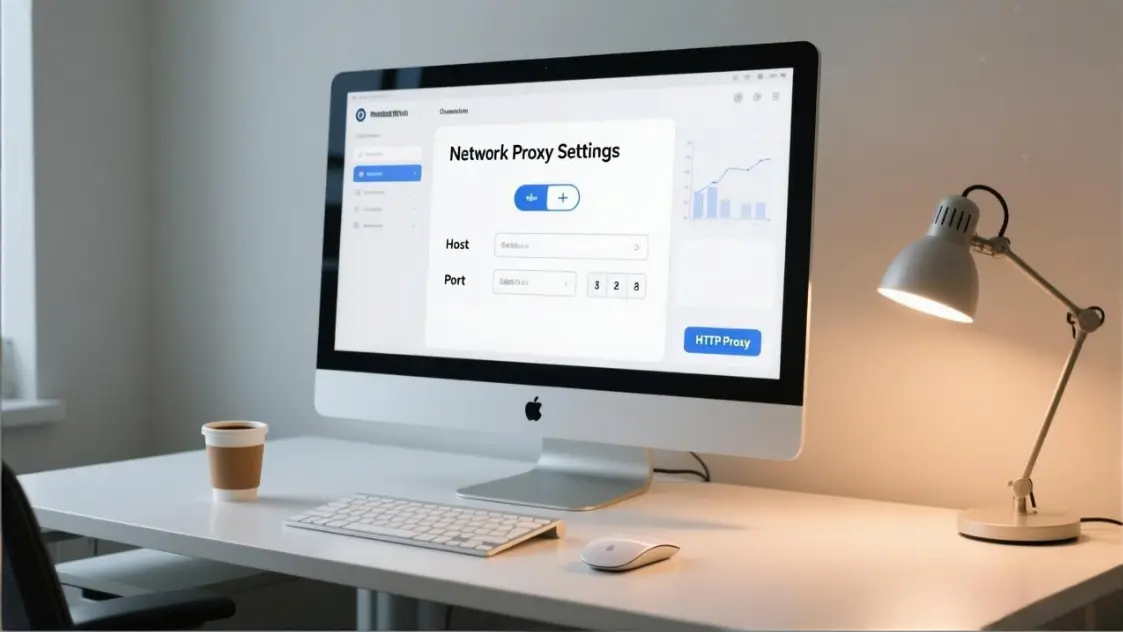
An HTTP Proxies endpoint is an intermediary that forwards web requests on your behalf, so destinations see the proxy’s IP instead of yours. In an HTTPS-first web, HTTP proxies still matter because clients can use the CONNECT method to create a tunnel for HTTPS traffic—preserving end-to-end TLS while enabling routing, policy, and identity separation.
Most teams don’t search for HTTP Proxies because they love networking. They search because something broke, something got blocked, or someone needs a controllable way to route web traffic for a business task. This guide is written for operators, procurement, growth teams, and security owners: decisions you can defend, setups you can verify, and failures you can fix.
What an HTTP proxy is and what it is not
An HTTP proxy receives requests from a client (browser, app, script), optionally applies controls (authentication, filtering, logging, caching), then forwards requests to a destination and returns the response.
The confusion starts when people mix Proxy Protocols with tools that also “change how traffic appears.” Use this table to stop mismatched purchases.
| Tool | What it routes | What it hides to the destination | What it encrypts | Primary purpose |
|---|---|---|---|---|
| HTTP proxy | Web traffic using HTTP semantics, plus HTTPS via tunneling | Client IP | Not by default | Routing, policy control, web tasks |
| HTTPS proxy | Same concept, often optimized for HTTPS usage and tunnels | Client IP | Depends on mode | Routing with better HTTPS handling |
| VPN | Device-wide IP traffic | Client IP | Yes | Secure remote access, full tunnel |
| SOCKS proxy | Generic TCP relaying | Client IP | Not by default | Non-HTTP apps, flexible routing |
| Reverse proxy | Traffic to your servers | Origin topology | Often terminates TLS | Protect and accelerate your web apps |
Three boundaries that prevent wrong decisions
- A proxy is not encryption. TLS is encryption. A proxy is a hop.
- Reverse proxy is not “browser proxy.” Reverse is for inbound traffic to your servers.
- A proxy alone does not guarantee “stealth.” Many blocks are behavior and fingerprint-based.
How HTTP proxies work in plain steps
Think of a proxy as an extra hop you control.
Text flow diagram
- Client creates a request.
- Client sends it to the proxy endpoint you configured.
- Proxy performs optional policy steps: auth, filtering, logging, caching.
- Proxy forwards the request to the destination server.
- Destination returns the response to the proxy.
- Proxy returns the response to the client.

Key terms you’ll actually use
- Explicit proxy: configured in the client (system, browser, or app).
- Transparent proxy: traffic intercepted at the network layer; client may not know.
- Proxy authentication: proxy requires credentials; failures often surface as 407.
- Session consistency: the ability to keep a stable route identity for a period.
- Tunneling: establishing a raw tunnel to a destination, typically for HTTPS.
Quick verification mindset: every proxy setup should have a “before/after” test you can run in one minute (IP, HTTPS reachability, auth success).
HTTP vs HTTPS and the CONNECT tunnel
“If the modern web is HTTPS, does an HTTP proxy still matter?” Yes—if you separate three modes that are often blended together.
Mode 1: Plain HTTP proxying for HTTP websites
- Traffic is not encrypted.
- The proxy can see and modify content.
- Treat as high-risk on untrusted networks.
Mode 2: HTTPS through an HTTP proxy using CONNECT tunneling
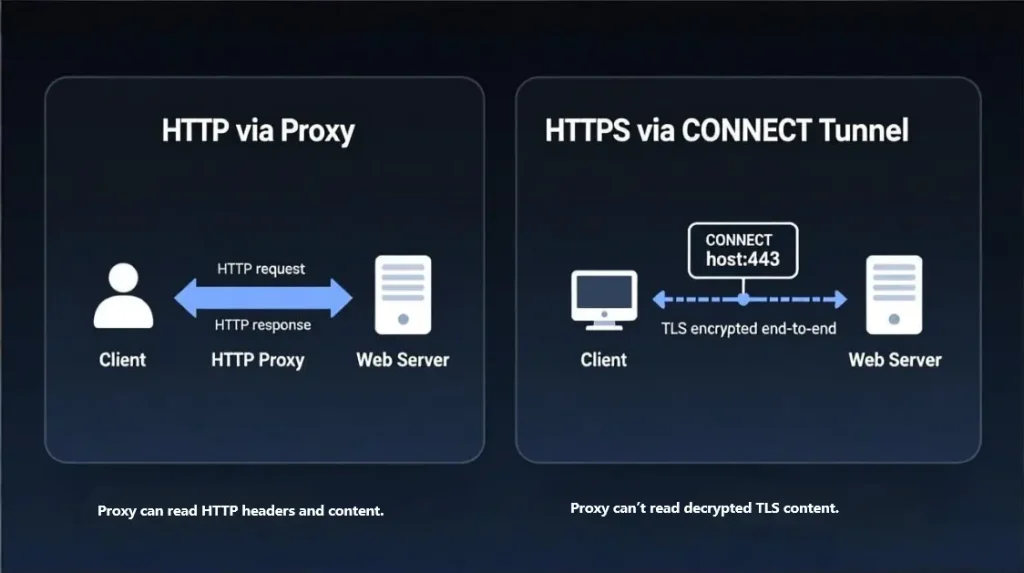
Many clients use CONNECT to ask the proxy to open a tunnel to host:port, then run TLS inside that tunnel.
What the proxy can and cannot see in tunnel mode:
- Can see: destination hostname and port, timing, traffic volume patterns
- Cannot see: decrypted HTTPS content (passwords, page bodies), if it is pure tunneling
Mode 3: TLS inspection
This is when a corporate proxy intentionally terminates and re-creates TLS to inspect content. It requires managing trusted root certificates on endpoints and carries privacy/legal implications. It can also break apps that pin certificates.
Security boundaries and common misconceptions
| Claim | True in tunnel mode | Reality check you can use |
|---|---|---|
| “The proxy can read my HTTPS passwords.” | No | If it’s only CONNECT tunneling, TLS remains end-to-end |
| “CONNECT makes traffic secure.” | Not by itself | CONNECT enables tunneling; TLS provides security |
| “HTTPS proxy always encrypts more.” | Not always | The key is whether traffic is tunneled vs intercepted |
| “HTTP proxies are obsolete.” | No | They remain routing and policy points for web workflows |
Visual: CONNECT boundary and what’s visible
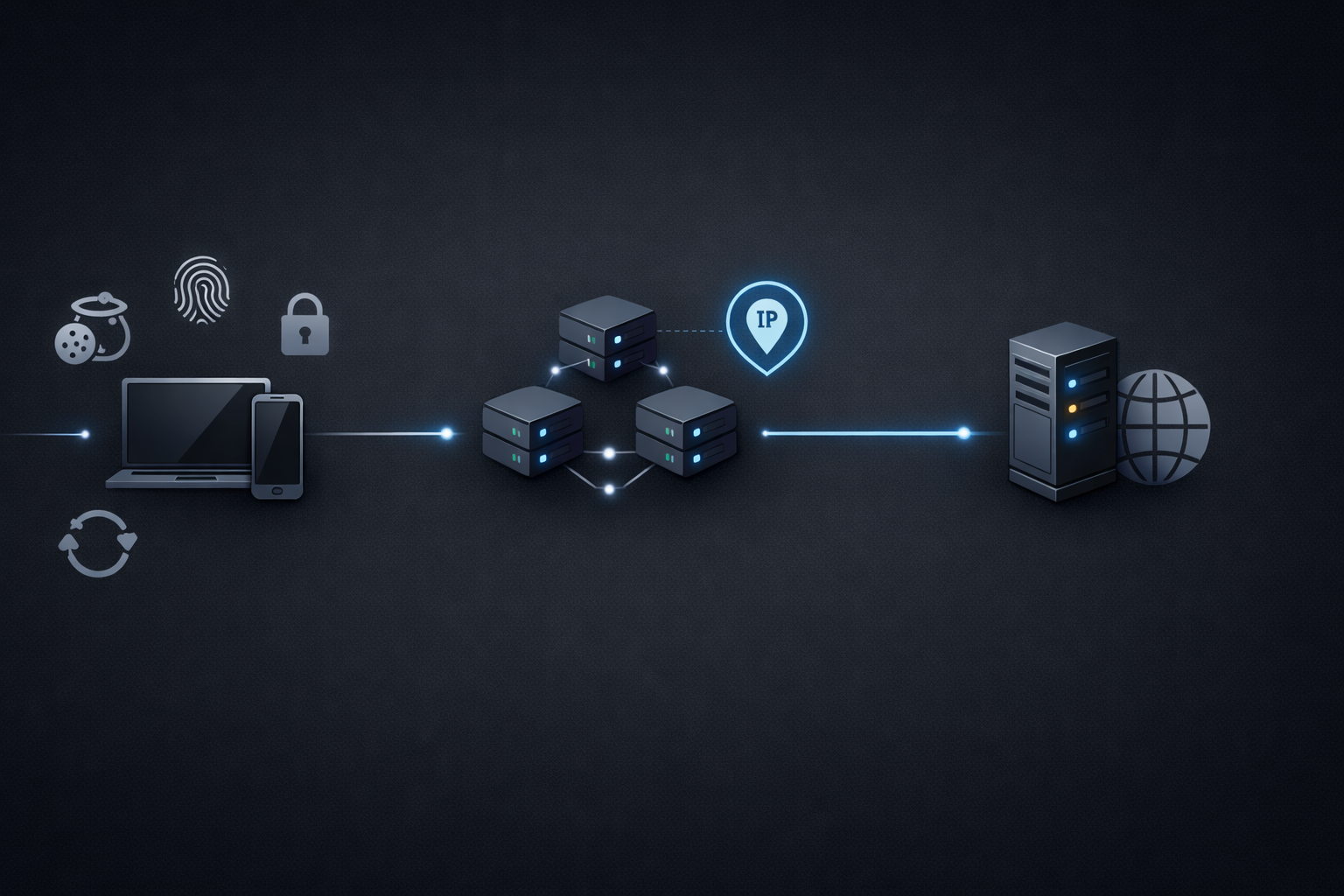
Caption: CONNECT can tunnel HTTPS so the proxy forwards encrypted TLS packets without seeing decrypted page content. It can still observe destination, timing, and volume patterns.
Proxy types that matter for buyers
Ignore long lists. Focus on types that change outcomes.
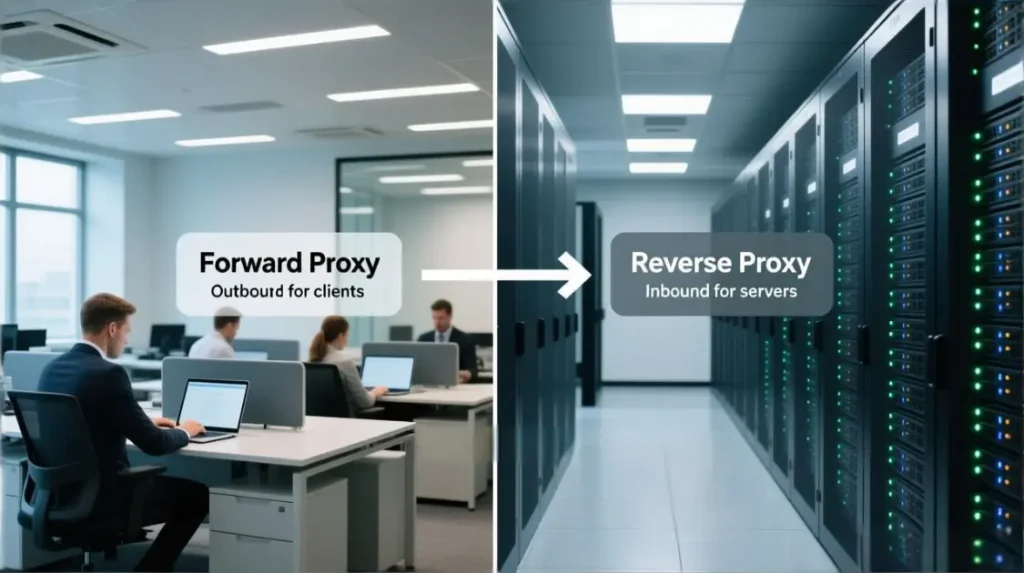
Forward proxy
Between users and the internet. Used for routing, policy, and identity separation.
Ask a vendor these three questions
- What authentication is supported: IP allowlist, username-password, or both?
- How stable is CONNECT at scale: any concurrency or bandwidth caps?
- What logs exist by default, and can logging be minimized or redacted?
Reverse proxy
In front of your servers to protect and accelerate inbound traffic. Not what most people mean by “set a proxy in my browser.”
Use reverse proxy when you need: load balancing, WAF/CDN features, caching, origin shielding.
Transparent proxy
Traffic is intercepted by the network. Useful for enterprise policy enforcement, but notorious for “mystery failures” if undocumented.
How to detect:
- Unexpected auth prompts (407), inconsistent behavior across networks
- Proxy-related headers or gateway artifacts
- Everything works on mobile hotspot but fails on corporate Wi-Fi
Anonymous vs high anonymity
Useful when you need identity separation or reduce proxy fingerprints.
Buyer rule: treat “high anonymity” as a hypothesis, not a guarantee. Define a test on your target sites and measure block rates.
Six plus real business scenarios and how to set them up
Each scenario below includes: goal, setup, risks, acceptance criteria. This turns “use cases” into deployable plans.
Scenario 1 Corporate network egress control
Goal: route employee web traffic through a controlled point for policy and auditing.
Setup essentials
- Explicit proxy via managed device settings
- Exception list for latency-sensitive tools if needed
- Monitoring for availability and latency
Risks
- Single point of failure
- Over-logging sensitive URLs
Acceptance
- Documented fallback if proxy is down
- Latency impact stays within a defined threshold
Scenario 2 Content filtering and acceptable use
Goal: block categories, reduce malware exposure, enforce policy.
Setup essentials
- Category rules + allowlists for business-critical domains
- Clear exception workflow (owner, turnaround time)
Risks
- False positives that break daily work
- Shadow IT bypass on unmanaged devices
Acceptance
- Monthly review of top blocked categories and exception outcomes
Scenario 3 Caching and acceleration for repeated resources
Goal: improve load times and reduce bandwidth for repeated content.
Setup essentials
- Cache only static resources; bypass anything authenticated
- TTLs and cache purge process
Risks
- Stale content
- Accidental caching of authenticated pages
Acceptance
- Cache hit ratio target, verified with sampling
Scenario 4 Cross-region access for market checks
Goal: see how content appears in different regions.
Setup essentials
- Region-specific endpoints
- Stable sessions for consistent results where needed
Risks
- Misleading results if only IP changes but other location signals don’t
- Service terms or regional policy issues
Acceptance
- Repeatable “same region, same result” checks
Scenario 5 Data collection and monitoring
Goal: monitor pricing, availability, SERPs, or uptime.
Setup essentials
- Segment traffic by task; implement backoff and caching
- Observe success rate, block rate, and cost per successful fetch
Risks
- Blocks driven by behavior rather than IP
- Hidden cost explosion from retries
Acceptance
- Weekly report: success rate, median latency, effective cost per successful fetch.
- Use one baseline configuration first (for example, Rotating Proxies) so your metrics are comparable week to week.
Scenario 6 Ad verification and geo compliance checks
Goal: verify ad delivery and geo restrictions.
Setup essentials
- Regional endpoints + consistent browser profile signals
- Evidence capture workflow (timestamp, region, creative)
Risks
- Legal/compliance pitfalls in some jurisdictions
- Vendor logs exposing sensitive campaign URLs
Acceptance
- Audit-ready evidence set with retention rules
Scenario 7 Multi-entity account operations and isolation
Goal: reduce accidental linkage between separate entities or workflows.
Setup essentials
- One workflow identity per proxy identity where isolation is required
- Stable endpoints for login-sensitive flows
Risks
- Overconfidence: proxy alone doesn’t solve fingerprinting or cookie leakage
- Operational drift: teams reuse endpoints and break isolation
Acceptance
- Written assignment policy (one entity per browser profile and proxy identity).
- Quarterly spot checks: sample active accounts and verify proxy, profile, and cookie stores are not shared.
- Keep evidence for audits (mapping table + spot-check notes) so the process survives team turnover.
A short real-world example with numbers
Anonymous case: A growth team runs regional availability checks for a catalog site across 6 countries.
- Baseline: 1,200 checks/day, 18% failures (timeouts + soft blocks), median latency 2.4s
- Change: segmented routes by country, limited concurrency per endpoint, added backoff, and used stable sessions for login-required checks
- Result after 2 weeks: failures dropped to 5–7%, median latency improved to 1.6s, and “retry cost” decreased materially because fewer checks needed retries
Why this matters for SEO readers: it shows what to measure (failure rate, latency, retry cost) instead of only explaining definitions.
Risks and compliance with a risk impact mitigation table
This is the table procurement and security can sign off on.
| Risk | Likely impact | Mitigation you can execute | Owner |
|---|---|---|---|
| Proxy logs capture sensitive URLs | Data exposure, compliance breach | Minimize logs, redact query strings, strict retention | Security |
| Plain HTTP visibility | Credential/session leakage | Avoid logins over HTTP, prefer HTTPS endpoints | Ops |
| Untrusted proxy becomes MITM | Account takeover, data theft | Use vetted providers, avoid free proxies, validate certs | Security |
| TLS inspection misuse | Privacy/legal risk, broken apps | Explicit policy, managed cert deployment, legal review | Security Legal |
| Credentials embedded in scripts | Secret leakage | Secret manager, rotation, no hardcoded creds | Engineering |
| Reputation blocks | Workflow failure | Test endpoints, segment traffic, diversify pools | Ops Growth |
| Overbroad proxy routing | SaaS slowdown, outages | Use exceptions or PAC rules, monitor latency | Ops |
| ToS violations | Account bans, legal risk | Review ToS, throttle, document allowed use | Owner Legal |
Rule of thumb: treat proxy selection like selecting a security vendor, not a “network tweak.”
Selection guide with a decision tree
Use this yes/no path to avoid buying the wrong thing.
- Do you need to decrypt HTTPS content for inspection?
- Yes → You need a managed enterprise security proxy with TLS inspection policy. Stop here.
- No → Go to 2.
- Do you need stable sessions for login-sensitive flows?
- Yes → Prefer stable endpoints or session pinning; test session continuity.
- No → Go to 3.
- Is geographic presentation the primary requirement?
- Yes → Buy geo coverage that matches your actual countries; verify by repeated checks.
- No → Go to 4.
- Is concurrency and throughput the main constraint?
- Yes → Validate caps, failure behavior, and monitoring; benchmark at peak.
- No → Go to 5.
- Is anonymity a strict requirement or a bonus?
- Strict → Define measurable tests on target sites and track block rates.
- Bonus → Prioritize reliability, support, and log controls first.
Quick recommendation outcomes
- Corporate policy and audit: managed forward proxy with clear logging controls
- Regional checks and ad verification: geo endpoints + consistent test harness
- Monitoring at scale: segmented Rotating Residential Proxies pools + backoff + observability
- Login-sensitive workflows: Static Proxies + stable sessions + strict assignment policy
Procurement scoring sheet and acceptance tests
Copy this into your vendor evaluation doc when comparing Rotating Datacenter Proxies and Rotating Residential Proxies offerings.
| Category | Weight | Minimum bar | How to verify quickly |
|---|---|---|---|
| Reliability | 20 | Clear SLA + incident transparency | Trial monitoring and status history |
| Performance | 15 | Latency meets your workflow | Bench tests per region at peak |
| Authentication | 10 | IP allowlist and/or user-pass | Simulate auth failure, confirm behavior |
| HTTPS tunneling | 10 | CONNECT stability | Repeated HTTPS tests with tunnel |
| Geo coverage | 10 | Regions you actually need | Repeatable geo checks, not one-off |
| Session control | 10 | Stable sessions if needed | Login persistence tests |
| Logging controls | 10 | Data minimization | Contract + settings + audit evidence |
| Support | 5 | Response time and escalation | Trial tickets, response quality |
| Cost predictability | 10 | Transparent overage rules | Billing model review |
12 questions to ask any proxy provider
- What auth methods are supported and which do you recommend for our setup?
- Are there concurrency limits per endpoint or per account?
- Do you support CONNECT reliably and do you rate limit tunnels?
- What logs are collected by default, and can you reduce or redact them?
- What is the data retention period for logs and who can access them?
- Do you offer region-specific endpoints in our countries, not “nearby”?
- Do you support session pinning, and what breaks session continuity?
- How do you handle abuse prevention without harming legitimate traffic?
- What is the expected failure mode during outages—timeouts, fast fails, fallback?
- How do you publish incident updates and postmortems?
- What are your IP reputation and rotation practices, if relevant to our use case?
- What is explicitly forbidden in your terms that could affect our workflows?
Setup guide with verification for Windows, macOS, Chrome, Firefox
The goal is always: configure, then verify.
Windows system proxy
Setup
- Configure proxy under Windows network proxy settings.
Verify in under one minute
- Record your current public IP (before).
- Enable proxy and open a new browser session.
- Confirm your public IP changes (after).
- Visit an HTTPS site and confirm it loads without TLS errors.
- If a prompt appears, note whether it is proxy auth (407-type behavior).
macOS system proxy
Setup
- Configure proxy under macOS network proxy settings.
Verify
- Repeat the same before/after IP test.
- Confirm only intended interface is affected (Wi-Fi vs Ethernet).
Chrome
Chrome often uses system proxy settings.
Verify
- Change system proxy settings and confirm Chrome behavior changes.
- Test both HTTP and HTTPS destinations.
Firefox browser-level proxy
Use Firefox’s Connection Settings for per-browser routing, useful for isolation.
Verify
- Confirm IP changes only in Firefox, and that HTTPS loads cleanly through the tunnel.
PAC file
A PAC file routes traffic using rules. It’s powerful but easy to misuse.
Use PAC when
- You need exceptions so only certain domains go through proxy
- You want to keep latency-sensitive SaaS direct
Verify
- Test one domain that should be proxied and one that should be direct, and confirm behavior matches policy.
Command line testing with curl and common auth formats
Use curl to validate the proxy path without UI variables.
Minimal test
curl -x http://PROXY_HOST:PROXY_PORT https://example.com
Proxy authentication test
curl -x http://PROXY_HOST:PROXY_PORT --proxy-user USER:PASS https://example.com
Operational tip: don’t embed credentials in shared scripts. Treat proxy credentials like API keys.
Troubleshooting: 407, timeouts, and “works in browser but not in script”
407 Proxy Authentication Required
407 means the proxy requires authentication. Fix by confirming the auth method and verifying credentials or allowlisted IP. (See: MDN 407 Proxy Authentication Required.)
Common causes
- Wrong auth method (you set IP allowlist but the client sends user-pass, or vice versa)
- Credentials include special characters not URL-encoded
- Endpoint requires different port for HTTP vs HTTPS tunneling
“Works in browser but not in script”
- The browser uses system proxy settings, but the script ignores them.
- The browser has a stored auth session; the script needs explicit credentials.
- The script opens many connections quickly and hits concurrency/rate limits.
Timeouts and inconsistent results
- Split endpoints by task (monitoring vs login vs geo checks).
- Reduce concurrency and add backoff.
- Prefer stable sessions when you need repeatability; prefer rotation when you need coverage.
Troubleshooting flow and checklist with 15 fast checks
This section is designed to reduce “random toggling” and move you through layers.
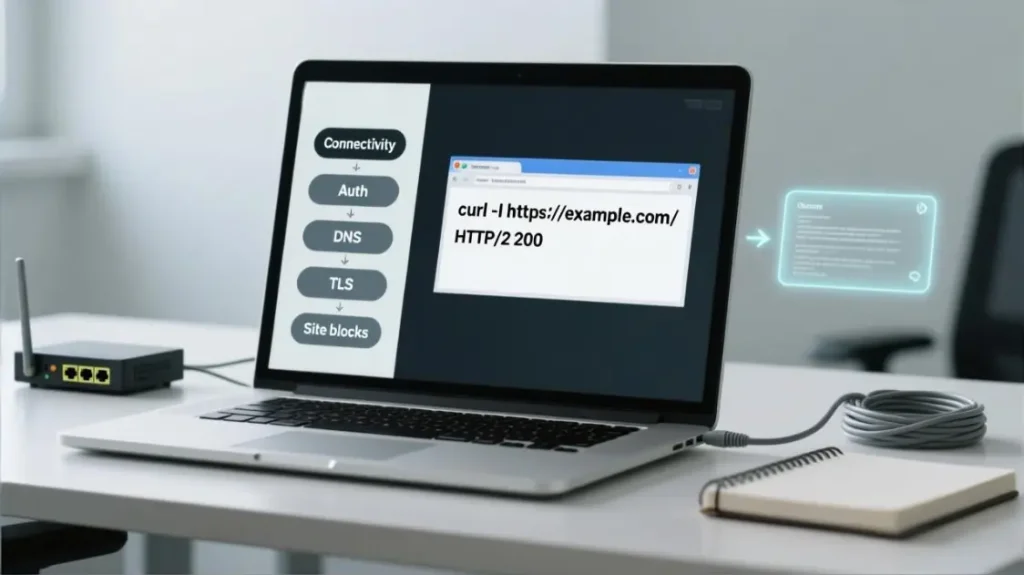
Visual: layered troubleshooting flow
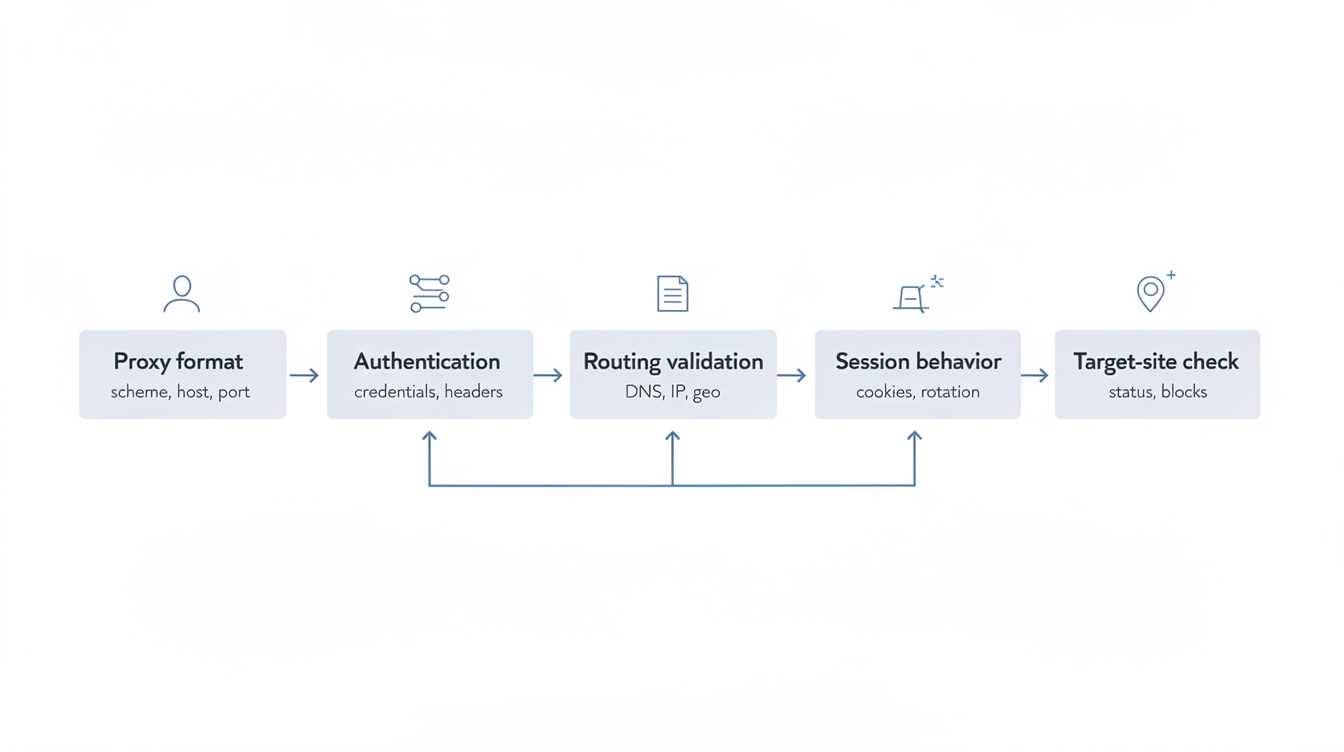
Caption: Diagnose in layers: connectivity → auth → DNS → TLS tunnel → policy blocks → target-site detection.
Layer 1 Connectivity and basics
- Is the proxy hostname correct, and does it resolve?
- Is the port correct? (Wrong port is extremely common.)
- Are you on a network that blocks outbound proxy ports?
- Does the proxy work from a different network (mobile hotspot test)?
Layer 2 Authentication and 407
- Are you using IP allowlist or username-password, and are you matching that?
- If user-pass, did the password rotate or expire?
- If allowlist, did your egress IP change?
- Are multiple users sharing credentials beyond vendor limits?
Layer 3 DNS behavior
- Is DNS resolved by the client or the proxy, and does that change results?
- Are you testing with a domain that has geo-based DNS behavior?
Layer 4 HTTPS and TLS tunnel issues
- HTTPS fails but HTTP works: test CONNECT and confirm tunnel support.
- TLS handshake errors: verify there is no TLS interception or certificate mismatch.
- App uses certificate pinning: tunnel is fine, interception will break it.
Layer 5 Policy or content filtering
- Are specific domains blocked by proxy rules or enterprise policy?
- Are you caching or rewriting in a way that breaks authenticated flows?
Layer 6 Target-site detection and reputation
- If a target blocks proxy traffic: is it reputation, rate, headers, or behavior?
- Reduce concurrency and add backoff; test again.
- Segment traffic by task to reduce abnormal patterns.
Layer 7 Performance and scaling
- Timeouts spike at peak hours: capacity or vendor congestion.
- Are you hitting connection limits or keep-alive issues?
When escalating to a vendor, bring: timestamp, endpoint region, concurrency level, and the exact symptom (407 vs timeout vs TLS error). Support becomes much faster.
Author notes and methodology
Role and scope: This guide is written from a technical writing and operational security perspective for teams using HTTP proxies in business workflows. It focuses on forward proxies for outbound web traffic and explains HTTPS tunneling boundaries clearly.
How information was validated
- Protocol behavior and terminology were aligned with standards and widely accepted documentation (HTTP semantics, CONNECT, authentication behavior, browser and OS proxy settings).
- Operational guidance was shaped around measurable acceptance criteria: success rate, latency, failure modes, and auditability.
Applicability boundaries
- If you need TLS inspection, treat it as a separate enterprise security program with explicit policy, legal review, and managed endpoint certificates.
- If your goal is “never get blocked,” no proxy can guarantee that—sites increasingly use multi-signal detection. Your best defense is test design, segmentation, and responsible traffic patterns.
Risk reminder
- Proxies can become a central collection point for sensitive metadata. Keep logging minimal, control access, and define retention.
References
- IETF HTTP Semantics (RFC 9110): HTTP Semantics
- CONNECT method and tunneling behavior: MDN CONNECT, MDN Proxy servers and tunneling
- TLS and inspection program considerations: OWASP Transport Layer Security Cheat Sheet

Daniel Harris is a Content Manager and Full-Stack SEO Specialist with 7+ years of hands-on experience across content strategy and technical SEO. He writes about proxy usage in everyday workflows, including SEO checks, ad previews, pricing scans, and multi-account work. He’s drawn to systems that stay consistent over time and writing that stays calm, concrete, and readable. Outside work, Daniel is usually exploring new tools, outlining future pieces, or getting lost in a long book.
FAQ
1. Do HTTP proxies encrypt traffic
No. Encryption comes from TLS when you use HTTPS sites.
2. Can an HTTP proxy work with HTTPS websites
Yes, usually via CONNECT tunneling. The proxy forwards encrypted packets without seeing decrypted content in tunnel mode.
3. Can a proxy read my passwords on HTTPS
Not in simple tunnel mode. It can only read decrypted traffic if TLS inspection is deployed and trusted certificates are installed.
4. What does 407 Proxy Authentication Required mean
It means the proxy requires authentication. Fix by confirming the auth method and verifying credentials or allowlisted IP.
5. Should we use IP allowlisting or username-password
Allowlisting is simple for fixed offices. User-pass is portable for remote teams. Choose one primary method and document fallback.
6. Does Chrome need separate proxy settings
Often it follows system settings. Verify with a before/after IP test and an HTTPS load test.
7. Can I proxy only one browser and not the whole device
Yes. Firefox supports browser-level proxy configuration, which is useful for isolation.
8. When should we use a PAC file
When you need rule-based routing and exceptions, especially to avoid proxying all SaaS traffic unnecessarily.
9. Why do websites block proxy traffic even if the proxy works
Many blocks are driven by IP reputation and behavioral signals. Lower concurrency, add backoff, segment traffic by task, and measure block rates.
10. What is the biggest proxy purchasing mistake
Buying “anonymity” without defining measurable success. Always test against your real target sites, concurrency, and workflows.