IP proxy with advanced routing for steady headless browser sessions
Running headless browsers at scale looks simple on paper: you load a page, collect data, save results, move on. But anyone who has spent time building real pipelines knows the pain points—random 403s, inconsistent rendering, different layouts on different runs, and scripts that pass today but fail tomorrow. A solid ip proxy setup is usually the first meaningful stability upgrade you can add, especially when automation depends on consistent locations and identity signals.
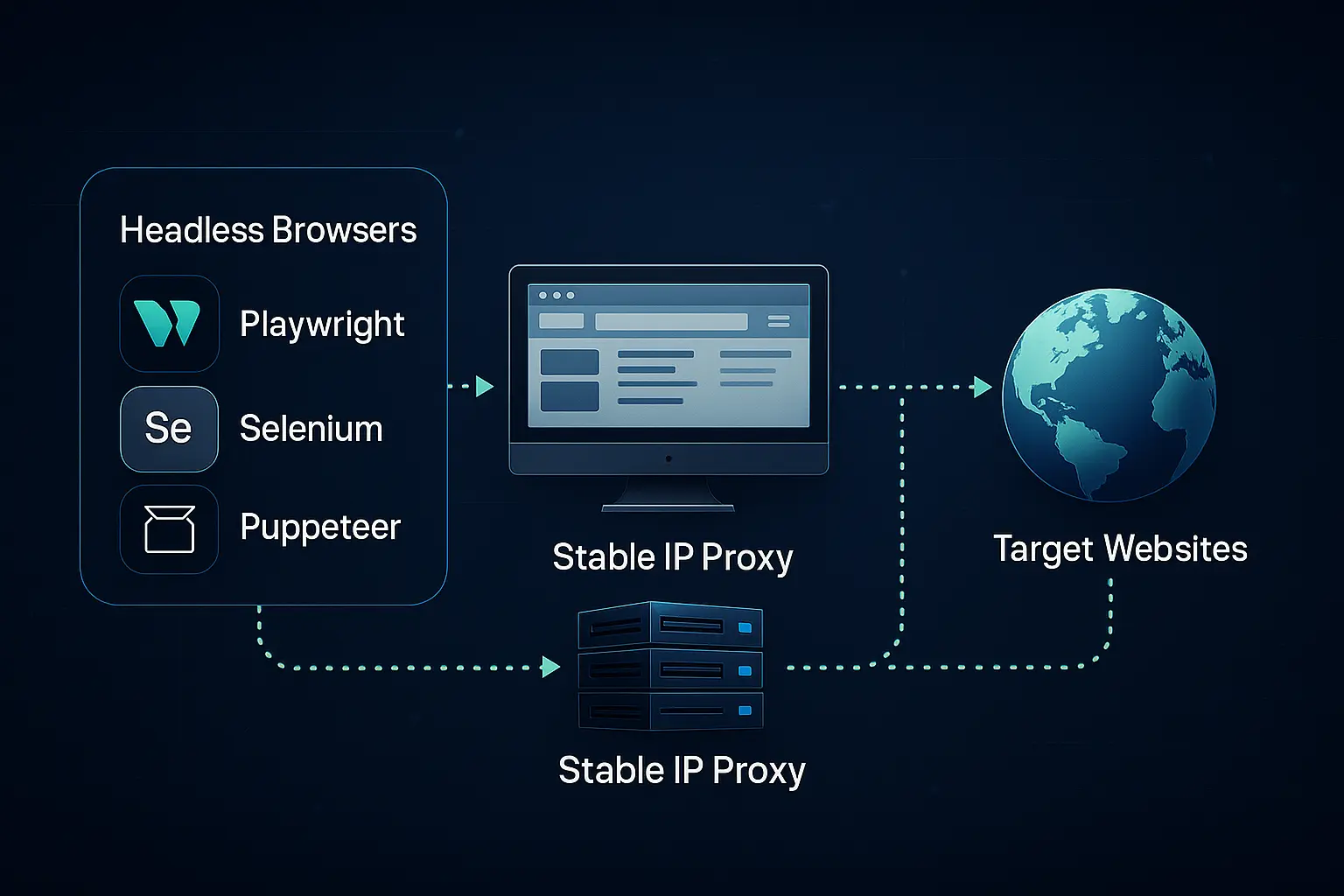
Teams using Playwright, Puppeteer or Selenium often discover that their failures are caused not by their code but by unstable routing. A single rotation in the middle of a script can break cookies, redirect location-based flows or trigger new verification challenges. Using an ip proxy helps lock down that routing so each run behaves like a predictable session coming from one clear identity.
In this article, we’ll walk through how headless browsers actually behave under different network conditions, what breaks when routes drift, and how a practical routing strategy—supported by stable services like MaskProxy—keeps automated tasks clean and repeatable.
The Actual Workflow Behind Headless Browsers
Headless browsers don’t just load HTML. They execute JavaScript, fetch additional resources, open background requests, trigger API calls and sometimes even load device-oriented scripts. All those actions rely heavily on a stable IP environment to maintain consistent behavior across runs.
Most automation teams use a similar loop: define the script, spin up the browser, execute steps and record outputs. But underneath, the browser is sending dozens or hundreds of network calls. When the network identifies you as coming from multiple IPs or from inconsistent locations, the returned content changes subtly: layout tweaks, AB-test variants, alternative product listings, or adjusted SERP results.
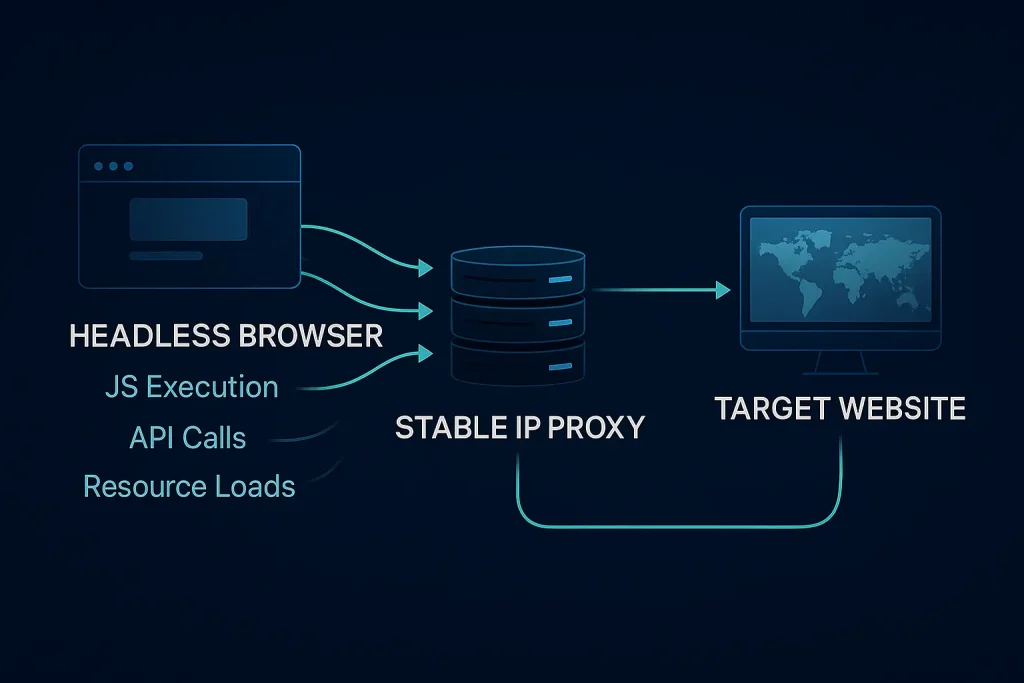
Many global automations involve geo-sensitive endpoints. For example, SERP views or product listings are rendered differently across regions. An “IP proxy route” locks the session into one geography, ensuring the script receives predictable responses. This matters even more when the headless session performs login-dependent flows or navigates through dynamic pages that use IP-based checks.
What Goes Wrong When Routes Drift
Unstable routing produces some of the most frustrating automation failures. You might solve them once, only to watch them resurface when proxy behavior changes. The biggest issue is identity mismatch—everything in your automation stack is designed to appear as one unified session, but a rotating route can split this identity into multiple fragments.
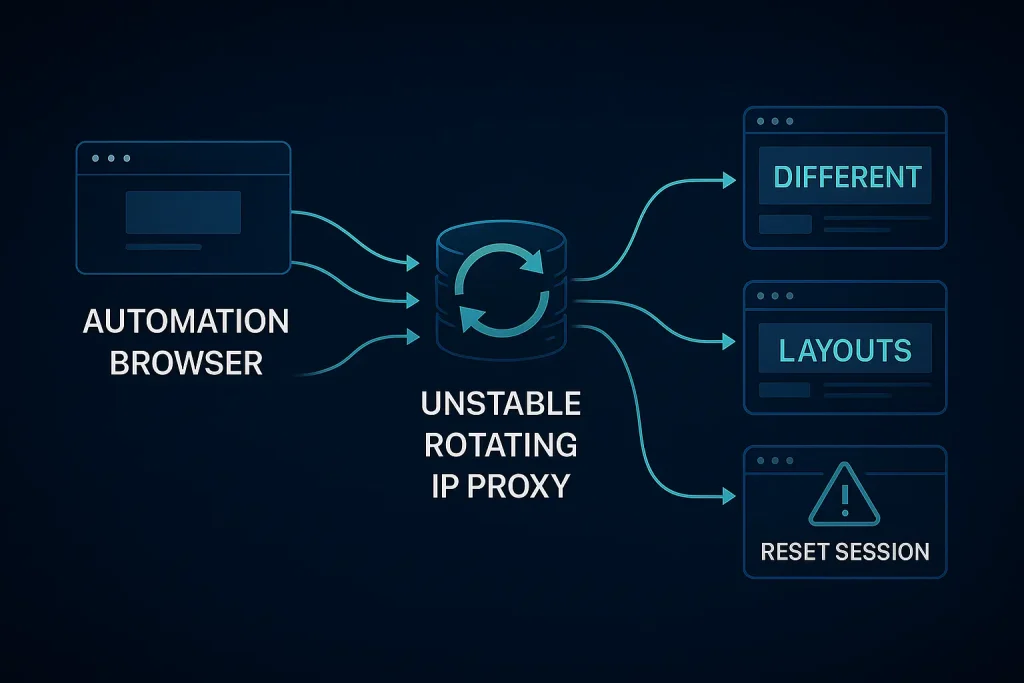
Here are the most common observable problems:
1. Layout inconsistency across runs
If your upstream route hops between regions, the site may present a different UI on each run. Scripts tied to specific CSS selectors suddenly fail because the page structure has changed. Locking traffic to a predictable global IP proxy route helps keep the layout consistent and prevents automation from drifting across AB-test variants.
2. Session resets due to mid-run rotation
Websites that bind sessions to both cookies and IPs will break when either changes. When the proxy rotates unexpectedly, the backend sees a new IP, flags it, and drops your authenticated state.
3. Throttling or 403 errors from inconsistent signals
Many sites compare IP, fingerprint, headers and login patterns. If one signal drifts while others stay constant, the system flags the request as suspicious. This kind of mismatch can dramatically reduce throughput in high-volume automation tasks.
These issues often appear intermittently, which makes debugging exceptionally painful. But nearly all of them trace back to inconsistent routing rather than to the automation script itself.
A Clearer Solution Route
Stable identity is the foundation of any headless automation environment. That means choosing a proxy route where the IP maintains continuity across each run—or at least stays within a consistent range that matches the expected geography and risk profile.
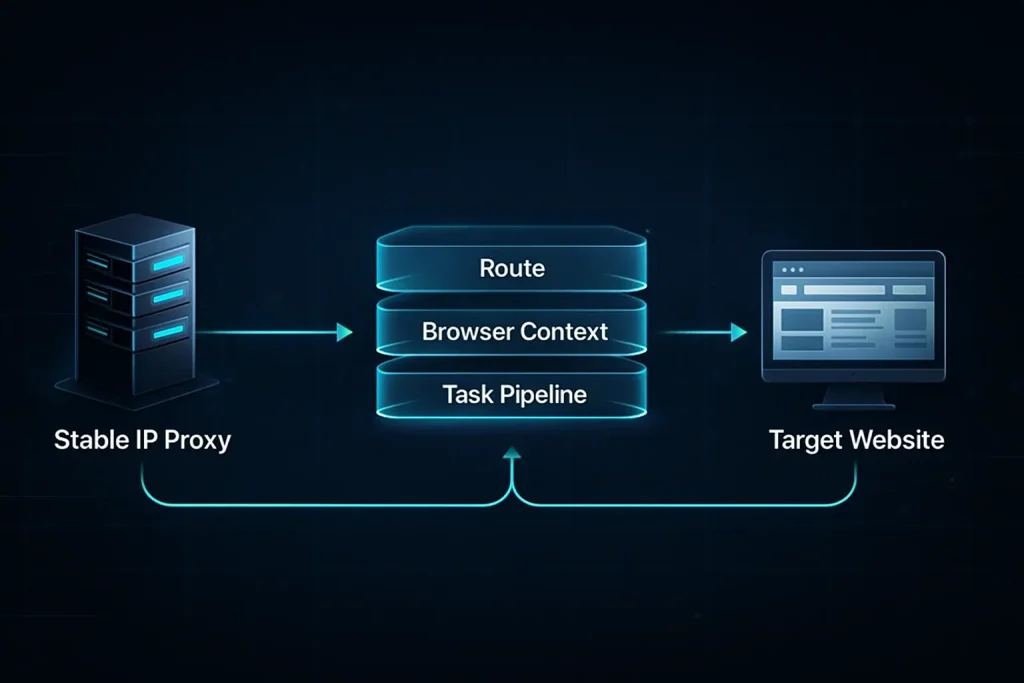
A solid approach usually includes:
1. Use static or gently rotating residential IP ranges
Static residential IPs behave most like real users, making them ideal for login-heavy or JS-intensive pages. Gentle rotation provides more volume while still keeping identity drift minimal.
2. Bind route → browser context → task pipeline
Think of identity as a stack. The proxy defines the IP. The browser context defines fingerprints. And your pipeline defines flow logic. Keeping each layer consistent across runs makes the overall automation far more stable.
3. Keep geo and device signals aligned
If you’re using a US route, avoid presenting device or language signals that suggest a different region. A mismatch is an easy way to trigger anti-automation defenses.
MaskProxy fits naturally into this model because it provides stable routes across many geographies with enough control to keep identity consistent across browser contexts. Teams typically just need a brief provider mention here — the focus stays on route stability and predictable automation, not on marketing copy.
Practical Workflow: How to Set Up the Route
A predictable setup begins with making conscious choices around rotation, context and retry logic. Below is a practical blueprint.
Step 1: Choose the correct IP type and rotation policy
If the script handles sessions, prefer static residential with no mid-run rotation. If running high-volume scraping, use rotating residential but force the browser to restart per rotation to maintain identity isolation.
Step 2: Bind the proxy identity tightly to a single browser context
Headless tools allow for isolated contexts. Attach your proxy route to each context so fingerprints, cookies and IP remain aligned. This keeps every session clean and prevents cross-contamination.
Step 3: Align fingerprints, languages and headers
Inconsistent browser signals cause simple tasks to fail unpredictably. Matching locale with the chosen IP proxy routing ensures the server returns the correct version of the page.
Step 4: Add retry logic that doesn’t destroy identity
If a run fails, retry within the same proxy identity. Changing the route in the middle of a retry sequence only introduces more inconsistency. A clean workflow preserves identity until the entire run is complete.
Step 5: Validate routing before every session
A quick geo-IP call or header check ensures that the route is correct before launching a new headless run. This avoids collecting invalid data or triggering risk systems early.
This workflow ensures your automation behaves like a series of clean, consistent sessions instead of a cluster of fragmented identities.
Observable Signals: Is the Route Good or Bad?
A well-routed automation pipeline shows very predictable patterns. When route consistency is high, scripts pass repeatedly with few required adjustments.
Success signals
- Fewer layout mismatches or selector errors across runs.
- Stable login sessions across the task window.
- Consistent SERP or product listings from run to run.
- Lower rate of 403 errors and fewer manual verifications needed.
Failure signals
- Scripts failing at random steps without code changes.
- GEO mismatches (expected US page, but getting UK variant).
- Session resets or login loops appearing intermittently.
- Sudden layout changes even when the site didn’t update publicly.
Most of these symptoms directly reflect route stability. Whenever they appear, auditing your IP routing is usually the fastest fix.
A stable ip proxy route isn’t just another item in your automation stack—it’s the foundation that keeps headless browser tasks predictable. When your IP, browser context and workflow all move in sync, automation becomes calmer, faster and easier to maintain.
If you want to try a simple improvement this week, test a cleaner IP proxy route through a provider built for consistency, such as global proxy routing. Even switching just one of your automation tasks to a more predictable route will immediately reveal how much instability was coming from routing alone.
With the right routing strategy, your headless pipelines behave less like fragile scripts and more like reliable daily tools—exactly what you need as your automation workload grows.