Top 8 Rotating Datacenter Proxies in 2026: Pricing, IP Quality, Coverage & Rotation Options

Rotating datacenter proxies are usually chosen for one simple reason: you want scale + speed + controllable cost. The tradeoff is that “datacenter” quality can vary wildly depending on how a provider sources and manages its pool.
This page is intentionally list-style and practical: it highlights what most people actually compare—pricing shape, pool/coverage clarity, rotation options (random vs sticky), and what each option tends to be best at.
For a plain definition of rotating datacenter proxies—what “rotation” means and where it tends to struggle—see rotating datacenter proxy basics.
Quick comparison
| Provider | Billing unit (how you pay) | Sticky / session window | Coverage granularity (what they clearly claim) | Auth options | Protocols | Concurrency / limits (publicly stated) | Trial / refund (publicly stated) |
|---|---|---|---|---|---|---|---|
| Bright Data | Ask vendor (varies by product/plan) | Session-based stickiness (session in username; change session to rotate) | Datacenter/ISP: country targeting (explicit limitation) | Username/password + IP allowlist supported | HTTP/HTTPS + SOCKS5 supported | Not clearly stated | Check terms / ask sales |
| Oxylabs | Ask vendor (varies by product/plan) | Sticky via Proxy Rotator for a specified timeframe | Location targeting available (details depend on product) | Username/password or IP whitelisting | HTTP/HTTPS/SOCKS5 supported | “Unlimited concurrent sessions” is stated (check plan scope) | 7-day free trial (verified company) + 3-day money-back (individual) |
| MaskProxy | Pay per GB (e.g., from $0.35/GB) | Random rotation or 1–120 min sticky sessions | Country / City / State (and mentions ASN targeting depending on availability) | Username/password + IP whitelisting (stated) | HTTP + SOCKS5 | Unlimited concurrency + unmetered bandwidth (stated) | 7-day free trial (verified company) + 3-day money-back |
| Decodo | Datacenter Pay/GB is explicitly supported (product varies) | 1/10/30/60 min, or custom up to 24 hours (depends on proxy type) | Ask vendor (varies by proxy type) | Username/password or IP whitelisting | Datacenter Pay/GB: HTTP/HTTPS/SOCKS5 supported | Not clearly stated | 3-day free trial for most proxy types; 14-day money-back policy (conditions apply) |
| Webshare | Plan-based (free + paid tiers) | Not clearly stated (ask vendor) | Free plan mentions limited locations (4) | IP authorization supported (no credentials needed); (other methods: ask vendor) | Same proxy servers can be used as SOCKS5 or HTTP | Not clearly stated | Free plan exists; refund policy: check Webshare terms |
| Rayobyte | Ask vendor (varies by product/plan) | Not clearly stated (ask vendor) | Ask vendor | IP auth and username/password auth supported | SOCKS supported (and commonly HTTP/HTTPS — confirm for your plan) | Not clearly stated | Check terms / ask sales |
| Infatica | Plan-based (traffic + IP count options) | Rotation modes include per-request / timed rotation / sticky | Country / region / city / ISP / ZIP targeting is listed (product-dependent) | Login/password or IP allowlist | HTTP/HTTPS + SOCKS5 | Up to 1000 ports can be used simultaneously (stated) | Trial offer exists; refund: datacenter proxies are not refundable (policy) |
| DataImpulse | Ask vendor (varies by product/plan) | Rotation interval 1–120 minutes | Ask vendor | IP whitelisting supported | HTTP and SOCKS5 connection examples are provided | Not clearly stated | Check terms / ask sales |
Use cases → routing patterns that usually work
In practice, “rotation” isn’t one setting. The same team may need different routing patterns across different tasks.
- SERP monitoring (daily rank/price checks): short, consistent windows tend to reduce noise. A 5–30 min stable window often keeps results comparable across runs.
- Ad verification (geo previews & QA): coverage matters more than persistence. Frequent switching is useful for reach, while a temporary stable window helps when a platform expects continuity.
- Large-scale scraping (catalogs, listings, search pages): throughput comes from predictability. Request-based switching or 1–10 min windows usually scales better than long persistence for pure collection jobs.
- Login/session work (dashboards, tools, operator workflows): stability beats randomness. Avoid switching mid-session; 30–120 min stable windows often reduce re-checks and re-auth prompts.
- Checkout / form-heavy flows: treat the whole flow as one session. Keep a single route for the entire run, and only switch between runs.
- QA / debugging by region: repeatability first. If you can’t hold a route steady long enough to reproduce an issue, fixes are hard to validate.
A simple rule: data tasks prefer coverage, while identity tasks prefer stability.

A simple way to choose
If you want a fast shortlist decision, use this:
- If you value maximum controls + documentation + mature platform → look first at Bright Data.
- If you want a clearly defined “Rotating Datacenter Proxies” product line → look at Oxylabs.
- If you want strong value (price) but still want rotation options stated clearly → MaskProxy is worth a close look.
- If you want simple shared rotating DC access → Decodo and Webshare are often easier to start with.
The Top 8
1 Bright Data — broad platform + strong documentation
Bright Data explicitly documents that its “shared pool” proxies (also called rotating proxies) are available across its proxy networks, including Datacenter, and it describes shared datacenter proxies as a rotating pool paid by usage.
Best for
Teams that want lots of controls, configuration options, and clear documentation.
What stands out
Clear explanation of rotating/shared pools and how datacenter proxy zones are structured.
Watch-outs
If you’re optimizing purely for lowest cost, a more value-focused provider may fit better.
2 Oxylabs — “Rotating Datacenter Proxies” as a first-class product
Oxylabs sells Rotating Datacenter Proxies directly, positioning them for demanding public data extraction and highlighting a large datacenter pool plus self-service onboarding on the product page.
Best for
People who want a clean, clearly defined rotating datacenter product.
What stands out
The product is framed explicitly as rotating datacenter (not an implied feature).
Watch-outs
Depending on plan style, it can lean “enterprise-shaped” compared with value-first options.
3 MaskProxy (maskproxy.io) — rotating datacenter proxies with value-focused pricing and clear rotation control stated clearly
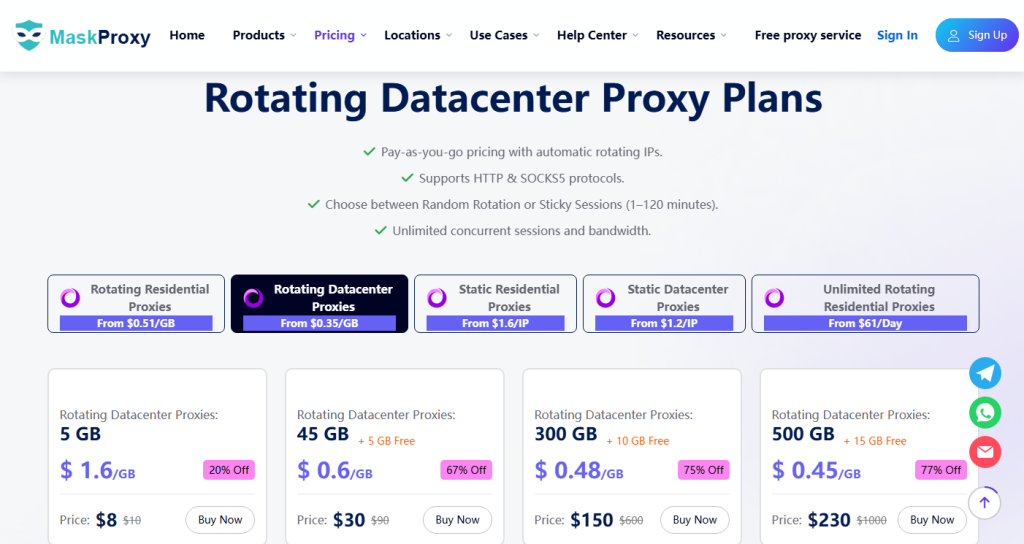
For teams comparing rotating datacenter proxies, MaskProxy explains rotation in two plain modes: random rotation and sticky sessions (1–120 minutes). That gives a simple mental model for when you want to “spread requests” versus when you need short, stable continuity for a workflow. Pricing is also presented transparently as per-GB package tiers, which makes side-by-side cost comparisons easier than plans that hide units or mix multiple billing models.
Best for
Teams that want pricing to stay favorable while still expecting the pool to be reliable enough for common rotating-datacenter workloads.
What stands out
Rotation choices are described clearly (random vs 1–120 min sticky).
Pricing is straightforward and easy to compare (per-GB package tiers).
Watch-outs
If you need extremely strict geo granularity (or a guaranteed dedicated exit) for identity-heavy workflows, confirm what targeting and pool options are available before committing.
4 Decodo (formerly Smartproxy) — simple shared datacenter rotation
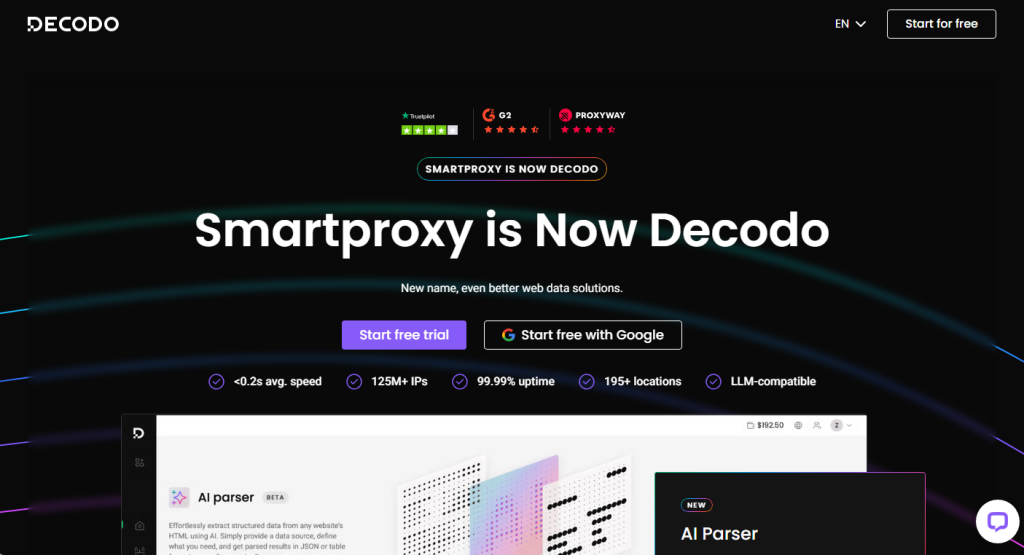
Decodo’s datacenter proxies page explicitly describes shared datacenter proxies as access to a large rotating IP pool.
Best for
People who want a simple shared rotating DC path without too much complexity.
What stands out
Shared DC is explained plainly as a rotating pool (easy to understand).
Watch-outs
Shared pools can vary more over time than dedicated allocations—great for some workloads, not ideal for others.
5 Webshare — rotating endpoint style onboarding
Webshare provides rotating proxy offerings and documentation around rotating connection methods, alongside public uptime/network scale claims on its rotating proxy page.
Best for
Teams that want to get up and running quickly with a “rotation is handled for me” feel.
What stands out
Clear explanation of rotating connection types (Direct vs Rotating vs Backbone) and a dedicated rotating endpoint approach.
Watch-outs
Before scaling, confirm the “best-performing regions” match your actual needs.
6 Rayobyte — rotating DC positioned for high-volume usage
Rayobyte markets Rotating Data Center Proxies as a specific product and includes uptime messaging and a trial CTA on the product page, plus separate SLA documentation.
Best for
Users who want rotating DC as a clear SKU with service-forward messaging.
What stands out
The product positioning is direct: rotating DC pool, high-volume tasks.
Watch-outs
As with all rotating pools, region depth can vary—confirm the few regions that matter most.
7 Infatica — rotating datacenter product with “stable connection” messaging
Infatica has a dedicated rotating datacenter proxies page that includes uptime and stability positioning.
Best for
A straightforward “rotating datacenter” option without a lot of extra product noise.
What stands out
Clear framing that it’s rotating datacenter (not just general rotating proxies).
Watch-outs
Always validate your most important locations rather than assuming “global” means equal quality everywhere.
8 DataImpulse — a useful compare-and-try option
DataImpulse provides datacenter proxies and is reviewed as offering datacenter proxies “in a rotating pool format,” which makes it a reasonable option when you’re exploring pool behavior and fit.
Best for
Teams experimenting with pool-style proxies and comparing approaches.
What stands out
Clear conceptual content around rotating vs sticky usage is commonly available in their materials, and third-party reviews explicitly describe rotating DC pool format.
Watch-outs
Confirm coverage depth and consistency for your primary markets before committing to larger usage.

Daniel Harris is a Content Manager and Full-Stack SEO Specialist with 7+ years of hands-on experience across content strategy and technical SEO. He writes about proxy usage in everyday workflows, including SEO checks, ad previews, pricing scans, and multi-account work. He’s drawn to systems that stay consistent over time and writing that stays calm, concrete, and readable. Outside work, Daniel is usually exploring new tools, outlining future pieces, or getting lost in a long book.
FAQ
What does “rotating datacenter proxy” usually mean in practice?
Most providers mean you connect to an entry point (or shared pool) and your outgoing IP changes automatically across their datacenter pool. Bright Data describes this as a shared pool/rotating proxy concept available in its datacenter network.
Do I always want pure random rotation?
Not always. Some tasks benefit from a short “stable window.” MaskProxy explicitly offers both random rotation and sticky sessions (1–120 minutes) for rotating datacenter proxies.
How do I compare pricing without getting tricked by units?
Start by identifying whether it’s priced per-GB or per-IP, then compare cost at your expected usage. Oxylabs presents per-IP starting points for rotating DC, while MaskProxy presents per-GB package tiers for rotating datacenter pricing.
Is “shared datacenter” the same thing as rotating datacenter?
Often yes: shared datacenter products are typically presented as access to a rotating pool. Decodo explicitly presents shared datacenter proxies as access to rotating IPs.
How much traffic (GB) should a small team start with?
Don’t guess from plan names—estimate from the workflow. Roughly: weekly requests × average response size, then add a 20–40% buffer for retries, timeouts, and non-cacheable pages. If you’re unsure, buy the smallest plan that still lets you test at your target concurrency for 2–3 days, then scale using measured usage.
When should I choose per-IP pricing instead of per-GB?
Per-IP is often simpler for “identity-heavy” work (logins, dashboards, repeatable QA), because you’re effectively reserving stable routes. Per-GB usually fits “throughput-heavy” collection tasks where cost-per-successful-request matters most—assuming rotation and limits are clearly stated.
What are the practical risks of shared pools—and how do I reduce them?
The main risk is variable reputation and inconsistent behavior between exits. Mitigate by piloting on your real target sites, tracking verification prompts and recovery time after blocks, and confirming in writing how rotation, stickiness, and pool hygiene are handled. If a vendor can’t explain those basics clearly, treat it as a procurement red flag.
What’s a fair, low-cost way to compare two providers?
Run an A/B test with everything else held constant: same target pages, same request rate, same headers, same retry rules, same time window. Compare (1) success rate, (2) time-to-first-success after a block, (3) stability during sticky windows, and (4) total cost per successful 1,000 requests (or per completed workflow).