 Rotating Residential Proxies
 Rotating Datacenter Proxies
 Static Residential Proxies
 Static Datacenter Proxies
 Unlimited Rotating Residential Proxies
 Proxy Solutions
 United States Proxies
 Canada Proxies
 United Kingdom Proxies
 France Proxies
 Germany Proxies
 Singapore Proxies
 Japan Proxies
 Australia Proxies
 Vietnam Proxies
 Philippines Proxies
 India Proxies
 Mexico Proxies
 View All Regions
 Social Media
 E-commerce
 Data Aggregation
 Ad Verification
 Artificial Intelligence
 Market Research
 Integration Tools
 Contact Us
 FAQ
FAQ
 Documentation
 Tutorials
 SDK
SDK
 Affiliate Program
 Become an Agent
 Partners
 Blog
Blog


Proxy Authentication Checklist: How to Verify User:Pass, IP Whitelisting, and Session Persistence Before Launch
If a new proxy pool looks fast in a test page but fails once your real browser, script, or QA flow starts using it, the problem is often authentication, not speed.
The short answer is this: user:pass authentication is usually the safer default for distributed teams and changing networks, while IP whitelisting is usually cleaner for fixed-origin systems with stable outbound IPs. Before launch, you need to verify not only that access works once, but that it keeps working after reconnects, profile swaps, and ordinary workflow repetition.
If you are still validating the provider more broadly, start with the proxy trial checklist. If you are still deciding on protocol support, compare HTTP vs SOCKS5 for browser logins, automation, and speed tests before locking your setup.
Quick answer: validate the access method before you validate speed
Authentication errors waste time because they masquerade as other problems. A browser may show a blank page, a script may throw a connection error, or a target site may look unstable when the real issue is simply that the proxy credentials or allowlist model do not match the way your team actually connects.
That is why the access-control check should happen before you spend too much time on latency charts or block-rate interpretation. If the authentication model is fragile, every later test result becomes less trustworthy.
Which authentication method fits which workflow?
| Authentication method | Best fit | Main advantage | Main risk | Better default when |
|---|---|---|---|---|
| Username and password | Remote teams, laptops, rotating hosts, mixed apps | Easy to move across devices and profiles | Wrong credentials or tool-specific auth handling can create avoidable failures | Your source IP changes often |
| IP whitelisting | Servers, office egress, fixed CI runners | Clean setup once the origin IP is stable | Breaks quietly when the source IP changes or traffic exits from a different path | Your requests come from a known stable IP |
| Session-bound proxy access | Sticky or identity-sensitive workflows | Helps preserve continuity during repeated logins or task batches | May look fine in one test but break after reconnect or session renewal | You need continuity, not just one successful request |
For infrastructure that moves between home internet, mobile backup, coworking Wi-Fi, and cloud runners, username and password is usually safer than depending on a static allowlist. For fixed-origin systems, static proxies paired with a stable outbound address can make IP whitelisting easier to manage.
If your workload depends on pool rotation or traffic distribution across many requests, the access method still has to behave cleanly under the rotating proxies product model you plan to use.
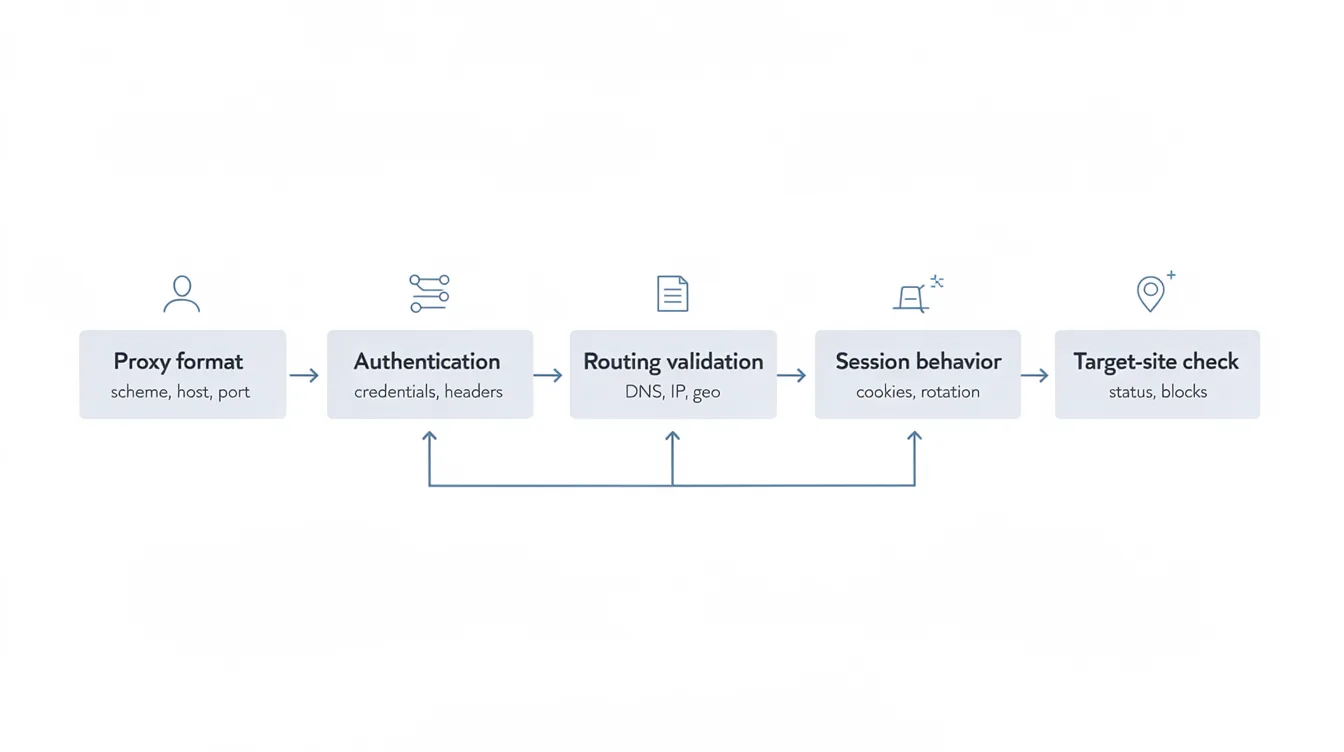
The 7-step proxy authentication validation sequence
- Confirm the provider's actual auth model. Do not assume the same pool supports every combination of HTTP, SOCKS5, user:pass, and IP allowlisting. Check the exact access model attached to the product or zone you bought.
- Test from the real client, not only a checker page. A browser extension, automation framework, or desktop app may handle auth differently from a simple IP-check tool.
- Verify auth success and outbound IP together. A passing login prompt is not enough if the traffic still exits from the wrong network path.
- Repeat the test from a second profile, host, or runner. This catches hidden dependencies on local cache, remembered credentials, or one machine's network route.
- Reconnect and retry. Restart the browser profile, renew the app session, or reconnect the network path to see whether access still works without manual cleanup.
- Check session persistence for your real task. If you need repeated logins or long-lived account continuity, confirm the auth model does not break your session assumptions midway through work. The planning logic in how many static proxies do you need becomes more reliable only after this check passes.
- Record a launch decision. Mark the setup as pass, conditional pass, or stop. If you cannot explain the failure mode clearly, it is not launch-ready.
What failure patterns mean you should stop before launch
Once the basic sequence is complete, look for failure patterns that make later testing unreliable. Stop and repair the setup before rollout if you see any of these:
- Authentication succeeds in a test utility but fails in the real browser or automation client.
- IP whitelisting works only until the office line reconnects, the cloud runner is replaced, or traffic exits through a different NAT path.
- A supposedly sticky setup loses continuity after restart, causing login prompts or identity drift.
- The app accepts the proxy field but some requests bypass the proxy completely.
- The proxy endpoint works over one protocol path but not the one your workflow actually uses, such as an HTTP proxy assumption being pushed into a tool that behaves better with a SOCKS5 proxy.
These are not minor QA annoyances. They are launch blockers because they make every later result harder to interpret.
Launch checklist
Use this as a go or no-go gate before rollout:
- The provider's auth method is explicitly documented for the exact pool being used.
- The real client authenticates successfully without hacks or one-off workarounds.
- The observed outbound IP matches the expected proxy path.
- A second machine, profile, or runner can reproduce the result.
- Reconnect or restart does not silently break access.
- Session continuity is acceptable for the real workflow.
- The team knows whether username and password or IP whitelisting is the long-term operating model.
- Any remaining failure mode is understood well enough to monitor in production.
If you cannot check every box, delay launch. A short delay is cheaper than debugging false positives during live traffic.
Final recommendation
Choose the authentication method that creates the fewest ordinary operating surprises, not the one that happened to work in a one-minute demo. For distributed teams and changing source networks, user:pass is usually the safer choice. For stable infrastructure with predictable egress, IP whitelisting can be cleaner.
Either way, the win is not the method itself. The win is proving, before launch, that authentication, outbound routing, and session behavior all stay aligned under normal daily use.