Proxy Protocols You Can Configure and Verify in Production

Most teams lose days on “proxy issues” that are not proxy issues at all. The real problem is usually a protocol mismatch, a missing trust boundary, or a client IP chain that breaks silently behind a load balancer.
Many organizations keep a single internal reference for protocol basics, such as Proxy Protocols, yet the same two meanings still get mixed up during incidents.
This guide separates the terms, gives minimal working configurations, and shows how to verify what is actually happening on the wire. MaskProxy is referenced here as one example of how teams standardize proxy endpoints across HTTP and SOCKS without changing per-tool assumptions.
Start by separating proxy protocols from PROXY protocol
People use “proxy protocols” to mean two different things.
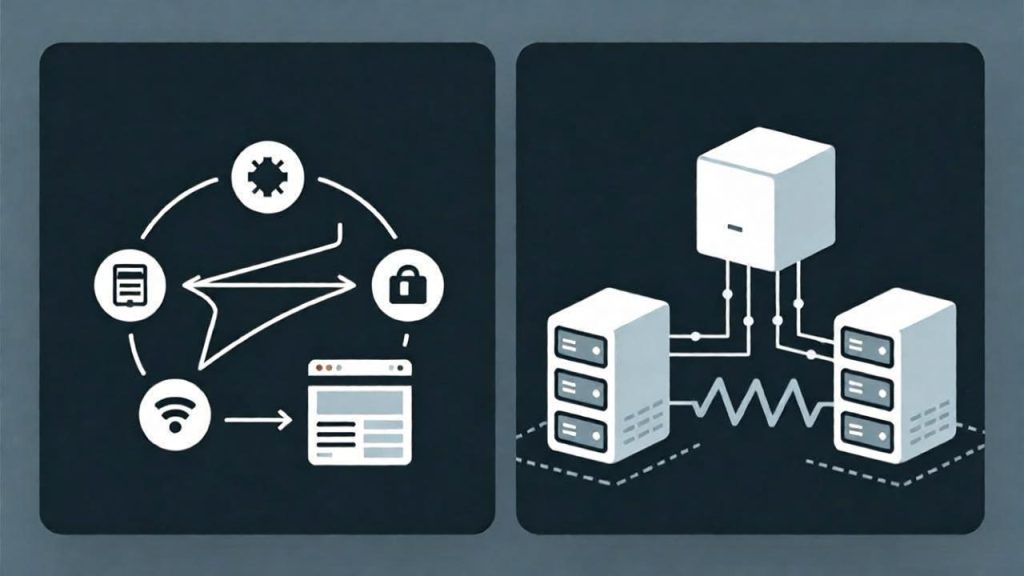
Proxy protocols
These are the client-to-proxy ways of reaching a destination through a proxy. Common options are HTTP proxy, HTTPS proxy, SOCKS5, and HTTP CONNECT tunneling.
PROXY protocol
This is a specific wire format, originally from HAProxy, used at Layer 4 to preserve the original client IP and port when traffic passes through a TCP proxy or load balancer. It is not the same thing as HTTP headers like X-Forwarded-For.
If you skip this disambiguation, you will fix the wrong layer and break production.
Use a simple map to choose the right approach
If your traffic is mostly web and APIs, start with an HTTP proxy plus CONNECT tunneling for TLS destinations.
If you need to proxy arbitrary TCP and some UDP, consider SOCKS5.
If your backend must see the real client IP at the TCP layer, use PROXY protocol between trusted hops and configure the backend to accept it.
If you only need the real client IP for HTTP routing and logging, use a trusted header chain like Forwarded or X-Forwarded-For, but enforce strict trust boundaries.
Configure HTTP proxy and verify CONNECT tunneling
An HTTP proxy is an application-layer proxy. The client speaks HTTP to the proxy, and the proxy makes the upstream request.

In many production stacks, teams standardize clients around a single profile such as HTTP Proxies to avoid drift between scripts, CI jobs, and long-running services.
For HTTPS destinations, most “HTTPS proxy” behavior in practice is an HTTP proxy that supports CONNECT tunneling. The CONNECT method is defined in modern HTTP semantics in RFC 9110, and a practical summary is available in the MDN CONNECT method reference.
Minimal verification with curl:
# 1) Plain HTTP through an HTTP proxy
curl -x http://PROXY_HOST:PROXY_PORT http://example.com -I

# 2) HTTPS via CONNECT tunnel through the same HTTP proxy
curl -x http://PROXY_HOST:PROXY_PORT https://example.com -I -v
In verbose output, you want to see a CONNECT request, a successful tunnel establishment, and then the TLS handshake. If CONNECT works locally but fails in CI, the usual culprits are DNS path differences, SNI handling, or upstream TLS interception.
Use SOCKS5 when transport flexibility and DNS routing matter
SOCKS5 is a shim that can carry many application protocols because it sits between application and transport layers. It is commonly used for non-HTTP traffic or when you want DNS resolution to occur through the proxy path.
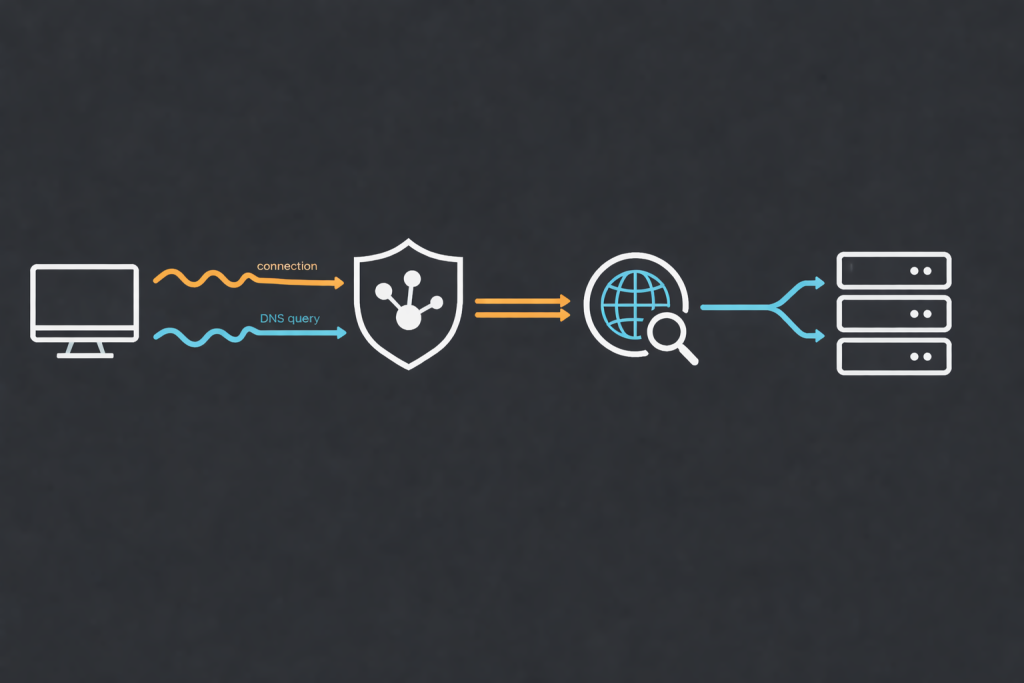
When you need protocol-agnostic behavior, the protocol definition in RFC 1928 is the best baseline for diagnosing handshake and authentication expectations across tools.
SOCKS endpoints like SOCKS5 Proxies are frequently used for geo-sensitive checks, multi-region crawling, and workflows where local resolver fingerprints cause inconsistent outcomes.
Minimal verification with curl:
# socks5h tells curl to resolve DNS via the proxy
curl --socks5-hostname SOCKS_HOST:SOCKS_PORT https://example.com -I -v
If DNS leaks locally when it should not, this is the first place to check. A common real-world long-tail failure is “SOCKS5 works, but blocks appear only on certain domains,” which is often resolver-path inconsistency rather than IP reputation.
Preserve client IP for HTTP services with Forwarded and X-Forwarded-For
For HTTP services behind reverse proxies, client identity is usually carried in headers.
Forwardedis standardized and can represent proxy chains.X-Forwarded-Foris widely used but not standardized.
If you want a standards-based definition of proxy chains, the authoritative reference is RFC 7239.
The critical rule is simple: these headers are untrusted if they can be set by the public client. A hostile client can spoof them to bypass rate limits, geo rules, or audit logs.
Enforce a trust boundary:
- At the edge, strip incoming
ForwardedandX-Forwarded-Forfrom the public internet. - Add your own values.
- Only trust these headers from known proxy networks that you control.
If you cannot enforce the boundary, you do not have “client IP preservation,” you have “client IP fiction.”
Preserve client IP for TCP services with PROXY protocol
Headers do not exist for raw TCP services. That is where PROXY protocol is used.
The proxy sends a short PROXY header immediately after the TCP connection is established, before any application bytes. The backend parses that header and treats the included source address as the real client. The canonical wire specification is HAProxy proxy-protocol.txt, which is the best place to confirm exact framing when troubleshooting v1 versus v2.

PROXY protocol is typically paired with stable, controlled hops in the path, which is why many teams inventory it alongside Static Proxies and load balancer settings rather than treating it as a “client-side proxy feature.”
Two common versions exist:
- v1 is a human-readable text line
- v2 is a binary format with extensions
Minimal HAProxy configuration for PROXY protocol
Scenario: an L4 proxy terminates nothing, but you want your backend to see the real client IP.
frontend fe_tls_passthrough
  bind :443 accept-proxy
  mode tcp
  default_backend be_app

backend be_app
  mode tcp
  server app1 10.0.0.10:443 send-proxy-v2
accept-proxy means HAProxy expects a PROXY header on incoming connections. send-proxy-v2 forwards client coordinates downstream in PROXY protocol v2.
Only enable accept-proxy when the upstream is trusted and actually sends PROXY protocol. Otherwise, you will break the first bytes of every connection.
Minimal NGINX configuration to accept PROXY protocol safely
NGINX can accept PROXY protocol on the listening socket and then treat that address as the real client IP for logs and upstream headers. The official guidance is in the NGINX admin guide for PROXY protocol.
server {
  listen 443 ssl proxy_protocol;

  set_real_ip_from 10.0.0.0/8;
  set_real_ip_from 192.168.0.0/16;

  real_ip_header proxy_protocol;
  real_ip_recursive off;

  location / {
    proxy_set_header X-Forwarded-For $proxy_add_x_forwarded_for;
    proxy_set_header X-Real-IP $remote_addr;
    proxy_pass http://app_upstream;
  }
}
If you skip set_real_ip_from, you are effectively allowing untrusted sources to inject client IPs.
Minimal Envoy configuration for PROXY protocol
Envoy implements PROXY protocol as a listener filter. It assumes the downstream connection comes from a trusted proxy that inserts the PROXY header.
Operational configuration is described in the Envoy Proxy Protocol listener filter documentation. The trust model is reinforced in the API documentation for the filter configuration at proxy_protocol.proto.
listeners:
- name: ingress_listener
  address:
    socket_address: { address: 0.0.0.0, port_value: 443 }
  listener_filters:
  - name: envoy.filters.listener.proxy_protocol
    typed_config:
      "@type": type.googleapis.com/envoy.extensions.filters.listener.proxy_protocol.v3.ProxyProtocol
  filter_chains:
  - filters:
    - name: envoy.filters.network.http_connection_manager
      typed_config:
        "@type": type.googleapis.com/envoy.extensions.filters.network.http_connection_manager.v3.HttpConnectionManager
        stat_prefix: ingress_http
        route_config: { name: local_route, virtual_hosts: [] }
        http_filters: []
Treat PROXY protocol as a trusted-hop feature, not a public-facing feature.
Use this decision matrix for common scenarios
| Scenario | Recommended approach | Why it fits | Common pitfall |
|---|---|---|---|
| Web browsing and API calls | HTTP proxy plus CONNECT tunneling | Native fit for HTTP and TLS destinations | Confusing “HTTPS proxy” with actual CONNECT support |
| Scraping and automation at scale | HTTP proxy plus CONNECT tunneling, or SOCKS5 | Good tooling support with flexible routing | Missing DNS routing rules, causing leaks |
| Internal microservices over HTTP | Forwarded with strict trust boundary | Clear identity chain for routing and logs | Trusting client-supplied headers from the internet |
| Raw TCP services behind a load balancer | PROXY protocol between trusted hops | Preserves client IP without HTTP headers | Enabling PROXY on backend without enabling it upstream |
| Databases over TCP | PROXY protocol if you need source IP | Rate limits and audit trails often need real IP | Breaking handshake bytes by misordered parsing |
| Mail protocols | SOCKS5 or TCP proxying | Protocol-agnostic transport | TLS sequence breaks if extra bytes are injected |
| Game protocols | SOCKS5 or TCP proxying | Works for non-HTTP traffic | Blaming jitter on the proxy when it is routing |
| SSH through controlled egress | SOCKS5 or direct | Simple and reliable | Over-engineering with CONNECT tunneling |
Verify behavior before you call it fixed
CONNECT tunneling verification:
- Run
curl -vthrough the HTTP proxy to an HTTPS site and confirm a successful CONNECT. - Confirm the certificate is presented by the destination, not replaced by a middlebox.
SOCKS5 verification:
- Use
--socks5-hostnameand confirm DNS resolution occurs through the proxy path. - Confirm the target sees the proxy egress IP, not your local ISP IP.
Forwarded and X-Forwarded-For verification:
- Confirm the edge strips inbound client-supplied headers.
- Confirm application logs show the expected chain from known proxy hops.
- Confirm trusted proxy settings match your real network boundaries.
PROXY protocol verification:
- Confirm the upstream actually sends PROXY protocol.
- Confirm the backend parses it before any application bytes.
- Confirm logs show the original client IP and port, not the load balancer IP.
- If you use AWS NLB, confirm proxy protocol v2 is enabled and your backend supports it. A practical walkthrough is in the AWS blog post on preserving client IP with proxy protocol v2, and the attribute reference is in the AWS NLB target group documentation.
Troubleshoot quickly with a symptom-first table
| Symptom | Most likely cause | First fix |
|---|---|---|
| Backend always sees load balancer IP | Missing PROXY protocol or missing trusted header chain | Enable PROXY protocol between load balancer and backend, or enforce header trust boundary |
| TLS handshake fails after enabling PROXY protocol | Backend not configured to accept PROXY header | Enable PROXY parsing on the backend listener before TLS processing |
| Random HTTP 400 or malformed request errors | PROXY header bytes reaching an HTTP parser | Ensure PROXY header is consumed at the correct layer, or disable it on that listener |
| Rate limiting bypassed by fake client IP | Trusting X-Forwarded-For from the public internet | Strip inbound headers at the edge; trust only known proxy ranges |
| Geo rules inconsistent across environments | DNS resolved locally instead of through proxy | Use SOCKS hostname resolution or correct resolver settings |
| Logs show private RFC1918 client IPs | Wrong hop trusted as the client | Adjust trusted proxy ranges; verify hop order and rewriting |
Write security boundaries into your runbook
- Never trust identity data from untrusted networks.
A public client can inject or spoofForwardedandX-Forwarded-For. - Trust must be an explicit allowlist.
Only accept client identity signals from subnets you control, such as load balancers, edge proxies, or mesh gateways. - PROXY protocol is metadata transport, not authentication.
Accept it only from trusted upstreams, or you will accept spoofed identities. - Prefer fail-closed behavior when possible.
If a backend expects PROXY protocol from a trusted hop, reject connections that do not match the expected format and source.
Update policy for production teams
Proxy behavior changes most often in cloud load balancer defaults, target group attributes, service mesh filters, and proxy software configuration semantics. Standards stay stable, but implementations evolve. Re-check HAProxy, NGINX, Envoy, and your cloud provider documentation when you upgrade versions, change load balancer types, or add new proxy hops.
Protocol choice and client identity preservation are separate problems, but operational constraints bind them together. For monitoring, QA, and CI traffic where predictable behavior matters, teams often combine strict CONNECT verification, explicit trust boundaries, and controlled egress such as Datacenter Proxies to keep failures diagnosable. MaskProxy is one example of a setup where “protocol support” is treated as a contract, not a per-script preference.

Daniel Harris is a Content Manager and Full-Stack SEO Specialist with 7+ years of hands-on experience across content strategy and technical SEO. He writes about proxy usage in everyday workflows, including SEO checks, ad previews, pricing scans, and multi-account work. He’s drawn to systems that stay consistent over time and writing that stays calm, concrete, and readable. Outside work, Daniel is usually exploring new tools, outlining future pieces, or getting lost in a long book.
FAQ
What is the difference between an HTTPS proxy and CONNECT tunneling
Most “HTTPS proxy” usage is an HTTP proxy that supports CONNECT tunneling to create a TCP tunnel to the HTTPS origin.
When should I prefer SOCKS5 over an HTTP proxy
Use SOCKS5 when you need non-HTTP traffic support, consistent DNS handling through the proxy path, or tooling compatibility that is stronger for SOCKS.
How do I confirm my proxy is really doing CONNECT tunneling
Use curl -v and verify the CONNECT request and a successful tunnel response before the TLS handshake begins.
Do I need PROXY protocol if I already have X-Forwarded-For
If your service is HTTP-only and your trust boundary is solid, headers can be sufficient. For raw TCP services or L4 identity, PROXY protocol is the right tool.
Can I use PROXY protocol and Forwarded together
Yes. A common pattern is PROXY protocol for L4 hops, then an HTTP reverse proxy emits trusted Forwarded for downstream services.
Why did enabling proxy protocol v2 break my service
Your backend likely started receiving extra bytes before the application protocol and did not parse them. Enable v2 only when the backend listener is explicitly configured to accept it.