HTTP Proxy Not Working? Fix 407 Errors, CONNECT Failures, and TLS Mismatch
If your HTTP proxy is not working, the fastest fix is to stop treating every failure as one generic proxy problem. Most production failures come from a short list: the client never used the proxy, authentication failed, the CONNECT tunnel was rejected, TLS handling broke after the tunnel step, or the target site blocked the workflow even though the proxy itself was fine.
That matters because HTTP proxy failures are noisy. A browser can open one page and still fail on later HTTPS requests. A script can throw a tunnel error that looks like a dead proxy when the real issue is bad auth, wrong proxy format, or a client that is not sending traffic the way you think it is.
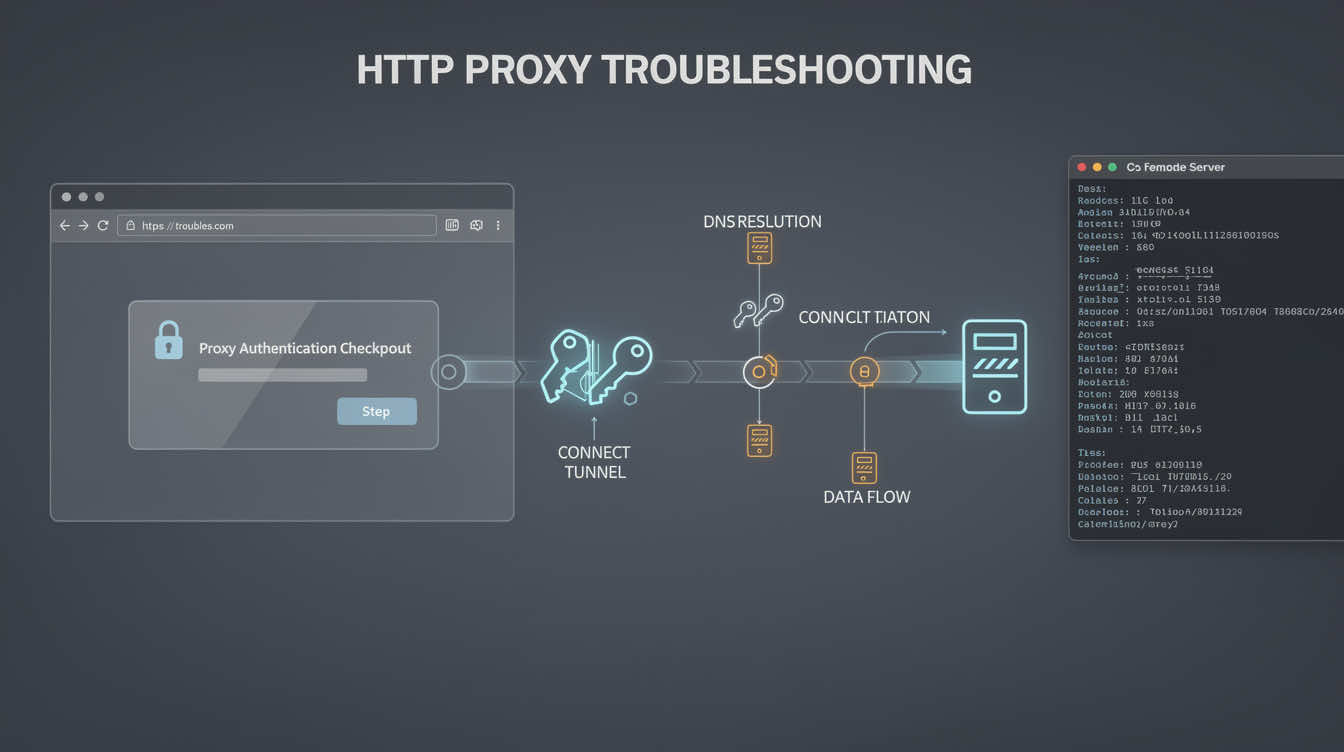
Use this order:
- confirm the client is actually using the HTTP proxy
- separate auth failures from tunnel failures
- check whether HTTPS requests fail at the CONNECT step
- isolate TLS mismatch from proxy failure
- decide whether the real problem is the target site, not the proxy path
Quick diagnosis
- The public IP never changes → the client is probably not using the proxy.
- You get a 407 immediately → the request reached the proxy, but credentials were not accepted.
- HTTP works but HTTPS fails → the problem is often at the CONNECT or TLS stage.
- One client works and another fails → compare how each tool passes auth, proxy format, and TLS settings.
- Neutral sites work but the target still breaks → the proxy may be fine and the target may be filtering the workflow.
Step 1: prove the client is using the proxy
Start with one clean validation target and one client. If the public IP does not change, the proxy is not applied correctly.
A minimal curl validation looks like this:
curl -x http://proxy-host:port https://api.ipify.org?format=text -v
If you need authenticated access, test that explicitly:
curl -x http://user:pass@proxy-host:port https://api.ipify.org?format=text -v
If the IP never changes in a stripped-down test, stop there. The issue is not target-site complexity. The proxy path itself is not configured correctly.
Step 2: classify 407 errors correctly
A 407 error is useful because it narrows the problem. It means the request reached the proxy, but the proxy did not accept the credentials. That is different from a dead endpoint or a blocked target.
Common 407 causes include:
- wrong username or password
- bad proxy URL formatting
- hidden whitespace in credentials
- the client expecting credentials in separate fields rather than inline
- a session, zone, or routing token being incomplete
Do not waste time changing retries or concurrency until auth is clean.
Step 3: understand CONNECT failures
For HTTPS traffic, an HTTP proxy usually needs to establish a CONNECT tunnel first. If that step fails, the browser or client may report a tunnel error, a proxy error, or a generic SSL failure.
That usually points to one of these:
- bad auth
- the proxy rejecting the destination
- a client that sends the wrong tunnel request
- a provider or target rule blocking the tunnel stage
If HTTP pages work but HTTPS requests fail, focus on CONNECT before you blame the entire proxy.
Step 4: separate TLS mismatch from proxy failure
A TLS error after CONNECT is not always a dead proxy. Sometimes the tunnel was created successfully and the failure comes later, when the client and destination negotiate TLS.
That can happen when:
- the client has strict TLS expectations
- the target behaves differently through a proxy path
- a browser automation stack changes network behavior in headless mode
- the target site is doing deeper inspection
This is why neutral validation targets matter. If the proxy works on simple HTTPS endpoints but fails only on one sensitive target, the proxy is no longer the first suspect.
Step 5: compare clients before you blame the provider
If curl works, but your browser does not, or one automation tool works while another fails, the difference is usually in the client path, not the proxy account.
Compare:
- how each client passes auth
- whether each client actually supports the same HTTP proxy format
- whether one of them silently falls back to direct traffic
- whether TLS handling differs between environments
This is one reason a browser-heavy workflow may behave differently from a command-line test even when both claim to use the same proxy.
Step 6: decide whether HTTP proxy is still the right fit
For browser-heavy and standard web workflows, an HTTP proxy is often the easiest path to validate and operate. But if you keep running into client-specific behavior, you may need to compare it with a SOCKS5 proxy path instead.
The right question is not which protocol sounds better in theory. The right question is which one behaves predictably in your actual client, browser, and deployment environment.
A troubleshooting checklist that works
Before calling the setup fixed, confirm all of the following:
- the public IP changed in a clean test
- credentials work consistently
- 407 errors are gone
- HTTPS requests survive the CONNECT step
- TLS succeeds on neutral targets
- the client is not bypassing the proxy
- the target is only tested after the route is proven
If you cannot prove those seven points, the setup is not fully validated yet.
FAQ
What does 407 mean on an HTTP proxy?
It means the request reached the proxy, but the proxy did not accept the credentials.
Why does my HTTP proxy work for HTTP but fail for HTTPS?
Because the CONNECT tunnel or the later TLS step is failing.
Can CONNECT failures be caused by bad authentication?
Yes. A bad auth step can surface as a tunnel failure depending on the client.
Should I switch to SOCKS5?
Only if your workflow, browser, or client behaves more predictably there than with HTTP proxy handling.
Final takeaway
Most HTTP proxy failures are not mysterious. They usually come down to a short list: the client never used the proxy, auth failed, CONNECT failed, TLS broke after the tunnel step, or the target site behaved differently from neutral validation targets.
The fastest fix is to classify the failure correctly instead of changing random settings and hoping the tunnel starts working.