Selenium Proxy Not Working in 2026? Fix Auth, Headless Routing, and Session Drift
If your Selenium proxy is not working, the failure usually is not “Selenium is broken.” It is usually one of a few narrower problems: the browser never picked up the proxy settings, authentication is being handled incorrectly, headless mode is behaving differently from headed mode, only part of the traffic is routed, or your session model is wrong for the workflow.
That is why Selenium proxy failures waste so much time. The browser launches. A page loads. Maybe the IP even changes once. Then CI fails, a login breaks, headless behaves differently, or the target site still treats you like the original network.
The right fix is to verify the route step by step instead of changing random capabilities and hoping the run stabilizes.
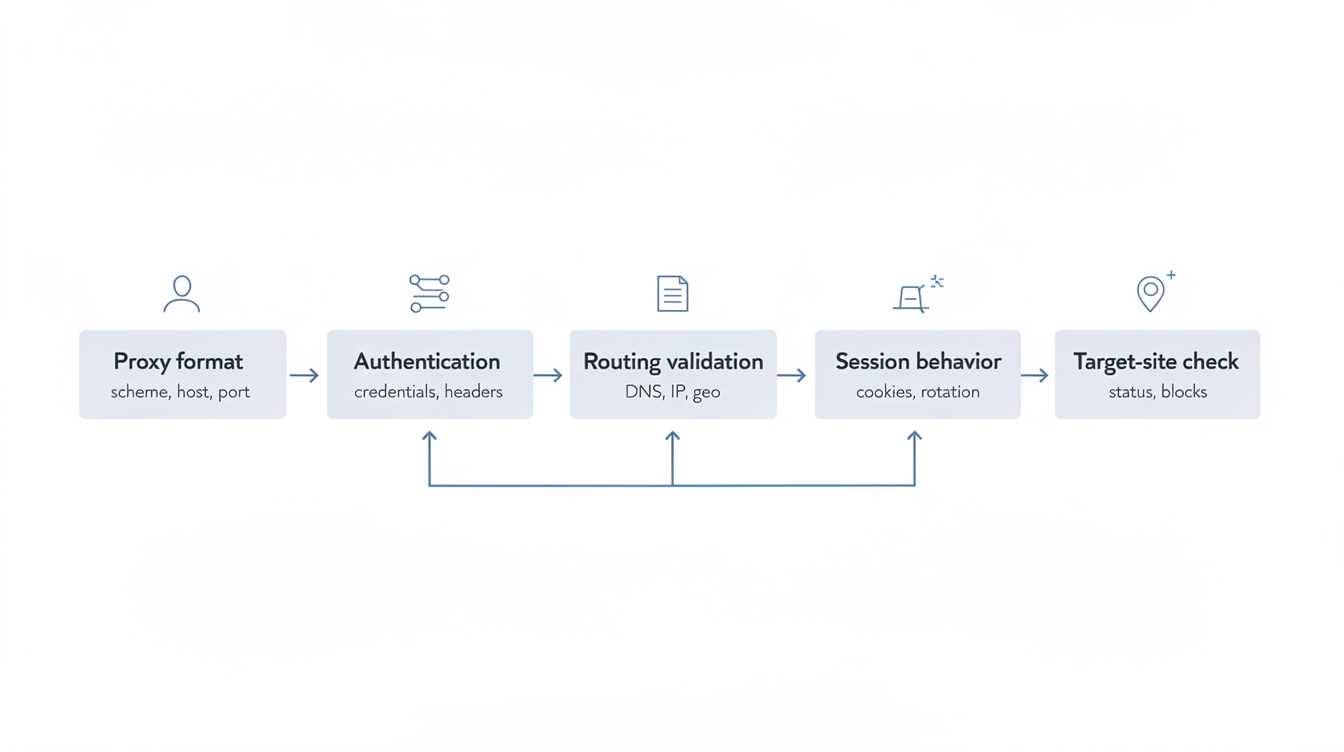
Use this order:
- confirm Selenium is actually launching the browser with the proxy you expect
- confirm the public IP changed
- verify whether DNS and browser traffic follow the same path
- separate auth failures from routing failures
- compare headed vs headless behavior
- decide whether the real problem is proxy type, browser config, or session design
Quick diagnosis: what kind of Selenium proxy failure do you actually have?
Before touching code, classify the symptom.
- The public IP never changes → the proxy is probably not being applied to the browser session.
- The IP changes in local runs but not in CI or Grid → the config is not surviving environment differences.
- Headed works, headless fails → browser startup flags, auth handling, or browser-specific routing is different in headless mode.
- The browser opens, but auth prompts or 407-style failures appear → credentials are missing, malformed, or unsupported in that configuration path.
- The first page works but later requests drift → you may be dealing with session rotation, profile reuse, extension behavior, or browser subprocess traffic.
- One browser works and another does not → this is often a Chrome vs Firefox proxy-configuration difference, not a provider failure.
Step 1: prove Selenium is launching with the proxy you think it is
The most common Selenium mistake is assuming the browser inherited the proxy config when it did not.
With Selenium, the proxy may be supplied through:
- browser options
- WebDriver capabilities
- browser profile settings
- command-line flags
- grid-level configuration
- container-level environment settings
That means “the test started” is not proof that the browser is actually routing through the proxy.
Start with the smallest possible test:
- one browser
- one proxy endpoint
- one clean profile
- one IP-check target
- no extensions, no login flow, no target-site complexity
If the public IP does not change in that stripped-down run, stop there. The browser is not using the proxy the way you think it is.
A minimal Chrome validation for Selenium
For Chrome-based runs, a common pattern is to use `–proxy-server` and then verify the exit IP immediately.
from selenium import webdriver
from selenium.webdriver.chrome.options import Options

options = Options()
options.add_argument('--proxy-server=http://proxy-host:port')

driver = webdriver.Chrome(options=options)
driver.get('https://api.ipify.org?format=text')
print(driver.find_element('tag name', 'body').text)
driver.quit()
That does not prove everything, but it proves something important: whether the browser session is actually leaving through the configured route.
If you need a HTTP proxy for a browser-heavy workflow, Chrome often behaves more predictably there than in a more complex SOCKS setup.
A minimal Firefox validation for Selenium
Firefox often uses a different proxy path from Chrome because it can rely more heavily on explicit profile preferences.
from selenium import webdriver
from selenium.webdriver.firefox.options import Options

options = Options()
options.set_preference('network.proxy.type', 1)
options.set_preference('network.proxy.http', 'proxy-host')
options.set_preference('network.proxy.http_port', 8080)
options.set_preference('network.proxy.ssl', 'proxy-host')
options.set_preference('network.proxy.ssl_port', 8080)

driver = webdriver.Firefox(options=options)
driver.get('https://api.ipify.org?format=text')
print(driver.find_element('tag name', 'body').text)
driver.quit()
If Chrome fails and Firefox works, or vice versa, you are probably dealing with browser-specific implementation details rather than a broken provider.
Step 2: verify DNS and routing behavior, not just the visible IP
A Selenium run can still be misleading even when the IP changes.
If the browser or environment resolves hostnames locally before sending traffic through the proxy, the exit IP may look correct while your DNS path still leaks outside the intended route. That can create geo mismatch, anti-fraud inconsistencies, or behavior that changes between local development and CI.
That usually shows up like this:
- the IP-check page shows the proxy IP, but target behavior still looks local
- one domain works and another fails for no obvious reason
- geo-sensitive content renders inconsistently
- logins or challenge flows behave differently between runs
This is one reason a properly chosen SOCKS5 proxy can be useful for some workflows—but only if the client and browser path really support the routing model you need.
Step 3: classify proxy authentication failures correctly
Authentication problems in Selenium often look worse than they are.
A true 407 response means the request reached a proxy layer but the credentials were not accepted. That matters because it tells you the browser reached the proxy, but the auth step failed.
Common Selenium auth failure patterns:
- credentials were never passed to the browser in the first place
- the browser supports the proxy type but not the auth method in that configuration path
- the proxy URL format is wrong
- the browser shows an auth dialog that Selenium is not handling
- headless mode behaves differently from headed mode
Do not treat “proxy auth failed” as one generic bucket. The key question is whether the browser reached the proxy and then failed authentication, or never used the proxy at all.
Step 4: headed vs headless Selenium is not the same test
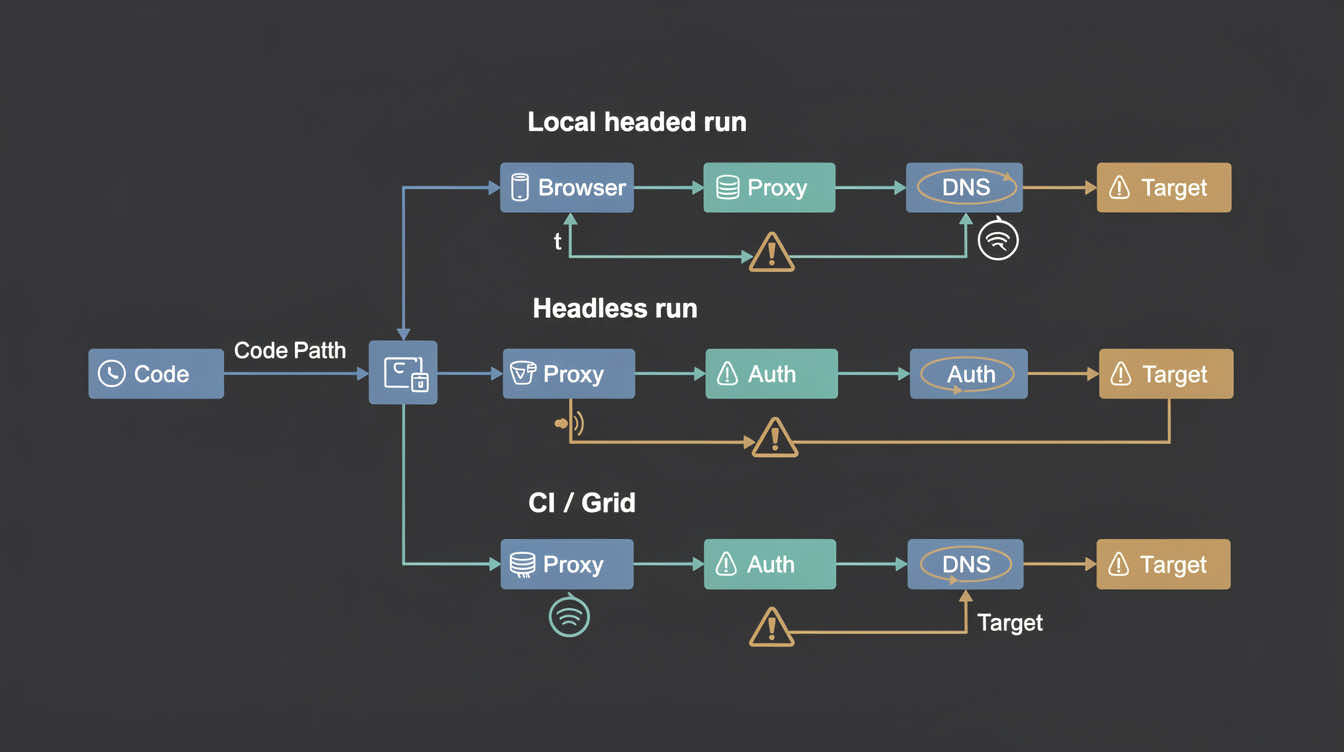
A lot of teams validate the proxy in headed mode and then assume headless will behave identically. That is not always true.
Headless runs can differ because of:
- startup flags
- browser network stack behavior
- extension availability
- auth prompt handling
- CI/container constraints
- sandboxing differences
That is why a Selenium proxy test should always validate both:
- headed local run
- headless run in the environment you actually deploy
If local headed works but CI headless fails, do not keep changing the provider first. The problem is often environment-specific browser behavior.
Step 5: one Selenium environment working does not prove the others are correct
This is especially important with:
- Selenium Grid
- Docker containers
- GitHub Actions or other CI
- remote browser nodes
- ephemeral runners
In those environments, the proxy may need to be valid at more than one layer:
- the test code
- the browser instance
- the node/container network
- outbound firewall policy
- the remote host itself
If your local machine works but Grid fails, the problem is often not the proxy account. It is usually one of these:
- the node cannot reach the proxy endpoint
- the browser on the node is not applying the same settings
- secrets are not reaching the runner correctly
- the node resolves DNS differently
- the environment silently bypasses the proxy path
Step 6: separate routing failures from session drift
Some Selenium proxy complaints are not routing failures at all. They are session-design failures.
A run may start correctly, then drift because:
- IP rotation happens mid-workflow
- a login flow expects continuity
- multiple tabs or subprocesses are not sharing the same assumptions
- sticky-session behavior is too short for the workflow
- a browser profile reuses state in ways you did not expect
That is why a proxy can be technically working while the workflow still looks broken.
If your job needs continuity—logins, carts, dashboards, account actions, multi-step navigation—rotation can make the run look unstable even when routing is fine.
In those cases, the fix may be less about Selenium code and more about using the right session behavior, such as static proxies or a more controlled rotating/session setup.
Step 7: decide whether HTTP or SOCKS5 is the better Selenium fit
The best proxy type for Selenium depends on the browser path and the workload.
Use HTTP proxies when:
- the workflow is mostly browser and web traffic
- the browser handles HTTP proxy config more predictably
- you want simpler troubleshooting for auth and routing
- your browser or environment makes SOCKS handling awkward
Use SOCKS5 when:
- the browser and environment clearly support it
- you need broader transport-level routing behavior
- you have validated that DNS and browser traffic follow the path you want
- the workflow benefits from that routing model rather than just plain web browsing
If you are still mixing up protocol behavior, the site’s proxy protocols page is the right conceptual follow-up. But for production debugging, the better question is simpler: which proxy type behaves predictably in your real Selenium environment?
Step 8: a Selenium proxy troubleshooting order that actually works
When a Selenium proxy setup fails, use this order:
1. Validate one clean browser session
No extensions, no profile reuse, no target-site complexity.
2. Check the public IP immediately
If the IP does not change, the proxy is not applied correctly.
3. Test headed and headless separately
Treat them as different runtime environments.
4. Compare browsers if needed
Chrome and Firefox can fail for different reasons.
5. Validate the deployment environment
Local success does not prove CI, Docker, or Grid is configured the same way.
6. Check session behavior
If the workflow needs continuity, rotation may be the real issue.
7. Debug the target site last
Only after routing is proven should you blame anti-bot checks, target filtering, or fingerprinting.
A final validation checklist
Before you call the Selenium proxy fixed, confirm all of the following:
- the public IP changed in a clean validation run
- headed and headless both behave as expected
- local and CI/Grid environments produce the same routing result
- auth succeeds consistently
- the browser is not silently bypassing the proxy
- the session model matches the workflow
- the target is tested only after the route is proven
If you cannot prove all seven, the setup is not fully validated yet.
FAQ
Why is Selenium not using my proxy?
Usually because the browser did not actually receive or apply the proxy config you expected.
Why does Selenium work with a proxy locally but fail in CI?
Because browser config, DNS behavior, environment variables, and outbound network policy often differ between environments.
Why does headless Selenium behave differently with a proxy?
Because headless runs can differ in flags, auth handling, extension support, and network behavior.
Should I use HTTP or SOCKS5 with Selenium?
Use the one that behaves predictably in your actual browser and deployment setup; browser-heavy workflows are often easier to debug with HTTP proxies.
Can proxy auth failures cause 407 errors in Selenium?
Yes. A 407 means the request reached the proxy layer but the credentials were not accepted.
Final takeaway
Most Selenium proxy failures are not mysterious. They usually come down to a short list: the browser never used the proxy, auth failed, headless behaved differently, the environment changed the routing path, or the session model did not fit the workflow.
The fastest fix is to validate the browser route first, then the environment, then the session model.
Do not assume the proxy is working because Selenium opened the page. Prove the IP. Prove the environment. Prove the session behavior. Then debug the target.