Best 4chan Proxies 2026: Unblock & Fix 403/CAPTCHA

As we enter 2026, 4chan access issues are still common: 403 Forbidden, IP bans, repeated CAPTCHA, and posting that fails even when browsing works. When that happens, a 4chan proxy is only useful if it actually changes your visible IP, keeps sessions stable when needed, and avoids recycled/burned ranges.
A workable 4chan proxies setup isn’t “any proxy.” It’s a route that matches what you do on 4chan (browse vs post), so you don’t end up in a loop of switching IPs while the same session signals keep triggering friction.
This guide covers:
- a 60-second diagnosis to confirm what’s broken
- how to choose the right proxy type for browsing vs posting
- setup on browser and system level
- a practical troubleshooting path for 403 / CAPTCHA loops / posting failures
Why 4chan Gets Blocked & Quick 60-Second Diagnosis
Start with a fast check before configuring anything. The goal is to tell “local issue vs IP/range issue vs behavior/session issue.”
Common causes:
- Network-level blocks (school, workplace, hotel/public Wi-Fi)
- IP range bans or rate-limited ranges (shared proxy exits get hit often)
- Behavioral flags (rapid refresh/posting, repetitive actions)
- Local browser state issues (cookies/cache/extensions)
- DNS / resolver problems (less common, but real)
60-second diagnostic steps:
- Switch networks: test on mobile data/hotspot.
- Incognito test: open 4chan in a clean session.
- Disable extensions (adblock/script blockers) for one test.
- Clear site data (cookies + cache for 4chan) if browsing works but posting fails.
- Confirm your visible IP before/after changes using a public IP check like What Is My IP Address.
- If you suspect DNS-based filtering on restricted networks, testing encrypted DNS (DoH) can be a quick sanity check; Cloudflare documents how DNS over HTTPS works.
Interpretation:
- Works on mobile data but not on Wi-Fi → likely network restriction.
- Works in incognito but not normal mode → likely browser/session state.
- Never works anywhere unless you change IP → likely IP/range ban.
If it only breaks on certain Wi-Fi networks and fixes itself after DNS changes, it may be resolver-level interference rather than a pure IP ban.
Selecting the Right 4chan Proxy Type for Your Use Case
Your proxy choice should match what you do on 4chan:
If you’re evaluating 4chan proxies, treat it like routing for two different jobs: low-friction reading vs stable posting sessions.
- Reading/browsing only: speed matters more than identity stability.
- Frequent posting: session continuity and “less-flagged exits” matter more than raw speed.
Practical comparison (2026):
| Type | Best for | CAPTCHA risk | Speed | Ban/flag risk | Notes |
|---|---|---|---|---|---|
| Datacenter | casual browsing | medium | very fast | higher | cheap, but shared exits get flagged more |
| Residential | posting + stability | lower | fast | lower | better “normal user” footprint |
| Mobile | heavy interaction / strict bypass | lowest | medium | lowest | expensive; use when residential still struggles |
Guideline that’s actually safe:
- If you only need to read → start with Datacenter Proxies and upgrade only if you hit friction.
- If you need to post reliably → start with Residential Proxies (often static/sticky sessions help more than constant rotation).
- Use mobile only when you have persistent blocks and can justify the cost.
Note: “rotating residential is always best” is too absolute. Rotation helps when an exit is flagged, but posting often benefits from stable sessions.
Step-by-Step Proxy Setup for 4chan (All Platforms)
A proxy setup only works if you can prove traffic is going through it.
Core steps:
- Pick a provider and proxy type (datacenter for browsing, residential for posting).
- Get credentials: host:port and auth method (user/pass or IP whitelist).
- For workflows that need IP continuity, a sticky route like Static Residential Proxies often reduces mid-session posting failures.
- Apply settings (browser extension or OS).
- Verify visible IP changed in a separate tab.
- Open 4chan and test browsing + posting (if posting matters to you).
Verification checklist (do this every time you “switch proxies”):
- Visible IP is different from your home IP
- Timezone / language mismatch isn’t extreme (optional, but helps)
- Posting test is done after clearing old cookies if you were previously blocked
Browser-Based Setup (Recommended)
Use one profile per route when possible. Extensions like FoxyProxy / SwitchyOmega work well because you can toggle quickly.
Best practice:
- Create a dedicated browser profile for 4chan activity
- Keep one stable route for posting instead of rotating every few minutes; if rotation is needed, use Rotating Residential Proxies selectively when friction appears.
System-Wide Configuration
Use OS-wide proxy only when you need multiple apps to share the same route.
Troubleshooting 403 Errors, CAPTCHA Loops & Posting Issues
These three symptoms have different fixes. Don’t treat them the same.
If you see 403 Forbidden

Most common meaning: the exit IP/range is blocked — this is where the wrong 4chan proxy pool wastes the most time.
Do:
- Switch to a different exit pool (not just a new IP in the same pool)
- If shared ranges keep getting blocked, try a dedicated pool such as Static Datacenter Proxies for read-heavy use (and switch only if posting remains unstable).
- Try a different region only if your current region is clearly range-banned
- If you were rotating aggressively, switch to a sticky/static session for posting
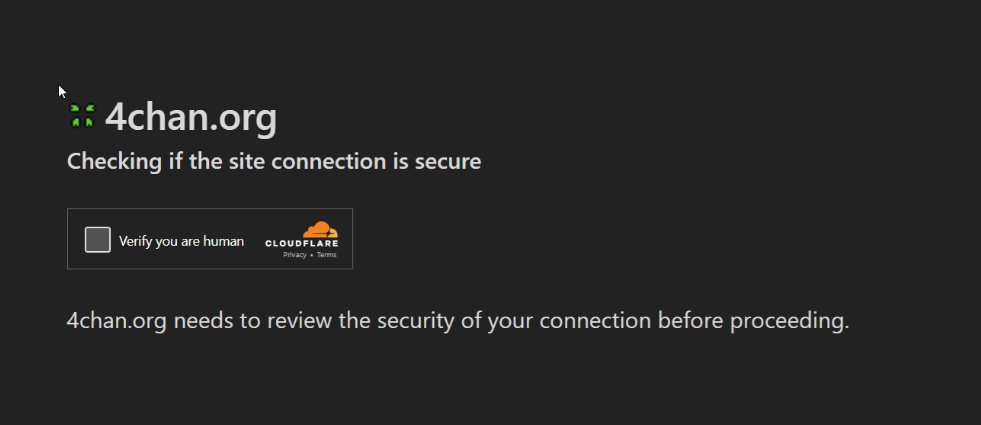
If you get endless CAPTCHA loops
Most common meaning: session + behavior signals.
Do:
- Slow down (refresh/post less frequently)
- Clear 4chan site data and restart with a clean session
- Prefer residential exits and keep them stable for a while
- Avoid stacking “anti-detect tricks” all at once (too many changes can look worse)
- If CAPTCHAs spike right after frequent switching, try measured rotation via Rotating Datacenter Proxies only when an exit is clearly burned, not on a timer.
If browsing works but posting fails
Most common meaning: posting checks are stricter than read requests.
Do:
- Use one consistent route for that posting session
- Don’t switch IP mid-session
- Use a clean browser profile, minimal extensions, normal interaction rhythm
Advanced tips (only if needed):
- DNS-over-HTTPS can help in some restricted networks
- Rotation scheduling: rotate only when you hit friction, not on a timer
CAPTCHA loops are usually a session problem first, and a 4chan proxies problem second.
Security Considerations & 2026 Trends
Security basics that matter:
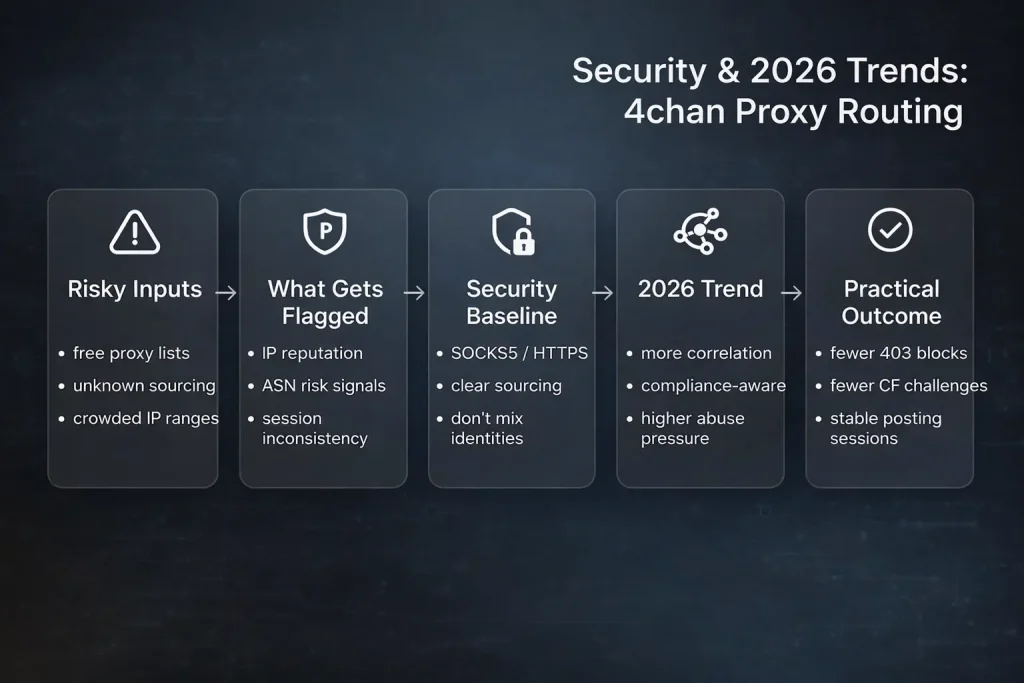
- Avoid “free proxy lists” for anything sensitive. Reliability and privacy are unpredictable.
- Prefer SOCKS5/HTTPS routes and providers that explain sourcing and usage policies.
- Don’t reuse the same proxy route across unrelated identities if you care about separation.
Trend worth watching in 2026:
- proxy infrastructure is getting more “managed” and compliance-aware, while abuse pressure keeps rising — market outlook reports consistently frame this as a growth space with more scrutiny and differentiation across proxy types. For example, Zion Market Research’s overview of the proxy server market forecast summarizes continued expansion and competitive segmentation.
- In practice, more services correlate behavior patterns and session consistency, so for a 4chan proxy setup, stable identity routing often beats “IP switching for its own sake.”
If 4chan is blocked or unstable, don’t guess. Confirm the failure mode first, then match the proxy type to your real activity (browse vs post). Once it works, keep the route stable and change exits only when you hit friction.

Daniel Harris is a Content Manager and Full-Stack SEO Specialist with 7+ years of hands-on experience across content strategy and technical SEO. He writes about proxy usage in everyday workflows, including SEO checks, ad previews, pricing scans, and multi-account work. He’s drawn to systems that stay consistent over time and writing that stays calm, concrete, and readable. Outside work, Daniel is usually exploring new tools, outlining future pieces, or getting lost in a long book.
FAQ
Which proxy type works best for 4chan in 2026?
Rotating residential proxies often strike a strong balance for 4chan proxies in 2026, but frequent posting may still benefit from a stable/sticky session route.
How can I resolve persistent CAPTCHA loops?
Switch to residential IPs, reduce posting frequency, and clear session data.
Are free proxies viable?
Generally not—high ban rates and security concerns make paid options far superior.
Proxy or VPN—which is better for 4chan?
Proxies excel here: more targeted, lower detection profile for site-specific use.
Where can I find reliable residential options?
If you want a reference point for these categories, routes like Residential / rotating / static offerings (e.g., MaskProxy’s product pages linked above) are typically where operators start comparing pools and session behavior.