Proxy Header Leak Check: Forwarded Headers, Via, and Origin IP Exposure

A proxy route can look healthy at the IP-check page and still expose too much at the application layer. The problem is not always the exit IP. Sometimes the request carries headers that tell the target where the request started, which proxy layer handled it, or whether a previous client setting is still leaking context.
This checklist is for operators who need to verify a proxy path before relying on it for account access, testing, monitoring, or localized workflows. It does not promise invisible browsing or guaranteed access. It gives you a safe order for checking request headers, comparing results, and deciding when to stop before the route becomes part of a longer session.
What Counts as a Proxy Header Leak?
A proxy header leak happens when the request that reaches the destination includes fields that expose the wrong source, routing layer, or client context. Common examples include X-Forwarded-For, Forwarded, Via, X-Real-IP, proxy-added tracing headers, and any custom header left behind by a client, gateway, or previous test environment.
These headers are not always bad. In internal load balancers and trusted reverse-proxy chains, they can be intentional. For external proxy workflows, however, they need to match the route design. If the request is supposed to show only the assigned proxy exit, a header that reveals a local network address, an earlier gateway, or a different upstream path is a failure signal.
Start With the Expected Request Model
Before testing, write down what the destination should see. This avoids changing the proxy before you know what failed.
- Assigned exit: the IP address, region, ASN, and proxy type you expect the target to observe.
- Protocol path: HTTP, HTTPS CONNECT, SOCKS5, or a gateway chain that terminates and re-sends requests.
- Allowed headers: which proxy or gateway headers are expected, if any.
- Blocked headers: headers that should never reach the target, such as a local IP, office IP, or previous provider trace.
- Client scope: the browser, script, app, or automation client that will use the route.
If the request model is unclear, review your client IP preservation assumptions first. A forward proxy, reverse proxy, and PROXY protocol deployment can expose different signals for different reasons.
Header Leak Checklist
| Check | Pass condition | Failure signal | What to record |
|---|---|---|---|
| Public exit IP | The destination sees the assigned proxy exit. | The origin, office, or another provider IP appears. | Observed IP, expected IP, test URL, timestamp. |
X-Forwarded-For | Absent, or intentionally set by a trusted gateway. | Contains a local, origin, or unexpected upstream IP. | Full header value and client used. |
Forwarded | Absent, or matches the approved proxy chain. | Shows for=, by=, or proto= values that do not match the route. | Raw value, protocol, and proxy hop. |
Via | Absent, or expected for a documented intermediary. | Reveals a gateway, cache, or proxy layer that should not be public. | Via value and route owner. |
| Custom trace headers | No internal trace, debug, or vendor-specific headers leave the client boundary. | Headers expose internal IDs, old test labels, or previous route names. | Header names, not secrets or tokens. |
| Repeat consistency | Header result stays stable across several new connections. | Headers appear only after reconnect, retry, or client reuse. | Connection state, retry count, and timing. |
Run the Test in Two Layers
First test the route outside the browser or app. Use a controlled HTTP client that shows response-side diagnostics from a trusted endpoint you operate or a header-inspection service approved by your team. Keep the request simple: no saved cookies, no browser extensions, no automation wrapper, and no reused connection pool.
Then test through the real client that will use the route. This is where leaks often appear. A browser extension, SDK, HTTP library, corporate gateway, or retry middleware can add headers that your first raw request did not include. If the two layers disagree, the proxy may not be the root cause; the client path may be rewriting the request.
For browser-side checks, compare this result with browser-side IP exposure. Header exposure and WebRTC exposure are different problems, but they often appear during the same pre-session review.
Separate Proxy Behavior From Client Behavior
If a suspicious header appears, avoid rotating the IP immediately. First decide which layer produced the signal.
- Proxy or gateway layer: the same header appears from multiple clients when they use the same route.
- Client layer: the header appears only in one browser, script, extension, SDK, or automation runtime.
- Connection reuse layer: the header appears after retries or keep-alive reuse, but not in a fresh connection.
- Policy layer: the header is intentionally inserted by an allowlist, audit, or routing gateway.
When authentication or source restrictions are involved, also check authentication and allowlist scope. A route can fall back to another gateway when credentials, IP allowlists, or protocol scope are wrong.
When to Stop Instead of Continuing the Session
Stop before account access or longer automated work when any of these conditions remain unresolved:
- The observed exit IP is not the assigned route.
X-Forwarded-For,Forwarded,Via, orX-Real-IPexposes an origin or unexpected upstream address.- Header results change between retries without an intentional route rule.
- A browser or automation client adds trace headers that the raw HTTP test does not show.
- The team cannot identify which gateway owns the exposed header.
Stopping is not overcautious. It prevents a bad baseline from becoming part of your account history, test evidence, or monitoring data. If the route is meant for repeat work, capture the failure in a proxy troubleshooting log before changing anything.
Repair Order
- Remove client-added headers. Check browser extensions, HTTP library defaults, middleware, and proxy-agent settings.
- Reset connection reuse. Disable keep-alive temporarily or force a fresh session to see whether pooled connections carry old state.
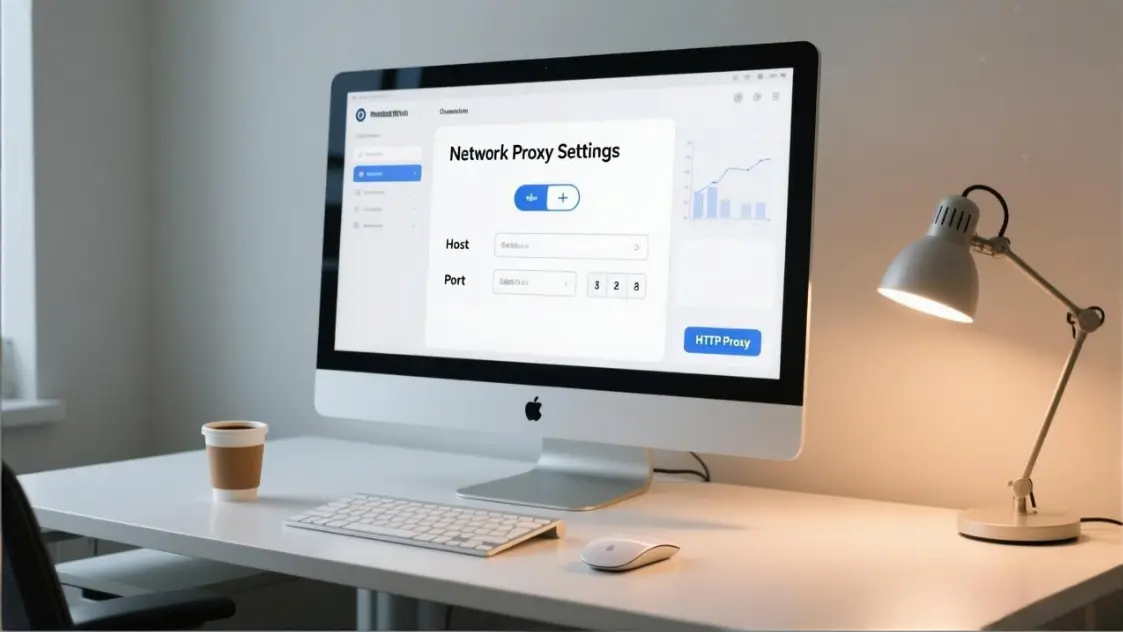
- Verify protocol fit. HTTP proxy, HTTPS CONNECT, and SOCKS5 paths do not expose the same layers. Recheck HTTP proxy behavior if the client sends plain HTTP through an unexpected intermediary.
- Check gateway policy. Confirm whether a corporate, cloud, or provider gateway intentionally adds
Viaor forwarding headers. - Retest from a clean client. Use a minimal request with no extensions, no stored state, and no previous proxy-agent configuration.
- Only then change the route. If the same leak follows the route across clients, rotate or retire it according to your route policy.
How This Fits Account Access Workflows
A header leak check should happen before the proxy route becomes part of an account access workflow. After login or long-running work starts, it becomes harder to separate a proxy issue from session history, client state, and target-side reactions.
The practical rule is simple: verify the request path first, record the result, and only continue when the exit IP, headers, DNS behavior, and client path all match the route you meant to use. If the evidence is mixed, pause and repair the request model before changing accounts, credentials, or larger workflow settings.