

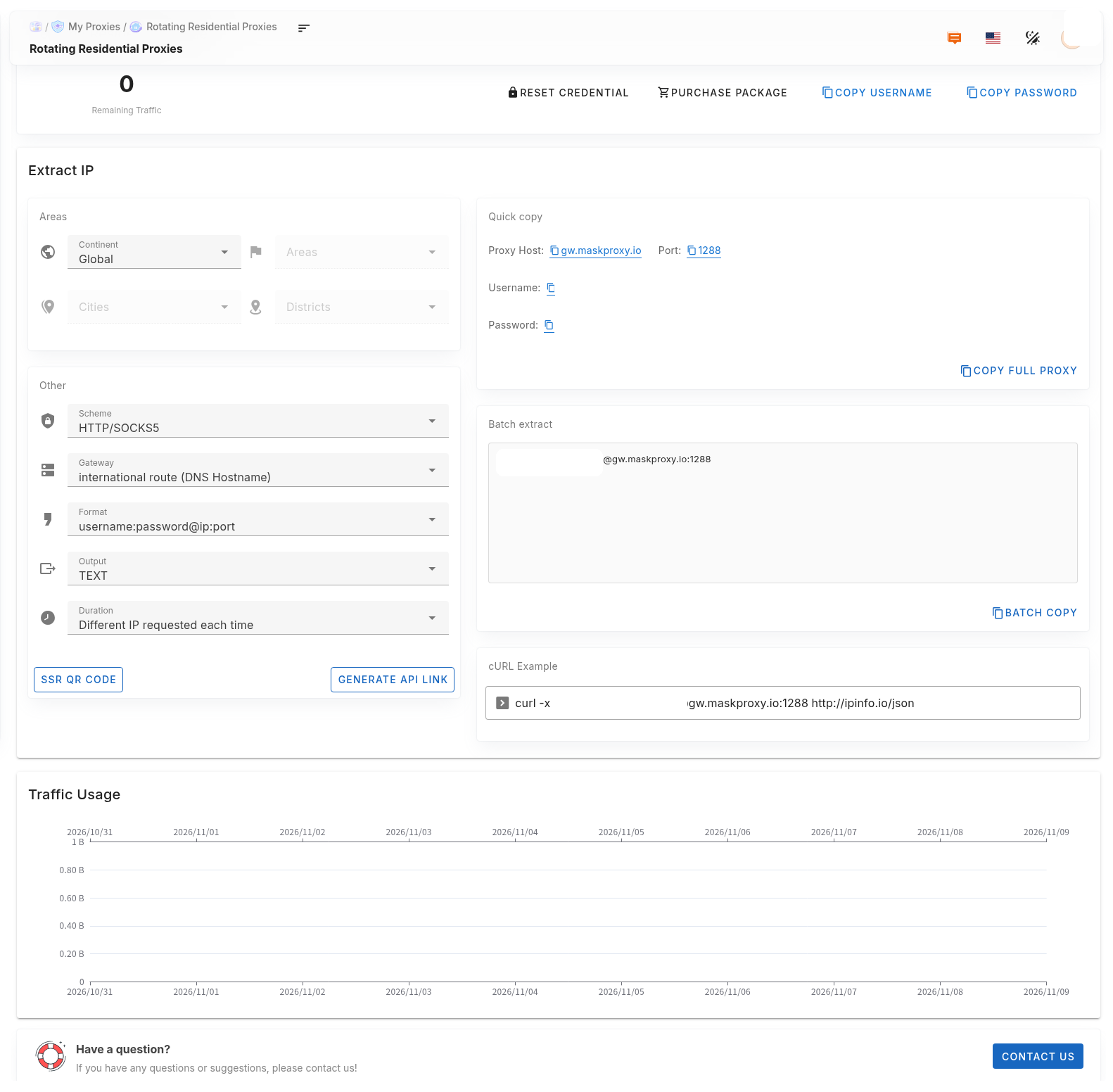
Proxy accounts and credentials are the username and password used to connect to the proxy — not your console login. Copy host and port separately from Quick copy.
1. Where to find them
- Rotating products: top of the extract page — Copy username / Copy password.
- Static products: IP list or Quick copy area.
- Full string format:
username:password@host:port. Example gateway:gw.maskproxy.io:1288.
2. When to reset
- You suspect a leak; a collaboration ended and you need to revoke access; many tools still hold wrong credentials.
- Auth fails after you already ruled out copy errors, wrong protocol, and traffic / expiry issues.
3. After a reset
- Copy the new username and password.
- Update every script, browser, antidetect browser, and proxy manager.
- Run a connection test immediately.
Do not click Reset credentials unless you mean to — old username/password will stop working.
Important: After reset, old credentials usually stop working at once.
Related: Reset Rotating Residential credentials · Reset Rotating Datacenter credentials · cURL test.