rotating residential proxy page can generate API links based on the current filtering parameters. API links are suitable for scripts, server programs or automated systems to extract proxy on demand.
Step 1: First select the extraction parameters
- Enter "rotating residential proxy" in "My proxy".
- Select the country/region, city or region.
- Select HTTP or SOCKS5 protocol.
- Select gateway, format, output format and aging.
- Confirm that the quick copy or batch extraction results on the right are as expected.
Step 2: Generate API Link
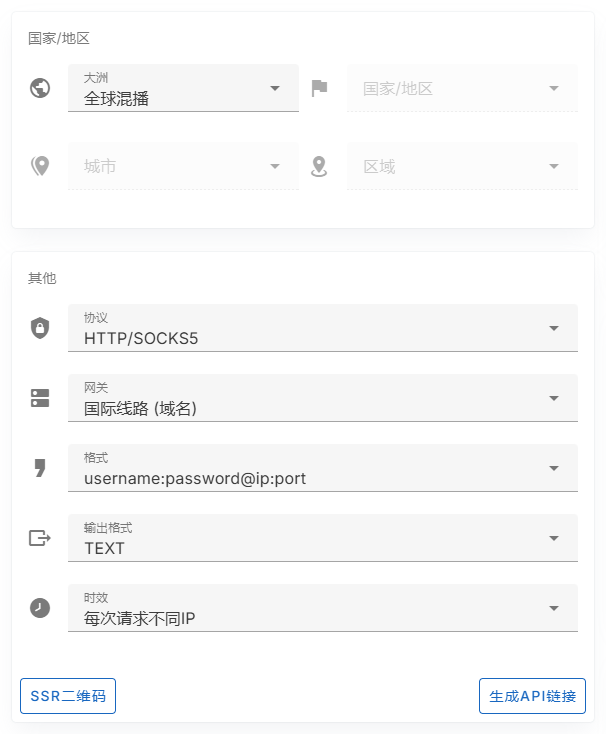
- Click "Generate API Link" on the page.
- Copy the generated API URL.
- Save the API URL to your script, configuration file, or key management tool.
- Request the link in the program to obtain the proxy result corresponding to the current parameters.
Step 3: Test the API return
You can first request the API URL in the browser or command line, confirm that the proxy string can be returned, and then connect to the official business.
curl "你的 API URL"Usage recommendations
- API links usually contain authentication information related to your account, please save it like a password.
- Do not submit API URLs to public code repositories.
- If you change the region, protocol, format or time limit, it is recommended to regenerate the API link.
- If you suspect that the link is leaked, you can reset the credentials and regenerate it.
Suitable for API link scenarios
- Automated scripts to regularly pull the proxy.
- Server tasks obtain proxy in batches.
- The internal system manages proxy extraction logic in a unified manner.
- Need to reduce the repetitive operation of manually copying proxy strings.