

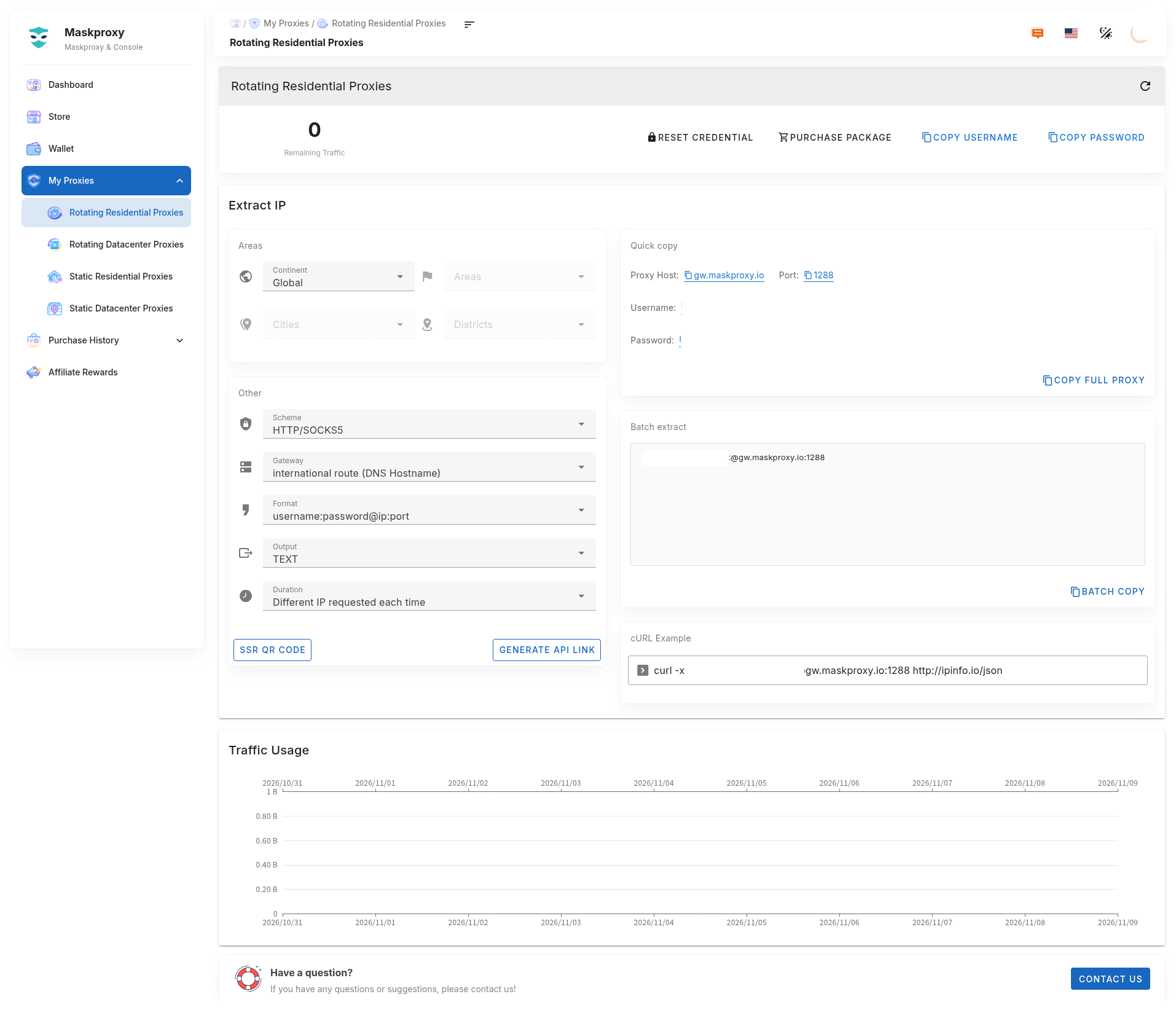
This page explains common MaskProxy proxy parameters for browsers, antidetect browsers, proxy managers, scripts, and APIs. Host, port, and credentials always follow the current My Proxy page.
Products for sale: Rotating Residential / Rotating Datacenter (by GB), Static Residential / Static Datacenter (by IP · duration). Protocols: HTTP and SOCKS5. Usual format: username:password@host:port. Example host gw.maskproxy.io, port 1288 (do not copy someone else’s credentials).
1. Parameter checklist
- Protocol, host, port, username, and password.
- Location (country / city / area), format, session (rotating), API URL.
2. Recommended order
- Confirm the product type.
- Choose location, protocol, and session (rotating).
- Copy host, port, username, password.
- Run a minimal curl test before connecting production tools.
Do not click Reset credentials unless you mean to — old username/password will stop working.
3. Deeper guides
- Proxy accounts and credentials
- Proxy location
- Session type and duration
- Hosts and ports
- Proxy string
- API URL
- Test command (cURL example)
Related: Extract Rotating Residential · Rotating Residential parameters · cURL test · Connection test.