

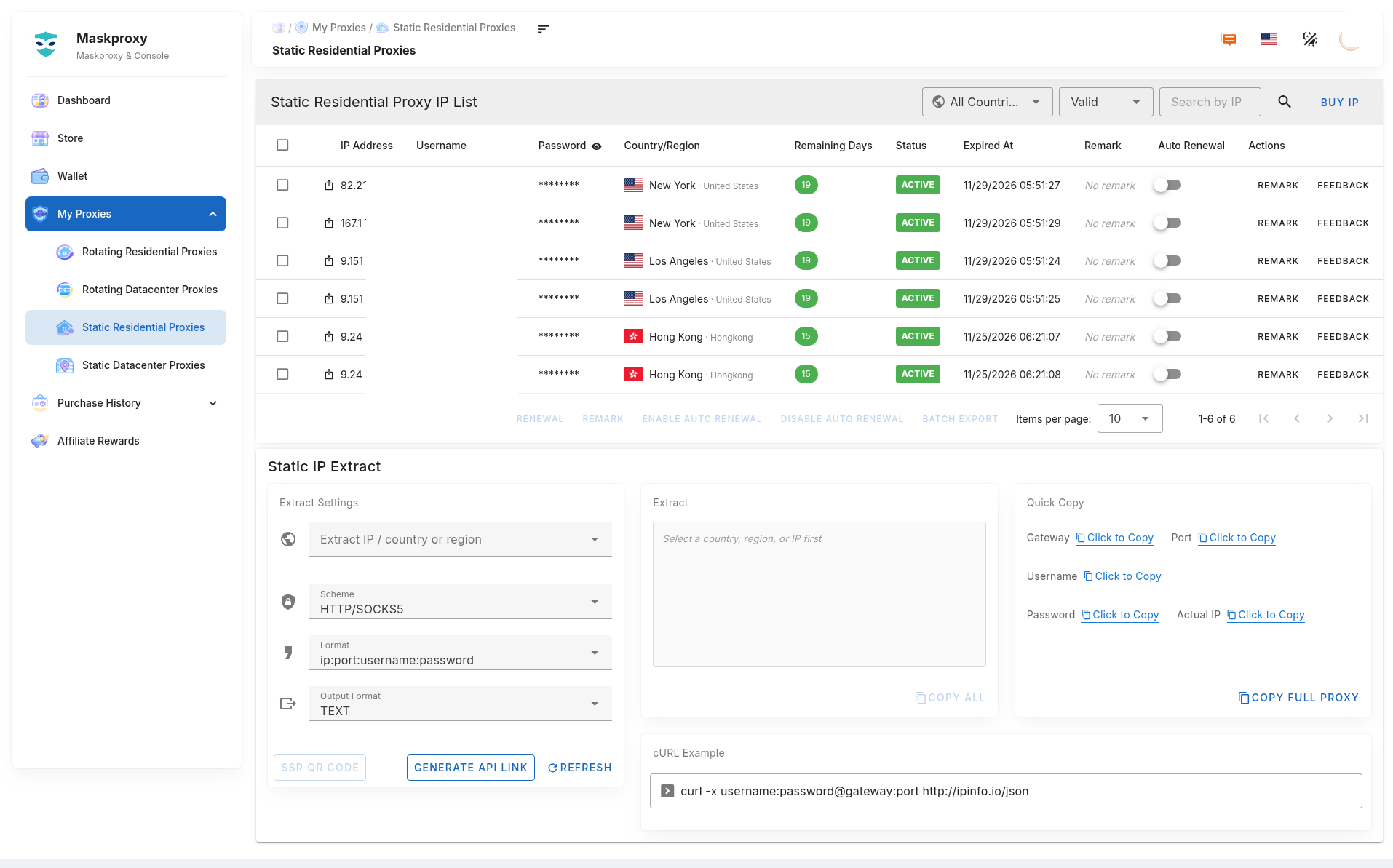
After configuring Static Residential, run a connection test to confirm the fixed egress works. Host, port, and credentials follow My Proxy → Static Residential.
1. Pre-checks
- IP status healthy and not expired.
- Host, port, username, and password complete.
- Tool protocol matches the console (HTTP / SOCKS5).
2. curl test (recommended)
- Open My Proxy → Static Residential, select the target IP, copy full proxy or separate fields.
- Run:
curl -x username:password@host:port http://ipinfo.io/jsonExample shape (do not copy as-is):
curl -x YOUR_USER:[email protected]:1288 http://ipinfo.io/jsonThe egress IP should match (or closely match) the static IP in your list.
3. Browser test
- Add a proxy profile and fill the four fields.
- Pick HTTP or SOCKS5.
- Open an IP-check page; confirm egress is fixed and the target site loads.
4. Pass criteria and common issues
- No auth failure, no timeout; egress IP stays stable.
- Region / ISP roughly matches expectations.
- List shows no available IPs: none purchased or expired → buy/renew in Store.
- Do not casually Reset credentials; re-check parameters and expiry first.
Related: Extract · Buy & renew.