

Shortest path: Open My Proxy → Static Residential → Confirm the IP is available → Copy parameters or generate an API link → curl test. Host, port, and credentials always follow the current My Proxy page.
1. Before you start
- Sign in to the MaskProxy console.
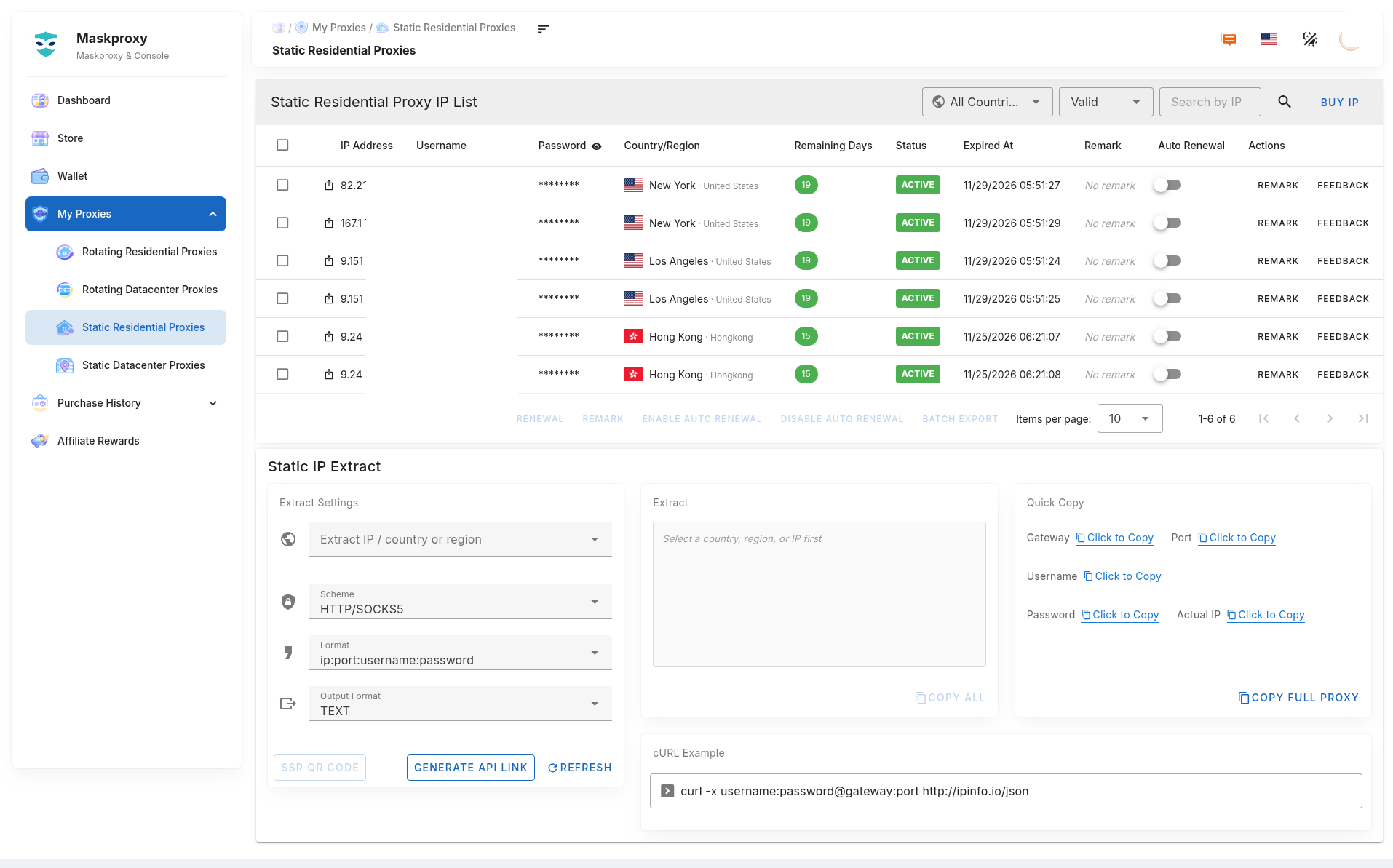
- Open sidebar My Proxy → Static Residential (path about
#/ip/static/res). - Confirm you have purchased IPs that are healthy and not expired. Filter by country/region or status if needed.
2. Manual extract
- Few IPs: copy the full proxy string, or copy host, port, username, and password separately.
- Many IPs: use batch copy or export.
- Format:
username:password@host:port. Example host / port:gw.maskproxy.io/1288(use the values on your page).
Do not click Reset credentials unless you mean to — old username/password will stop working.
3. API link
- Choose filters and output format as needed.
- Generate or copy the API link.
- Test the response in a terminal before wiring it into scripts:
curl "YOUR_API_URL"API links may include account-related data — treat them like passwords. Results change when IPs expire or status changes. If you suspect a leak, reset credentials and regenerate the link.
4. Test with curl
curl -x username:password@host:port http://ipinfo.io/jsonExample shape (do not copy as-is):
curl -x YOUR_USER:[email protected]:1288 http://ipinfo.io/jsonThe egress IP should match (or closely match) the static IP in your list.
Related: Buy & renew · Connection test · Bulk export.