

Rotating Residential is billed by GB traffic. It provides real residential egress with country/region selection and rotating IPs. Protocols: HTTP and SOCKS5. Host, port, and credentials follow My Proxy → Rotating Residential.
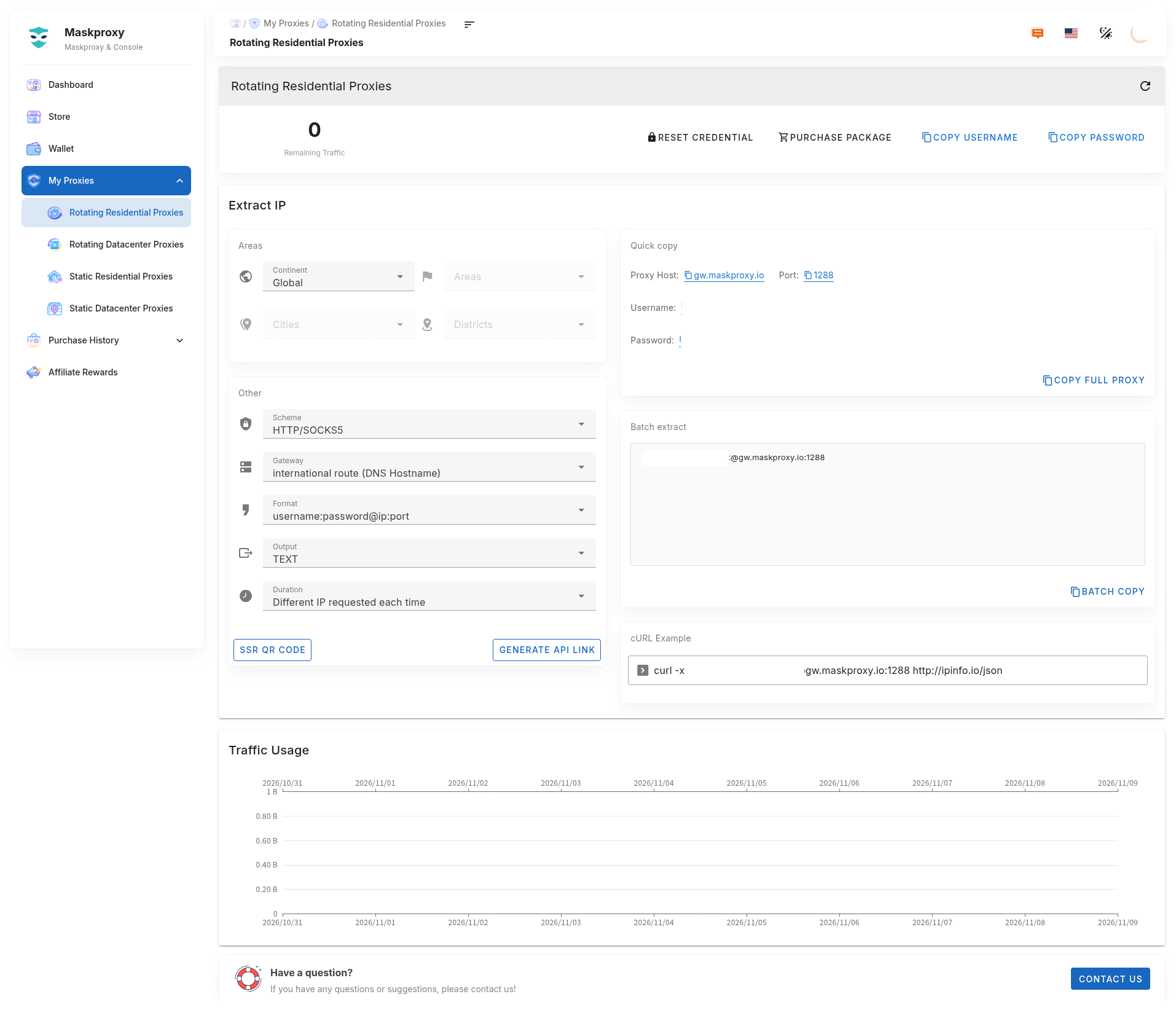
Figure: extract page (credentials redacted). Always use the values on your current My Proxy page.
1. Good fit when
- You need residential egress and region control without buying a fixed IP.
- Browsers, antidetect browsers, scripts, or API calls need frequent egress changes.
- You pick “new IP per request” or a longer sticky session per task.
2. First-time shortest path
- Buy a Rotating Residential plan in Store (see buy & renew).
- Open My Proxy → Rotating Residential (about
#/ip/dynamic-traffic/res) and confirm remaining GB. - Choose region, protocol, gateway, format, and session; copy
username:password@host:port. - curl-test before connecting production tools. Example gateway:
gw.maskproxy.io:1288.
Do not click Reset credentials unless you mean to — old username/password will stop working.
3. Related guides
- Buy & renew Rotating Residential
- How to extract Rotating Residential
- Reset & copy credentials
- Connection test
- How to choose parameters
- API link generation
- Traffic usage & statistics
- Troubleshooting
4. vs other products
- Rotating Residential: residential egress, billed by GB.
- Rotating Datacenter: datacenter egress, billed by GB, higher-bandwidth automation.
- Static Residential / Static Datacenter: fixed IP, billed by IP / duration.